WhatsApp Order Automation for Retail: From Chat to Cash Without Dropping a Single Order
53% of retailers already automate messaging on WhatsApp. Here's the 6-stage order pipeline that captures, confirms, charges, ships, and tracks every order from the chat thread.
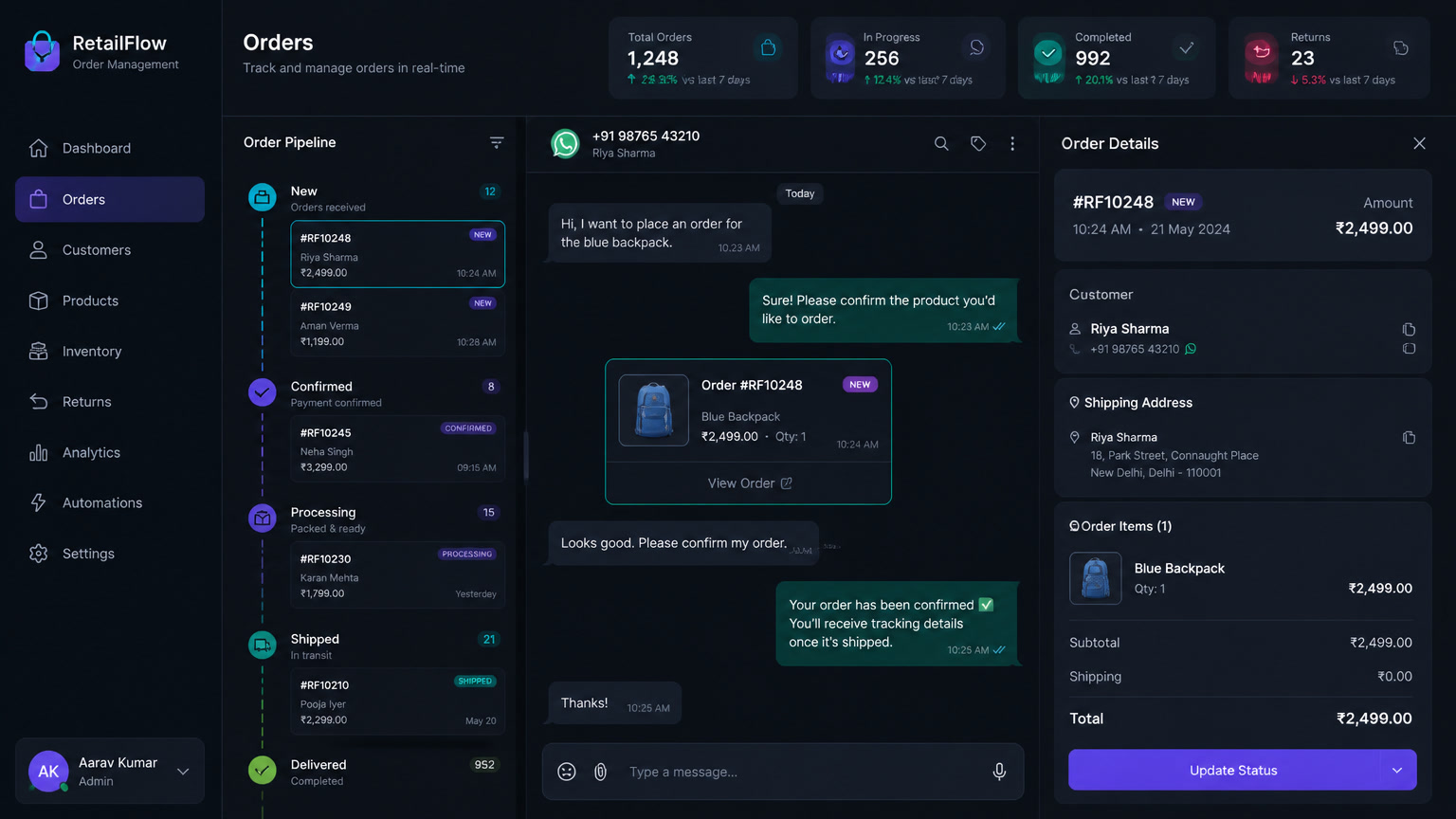
WhatsApp order automation means capturing, confirming, charging, shipping, and tracking every order inside the chat thread, with zero manual steps in between. The State of Business Messaging 2026 study (Meta/Kantar, 11,056 adults across 22 markets) found that 91% of online shoppers enjoy receiving order updates via messaging, and 73% prefer messaging as their channel with a business. Yet most retailers in Latin America still run orders on a spreadsheet and a shared WhatsApp inbox: copy, paste, "did you confirm the payment?", and hope the customer doesn't go cold. This article is the blueprint for the alternative: a 6-stage pipeline that connects your catalog to the payment and the doorstep, with real costs and implementation data.
Stuck retail businesses don't need more sales: they need order
There's an r/Entrepreneur thread that captures the problem: a 24-year-old retail owner with a profitable business doing $700K in annual revenue, no debt, and savings — and he feels stuck. The 124 comments all point the same direction: his time is being kidnapped by operations. That's the pattern we see in every retail diagnostic we run at Mintec: the owner doesn't have a demand problem, he has a process problem. Every WhatsApp order means replying, checking stock in another screen, forwarding the details to whoever packs, checking the bank for the transfer, and typing "thanks for your purchase!".
The cost of that chaos isn't just time. According to Forrester's Total Economic Impact study for Meta (June 2025), utility messages — confirmations, shipping alerts, delivery notices — cut failed orders by 15% on average, because the customer always knows exactly where their order stands. When the customer knows nothing, they write, call, cancel, or dispute the charge. Automation doesn't replace your customer service: it eliminates the questions that shouldn't exist.
Why WhatsApp is the operations channel, not just a marketing one
The 2026 numbers leave no room for debate:
- $45 billion in global WhatsApp commerce sales in 2026 (eGrow/Invent).
- 53% of retailers already automate messaging on the WhatsApp Business Platform (Infobip CX Maturity Report).
- 66% of consumers have purchased after chatting with a business; 50% make purchase decisions directly in WhatsApp.
- 45-60% conversion rates in conversational commerce — 12x traditional channels (eGrow 2026).
- 88% of messages are read within 5 minutes. Email is lucky to hit 25% in 3 minutes.
We've covered the WhatsApp + CRM + AI agents stack and the lead-to-cash pipeline for services. This article is the retail sibling: in services, the pipeline ends when the contract is signed; in retail, it ends at physical delivery and repurchase. The operational difference is brutal, because retail has stock, shipping, returns, and partial payments.
The 6-stage pipeline that automates your retail operation
This is the framework we use in implementations: every stage has a trigger, a tool, and a metric. You don't build all six on day one — you start with stages 2 and 3, which remove the most friction per dollar invested.
| Stage | What gets automated | Typical tooling | Key metric | Cost/month |
|---|---|---|---|---|
| 1. Capture | Order arrives in chat (catalog, Flows, or form) and creates the CRM record automatically | WhatsApp Business API + Clientify | % orders captured without retyping | $0-99 |
| 2. Confirmation | Instant reply with order summary, stock, and estimated delivery | n8n/Make + message template | Confirmation time < 1 min | $6-29 |
| 3. Payment | Auto payment link (Mercado Pago, Stripe, Clip) with webhook charge detection | Gateway + n8n | % orders paid within 24 h | 2-4% per transaction |
| 4. Fulfillment | Internal warehouse notification + generated pick list | n8n + internal WhatsApp/email | Order-to-ship time | $6-29 |
| 5. Delivery | Shipping updates with tracking link, delay alerts, rescheduling options | Carrier API + WhatsApp (utility messages) | Failed orders < 15% | $0.02-0.10 per conversation |
| 6. Post-sale | NPS survey, repurchase reminders, review requests, returns handling | WhatsApp Flows + CRM | NPS and repurchase rate | $0-30 |
Total modular stack cost: $50-200 USD per month plus the payment gateway fee. Compare that with a traditional retail ERP that starts at $500-1,500 monthly and takes months to configure. For most retailers with 1-10 employees, Clientify + n8n + WhatsApp Business API covers 90% of the operation.
Confirmation and payment: where the order is won or lost
Stage 2 is the cheapest to build and saves the most sales. When a customer asks "do you have size M?" and gets an answer in 30 seconds with the total, shipping cost, and payment link, the purchase moves forward. When they get silence, they open the next chat. We documented the speed data in lead response time and conversion: responding in under 5 minutes doubles or triples conversion. The same applies to WhatsApp retail — the first message is the door; the payment link in the first exchange is the close.
Stage 3 has the detail almost nobody automates well: payment detection. The Mercado Pago or Stripe webhook must trigger the next action — update the CRM status, notify the warehouse, send the receipt — without anyone checking the bank. We've seen businesses burn 1-2 hours a day just confirming transfers. A well-configured webhook makes that task disappear and removes the "I thought they already paid" error from the process entirely.
Abandoned cart: the channel that beats email by 5-10x
Abandoned cart is retail's open wound. Email recovers 3-5% of carts (Klaviyo 2026 benchmarks); WhatsApp recovers 15-60%, per Neuwark's playbook and Heyy.io's data. One case with public numbers: a European DTC fashion brand running omnichannel flows recovered 28% of abandoned carts in Q1 2026, generating $47,000 extra per month on a $300/month investment (Kanal).
The winning pattern isn't the single message — it's the sequence. Reminder at 30 minutes with the cart summary → reminder at 24 hours with a useful fact (low stock, free shipping) → final message with one-tap payment. And here's the compliance golden rule: every message needs prior consent, and promotional messages require approved templates. In our deep dive on WhatsApp automation compliance in LatAm we detail the LGPD, LFPDPPP, and Ley 1581 rules that apply to this flow: don't skip them, because the fine costs more than the entire pipeline.
What NOT to automate (and where the human comes in)
Automation isn't a wall: it's a funnel with a handoff. Three moments where a human is non-negotiable:
- Returns with judgment: a customer saying "it arrived damaged" deserves human review. The bot can capture the case and offer options, but the refund or replacement decision is a person's call.
- High-ticket or B2B orders: when the order crosses a value threshold, the system must escalate with full context, not answer with a template. We documented the bot-to-human handover that keeps transfers from killing the sale.
- Social complaints or regulatory claims: the bot recognizes intent, classifies urgency, and prioritizes the human queue.
Our implementation rule: automate the transaction, not the relationship. The automated chat should answer "where is my order?" in seconds; the human should answer "what happened to your order?" with empathy. Mix the two and you lose both.
How to start this week (without hiring anyone)
- Connect the catalog: upload your product catalog to WhatsApp Business and enable the order button on your site or Instagram.
- Automate confirmation: create a confirmation template with order summary and estimated delivery. This only needs the API and one approved template.
- Add the payment link: integrate Mercado Pago or your gateway with n8n or Make so the link goes out automatically once stock is confirmed.
- Connect the payment webhook: when payment lands, update the CRM and notify the warehouse. This is the step that kills the 2 daily hours of "did they pay?".
- Measure the funnel: track % orders confirmed, % paid, and % delivered. Two weeks of data will show you which stage is bleeding.
The stack here is the same one we've built for clients: no-code automation for Latin American SMBs, real chatbot costs, and AI lead generation agents with n8n are the starting points we use in every implementation. The retailer that automates the order cycle doesn't just stop losing sales: it turns WhatsApp into its cheapest operations channel with the best customer experience. The one that doesn't will keep copy-pasting addresses into a spreadsheet while the competition charges the order before hanging up the phone.
Frequently Asked Questions
What is WhatsApp order automation for retail?
It connects the WhatsApp conversation to your order system: when a customer orders a product, the system captures the order, confirms stock, sends the payment link, notifies shipping, and tracks delivery without manual work. It's built with WhatsApp Business API, a CRM, and a no-code tool like n8n or Make.
How much does WhatsApp order automation cost?
With WhatsApp Business API, a CRM (Clientify from $0-99/month) and self-hosted n8n ($6-20/month), a complete order pipeline runs $50-200 USD per month. Transactional messages (confirmation, shipping, delivery) cost cents per conversation.
Do I need the WhatsApp Business API or is the free app enough?
The free Business App works for up to 2-3 people with no integrations. To actually automate — capture orders in your CRM, send payment links, trigger shipping updates — you need the API, which requires a Business Solution Provider (BSP) or direct Meta access.