AI Lead Generation Agents with n8n and CRM: What We Built for Real Clients
We've built AI agents in n8n that capture, enrich, score, and route leads to the CRM without manual work. Here's the architecture, the decision framework, real costs, the mistakes we made, and production results from client implementations.
AI Lead Generation Agents with n8n and CRM: What We Built for Real Clients
Lead generation has a problem that buying more contacts won't fix. The problem is that most leads entering the CRM never get the right attention at the right time.
We've spent the last few months building AI agents — literally n8n workflows that reason, decide, and act — to automate lead capture, enrichment, scoring, and delivery. This isn't theory. It's what we're running for clients today, and I want to share how we built it, what worked, what didn't, and what it actually costs.
The core thesis: Instead of using AI as a standalone chatbot, use it as an operational layer that analyzes leads, qualifies them, personalizes outreach, and moves prospects through the pipeline automatically.
The root problem: the lead that never gets served
The data is clear. According to InsideSales research, leads that wait more than 5 minutes for a response are 10 times less likely to qualify. The issue isn't a shortage of leads — it's that sales teams can't handle all of them in real time.
A lead that fills out a web form at 3 PM might get a response the next day. By then, they've already researched two competitors and found a solution that seems "good enough."
An AI agent in n8n solves this because it:
- Captures the lead in milliseconds from any source (web form, WhatsApp, LinkedIn, email)
- Enriches it with company data, role, industry, and intent signals
- Scores it using a combination of rules + AI judgment
- Delivers it to the CRM with full context so sales can act
Response time drops from hours to seconds. And the sales team only receives leads that have passed through a quality filter.
Why n8n over other platforms
We chose n8n for three reasons:
First, we can self-host it. For clients in Latin America handling sensitive data (healthcare, finance, legal), self-hosting isn't a luxury — it's a regulatory requirement. n8n runs on a $6-20/mo VPS and data never touches external servers.
Second, the execution model doesn't penalize complexity. Zapier charges per task, and a lead gen workflow can consume 10-15 tasks per lead (capture + enrichment + scoring + routing + notification). With n8n you pay a flat fee. Period.
Third, it cleanly separates rules from AI. n8n has native OpenAI and Claude nodes that let you insert AI judgment exactly where needed — without turning the entire flow into one giant, fragile prompt.
The architecture we built
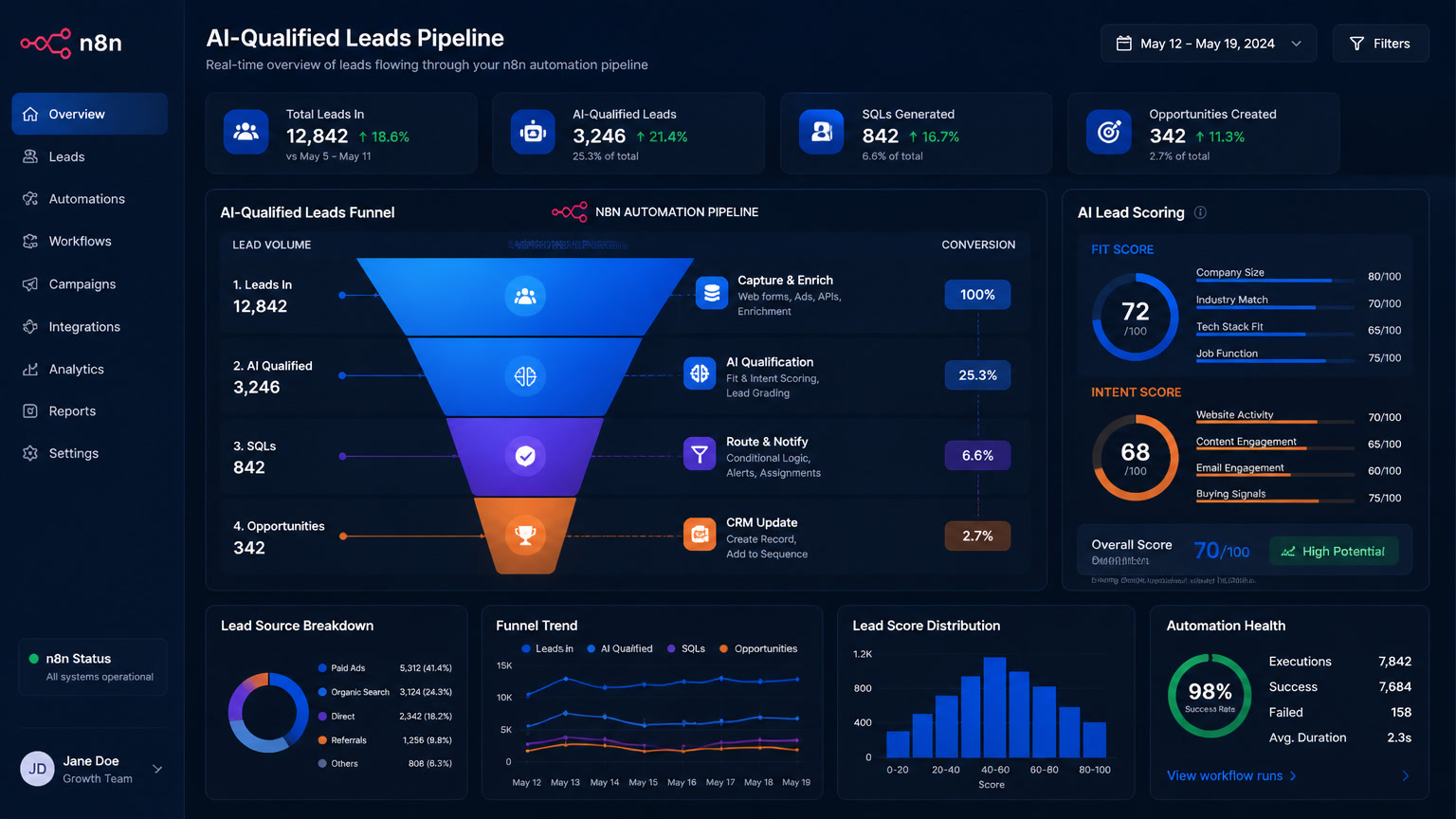
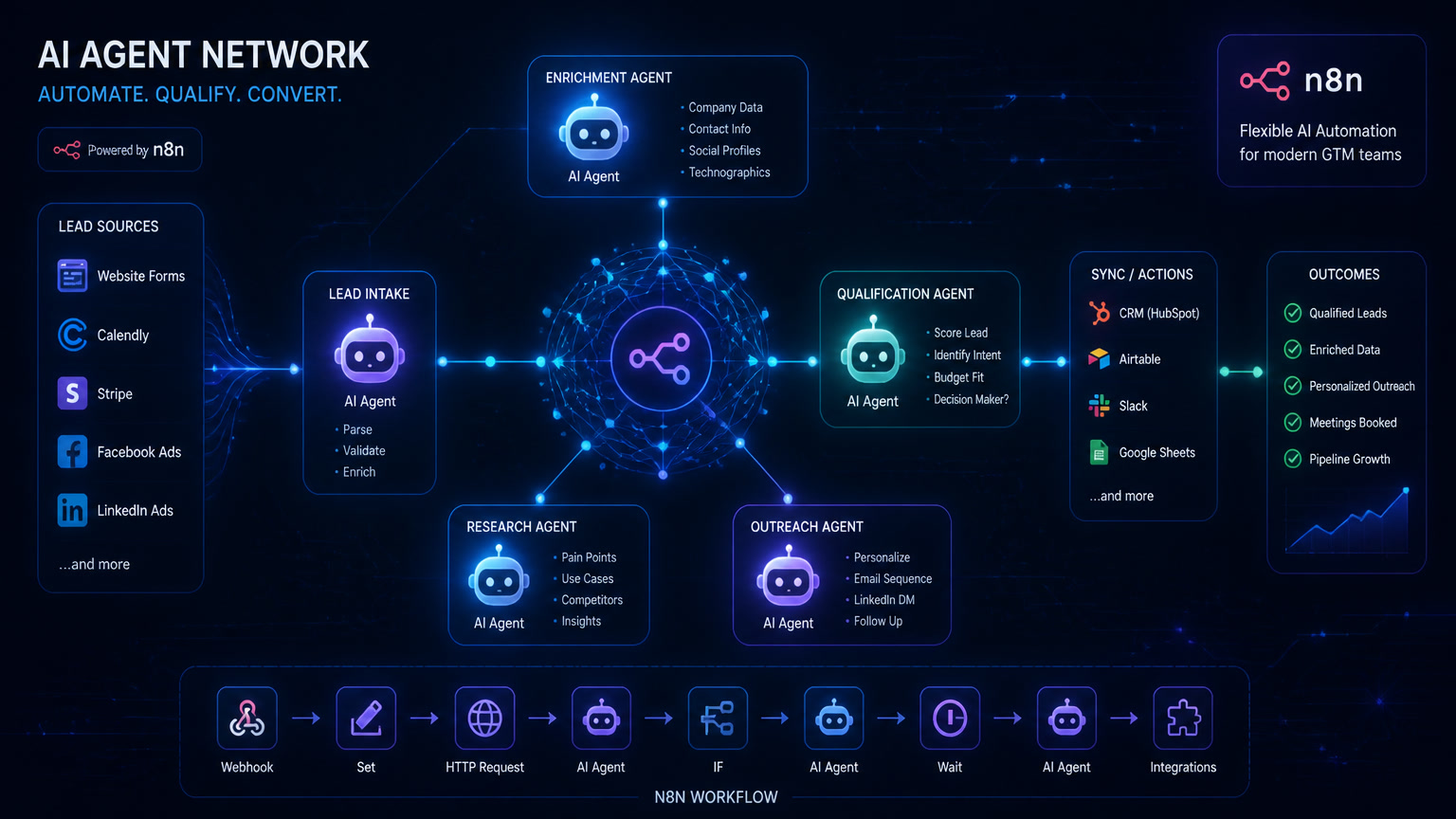
Our lead generation agent has four components that run in sequence:
| Layer | Function | Tool | Time |
|---|---|---|---|
| 1. Capture | Receive the lead from any source and normalize it | n8n Webhook + web form or WhatsApp API | < 1s |
| 2. Enrichment | Add company data, role, tech signals, and intent | n8n HTTP + Clearbit/LinkedIn/OpenAI | 3-8s |
| 3. Scoring | Combined scoring: rules + AI | n8n Switch + OpenAI/Claude node | 5-10s |
| 4. Delivery | Write to CRM, notify team, trigger follow-up sequence | n8n + Clientify/HubSpot API + Slack/WhatsApp | 2-5s |
The single most important decision we made was separating qualification logic from outreach generation. This is a mistake we see repeated across the n8n community and one we made ourselves early on: trying to do everything in one AI prompt makes the workflow fragile. The AI gets confused between analyzing the lead and writing the message.
The separation works like this:
- Rules handle deterministic logic: "if the lead is in industry X, assign priority Y"
- AI handles interpretation: "this lead's message suggests urgency — classify as 'hot'"
- Human approval for high-impact actions: high-budget leads, enterprise accounts, unusual requests
Three workflows running in production
We've put three workflow types into production that I'd recommend as starting points:
1. Real-time capture and routing
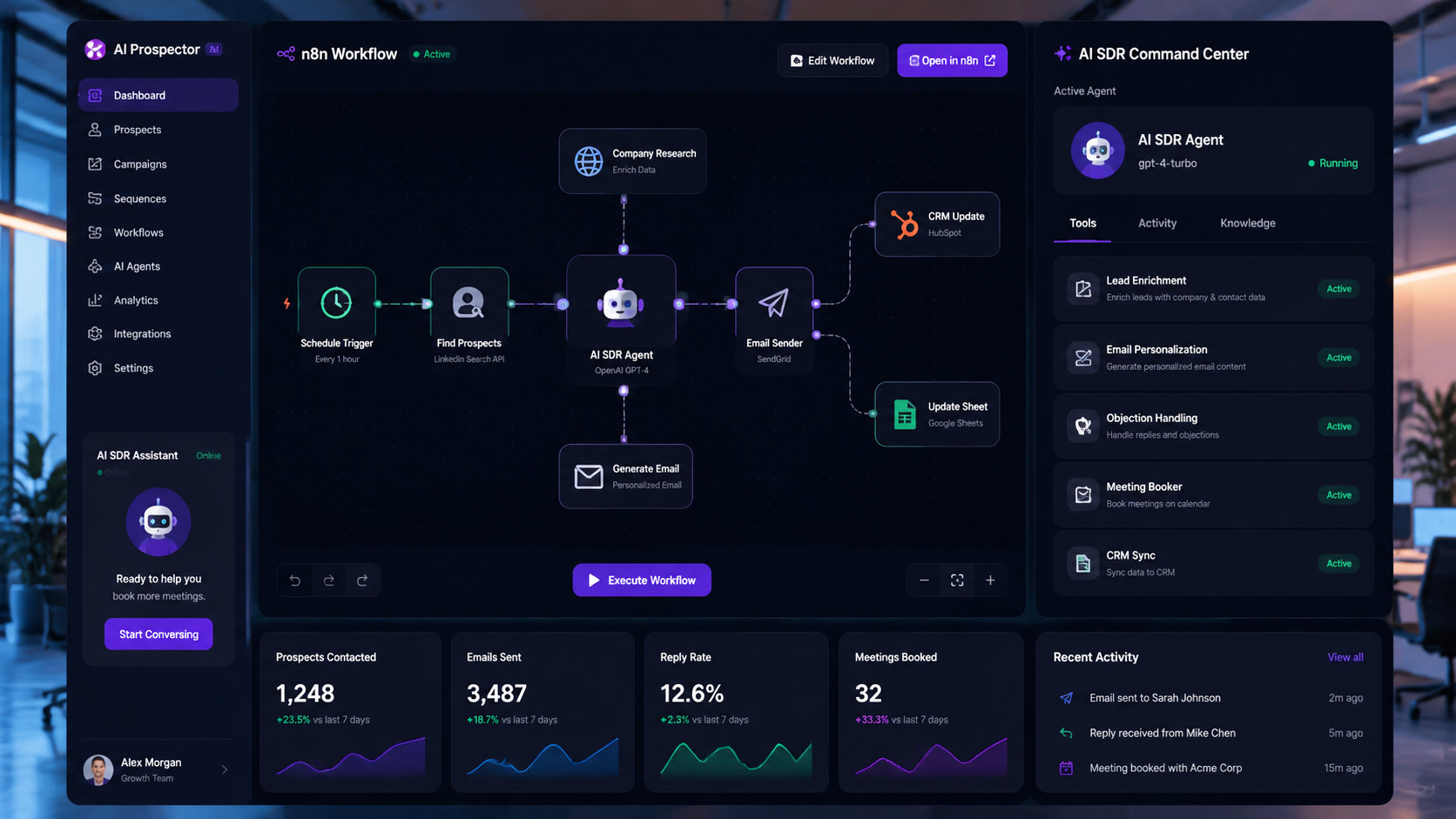
The most basic flow and the one with the fastest ROI: a lead arrives via web form → n8n enriches it with company and role data → scores it using rules + AI → pushes it to the CRM with the right owner assigned. The sales team only gets a Slack notification when the lead crosses the quality threshold.
The result: leads stop being a manual "who's going to handle this?" task and become opportunities with context before anyone touches them.
2. Lost-lead recovery
This one surprised us. Many good leads disappear because no one handles the second or third follow-up. We set up an n8n flow that monitors leads stuck in CRM stages — 7+ days with no activity, unanswered replies, unbooked meetings — and triggers an automated recovery sequence.
The AI classifies why the lead stalled and decides whether to re-send an email, switch to WhatsApp, or escalate to a human. We're seeing 12-18% reactivation rates on leads the team had already written off.
3. Intelligent reply classification
When a lead responds — via email or WhatsApp — the AI agent analyzes intent: "Are they asking for pricing? Want to schedule? Have an objection? Are they disqualifying us?" Based on the classification, the flow decides the next step.
This prevents the awkward situation of an AI agent calling a lead who already said no, or an interested lead waiting 48 hours for a reply.
The decision framework: when to use AI and when not to
Not every step in lead qualification needs AI. In fact, most shouldn't use it. We use a three-question framework:
1. Is the input predictable and structured? If the lead comes from a form with clear fields (industry, size, role), rules are sufficient. AI only enters when we need to interpret free text — a WhatsApp message, a LinkedIn comment, an open-ended response.
2. What does an error cost? If misclassifying a lead means losing a $50,000 opportunity, AI needs human review. If the error just means sending a follow-up email that doesn't quite fit, AI can operate autonomously.
3. Who maintains this? If the person maintaining the flow knows prompts and APIs, AI is viable. If maintenance falls to an operations person without technical experience, keep it rules-based.
In practice: about 40% of our workflows use AI (for intent classification, company summarization, message personalization). The remaining 60% are pure rules.
What it actually costs
This is where most analyses get vague. Here are real numbers:
| Component | Monthly Cost | Notes |
|---|---|---|
| n8n self-hosted (VPS) | $6-20/mo | DigitalOcean or similar |
| OpenAI API (moderate usage) | $20-40/mo | ~5,000 classification calls |
| Enrichment API | $0-50/mo | Clearbit has a free tier |
| CRM (Clientify) | $0-99/mo | Basic plan covers up to 5,000 contacts |
| Total | $26-209/mo | Depends on volume and enrichment |
Compared to all-in-one platforms that charge $1,200+/mo and don't allow deep customization, the modular stack is between 6 and 17 times cheaper. And since you control the workflow code, you're not limited by the vendor's roadmap.
Production results
After three months of iterating:
- Lead response time: from 4-6 hours to < 30 seconds
- Qualified leads reaching sales: +40% (because leads that used to get lost are now captured and classified)
- Weekly operations team hours: 8-10 hours of manual work → 1-2 hours of supervision
- Lost-lead recovery rate: 12-18% in recovery workflows
These aren't lab numbers. They're real client data, before and after implementing the agent.
Mistakes we made (and how to avoid them)
First mistake: trying to score perfectly from day one. We spent two weeks tuning a scoring model that was never going to be perfect because we didn't have enough historical data. The lesson: launch with simple rules in week 1, add AI in week 3, and refine with real data in month 2.
Second mistake: not measuring before starting. We deployed the agent and everything looked great — until we tried to show results and had no baseline. Today we measure three things before any implementation: current response time, qualified-to-total lead ratio, and team hours on manual management.
Third mistake: letting AI write messages without review. In an early test, the agent generated a message that sounded perfect but had an incorrect data point about the lead's company. We caught it before sending, but it taught us that AI-generated copy must always go through approved templates with variable fields — never free-form generation.
How to start this week
If you want to build your first AI lead generation agent with n8n, the path is shorter than it seems:
- Choose ONE lead source — your website's contact form, the one generating the most leads today
- Write the current flow in plain language: "lead arrives → someone researches the company → assigns priority → passes to the sales rep"
- Mark which steps are rules-based, which need AI judgment, and which need human approval
- Build 80% with rules — leave AI only for the step that consumes the most time
- Define one success metric before writing a single line of code: response time, qualified leads per week, or hours saved
90% of the value comes from having a working flow, even if it's imperfect. Perfection comes from data.
At Mintec we've built AI lead generation agents for clients across multiple industries in Latin America. If you're evaluating whether this applies to your business, our automation team can help map the right workflow for your specific case.
Related articles:
- Why Your AI Lead Scoring Won't Work Without Clean Data — the importance of enrichment before scoring
- The Lead Nurture Automation Stack: 4-Level Maturity Framework — what to do after qualifying leads
- n8n vs Make for AI Agents — platform comparison
- RevOps Automation for LatAm Agencies — the full revenue operations stack
- Sales-to-Delivery Handoff Automation — what happens after a lead converts
Frequently Asked Questions
What is the difference between an AI lead generation agent and traditional automation?
Traditional automation applies fixed rules: if lead is industry X with title Y, send to segment Z. An AI agent analyzes the full context — purchase intent, data quality, behavioral signals — and dynamically decides whether to qualify, what next step to take, and how urgent it is. AI handles interpretation; rules handle routing.
What tools do you need to build an AI lead generation agent with n8n?
Three layers: n8n as orchestrator (self-hosted from $20/mo or free cloud), an AI API (OpenAI or Claude, $20-50/mo for moderate usage), and a CRM with API access (Clientify, HubSpot, or Salesforce). Optional but recommended: enrichment sources like Clearbit or LinkedIn. The full stack costs $70-150/mo.
How long does it take to implement an AI lead generation agent with n8n?
A basic flow (capture → enrichment → scoring → CRM routing) takes 1-2 weeks if the CRM already has clean data. With AI classification, reply detection, and multi-channel follow-up, expect 3-4 weeks. The key is starting with a single channel and scaling from there.