:playing and :paused are here: the end of player-state JavaScript
CSS media pseudo-classes (:playing, :paused, :seeking, :buffering, :muted) have shipped in Safari and Firefox since 2025, and Chrome/Edge are implementing them in 2026 as an Interop 2026 focus area. Here's how we removed the entire state layer from a custom video player — 250 lines of JavaScript that no longer need to exist.
:playing and :paused are here: the end of player-state JavaScript
CSS media pseudo-classes — :playing, :paused, :seeking, :buffering, :muted, and :volume-locked — shipped in Safari and Firefox back in 2025, and Chrome and Edge are implementing them right now as part of Interop 2026. That means the state of a video player can be styled 100% in CSS, with zero event listeners toggling classes in JavaScript. In the media portfolio we rebuilt this quarter, we deleted the entire state layer of our custom player: 250 lines of JavaScript that no longer have a reason to exist.
What media pseudo-classes are
For years, if you wanted the play button of a custom player to change when the video was actually running, you had two options: fight with ::-webkit-media-controls (non-standard, fragile), or build a JavaScript player that listened to events and toggled classes.
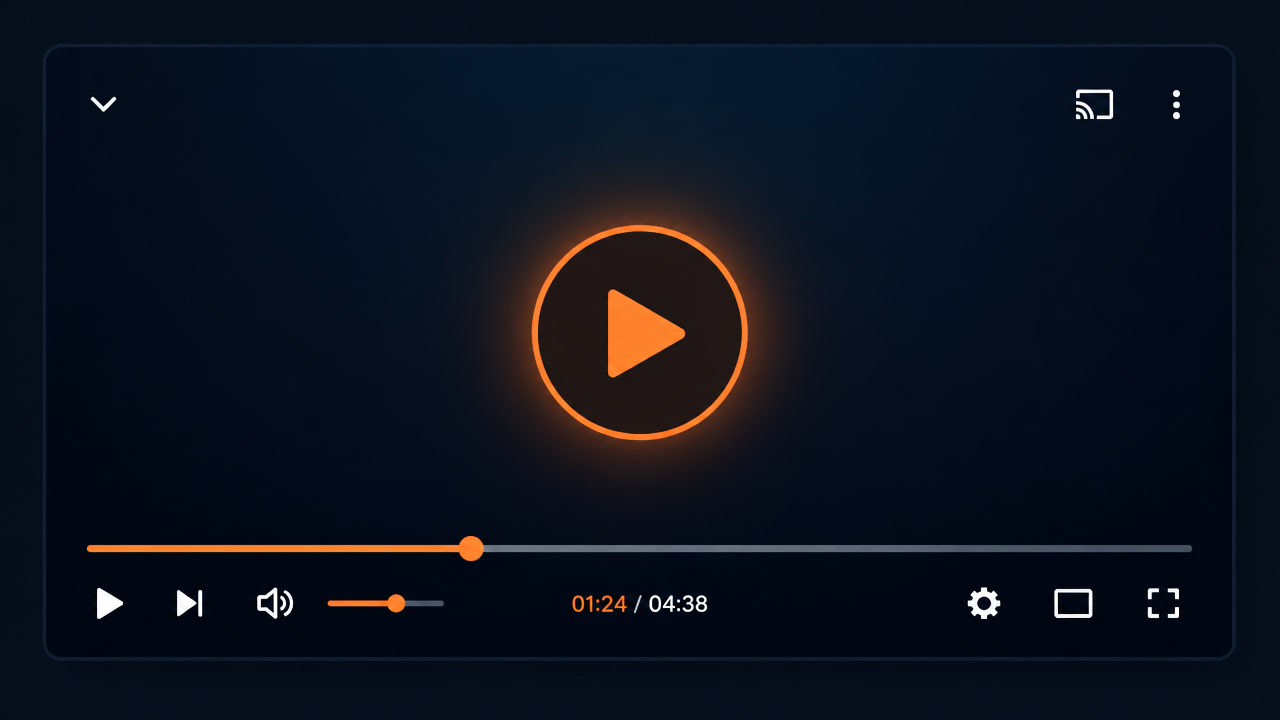
Media pseudo-classes close that gap. They are native selectors that reflect the real state of a media element, defined in the CSS spec and wired into HTML. The ones that matter in production:
- :playing — the video or audio is currently playing
- :paused — it is paused
- :seeking — the user scrubbed the timeline or the element is seeking
- :buffering — it is downloading data to continue playback
- :stalled — playback stopped because there isn't enough data
- :muted — the sound is muted
- :volume-locked — the volume is locked by the user (for example, by autoplay policies)
The list matters less than the pattern: the browser already knows the playback state because it is the one controlling it. We were duplicating that information in JavaScript, keeping it in sync with events (play, pause, waiting, playing, volumechange, seeked), and paying the cost of that consistency. Now the state lives in the engine, and CSS reads it directly.
The old pattern: listeners + class toggling
The typical agency custom player in 2023 looked like this:
const video = document.querySelector("video");
const player = document.querySelector(".player");

video.addEventListener("play", () => player.classList.add("is-playing"));
video.addEventListener("pause", () => player.classList.remove("is-playing"));
video.addEventListener("waiting", () => player.classList.add("is-buffering"));
video.addEventListener("playing", () => player.classList.remove("is-buffering"));
video.addEventListener("volumechange", () => {
  player.classList.toggle("is-muted", video.muted);
});
Seven listeners just to paint state. Each one is a desync opportunity: a seeking that never cleared, a pause that didn't fire because the video ended, a volumechange that arrived before the mute state propagated to the DOM. And all of that JavaScript runs on the main thread at the worst possible time — while the user is interacting with the player.
The new pattern: state in CSS
The same player, with media pseudo-classes:
.player__toggle { background: var(--accent); }
.player__toggle:hover { filter: brightness(1.1); }

video:playing + .player__toggle {
  background: var(--accent-paused);
}

video:buffering ~ .player__spinner { display: block; }
video:seeking ~ .player__progress .player__bar { opacity: 0.5; }
video:muted ~ .player__indicator { display: inline; }
Zero state JavaScript. The selector reads the element's state directly, and since CSS is processed on the compositor, style changes don't travel through the main thread. A detail that matters on low-end devices: the classList.toggle that used to trigger a reflow mid-playback is now a style change the browser handles natively.
The production comparison: before and after
| Aspect | Old pattern (JS + classes) | New pattern (pseudo-classes) |
|---|---|---|
| Player state | Duplicated in JS, synced via events | Read directly from the engine by CSS |
| Code required | ~250 lines of listeners + toggles | 0 lines of JS for state |
| Desync risk | High: missed events, race conditions | None: there is no state to sync |
| Main-thread cost | Listeners + classList on every transition | Styles only, on the compositor |
| States covered | The ones you remembered to listen for | Every state the engine knows |
| Browser support | Universal | Safari and Firefox since 2025; Chrome/Edge in 2026 |
Real support and progressive enhancement
Adoption is following the typical Interop path: Safari and Firefox implemented first (2025), and now the Interop 2026 group is pushing Chrome and Edge to close the gap, alongside the Navigation API and other focus areas. Meanwhile, the right strategy is progressive enhancement:
- Write the base styles first — your player looks fine without any states.
- Wrap state styles in
@supports selector(:playing)— browsers that support the pseudo-class use them; the rest skip the block without breaking anything. - If you need visual parity immediately, there is a lightweight polyfill (css-media-pseudo-polyfill) that rewrites the selectors to classes and updates the element with the usual events. We used it on a legacy project and removed it once the majority of traffic hit compatible browsers.
Here's the pattern in practice:
.player__spinner { display: none; }

@supports selector(video:buffering) {
  video:buffering ~ .player__spinner { display: block; }
}
It's additive: the site works fully in today's Chrome and gains native states as soon as Chrome ships the feature. No build steps, no libraries, no permanent polyfill.
What we did in the media portfolio
In the project we covered in our migration to native APIs — a video production client's portfolio with 60+ reels — the custom player was exactly the kind that duplicated state in JavaScript. Each reel opened in an overlay with its own player: play/pause, a buffering spinner, a mute indicator. The state JavaScript weighed about 6 KB minified and was, honestly, the most fragile part of the overlay: on slow connections we saw spinners that never appeared and play buttons that didn't reflect the real state.
While moving the site to View Transitions and Speculation Rules, we rewrote the player with media pseudo-classes and @supports selector(:playing). The results:
- 250 lines of state JavaScript deleted — the overlay kept JS only for open/close and analytics
- Spinners and states synced by the engine — if the browser says it's buffering, the spinner shows, no race conditions
- Stable INP during playback — without main-thread work on every state transition, interacting with the controls no longer competes with the player
It's not the flashiest change in the project, but it's the one that worries us least: the player's state is no longer our code that can fail — it's a browser guarantee.
When you still need JavaScript
Media pseudo-classes don't eliminate the whole player's JavaScript. They eliminate it for visual state. You still need JS for:
- The scrub bar — scrubbing requires reading
currentTimeand updating the UI every frame - Volume control — the volume API is still JavaScript
- Analytics events —
play,pause,endedfor tracking still come from listeners - Autoplay with sound — the browser's autoplay policy is handled in JS
- Fine-grained accessibility — if your custom player exposes its own ARIA roles, keyboard interaction is still JS
The decision framework we use today: state → CSS; interaction → JS; measurement → JS. If a behavior is purely visual and depends on playback state, it's a pseudo-class candidate. If it modifies playback or reports data, it stays in JavaScript. That split reduces state code to nearly zero without losing any player capability.
Opinion: the browser closed another gap
For three years we've been telling clients that custom players were necessary because the native control couldn't be styled. With media pseudo-classes, the equation changed: the native control is still ugly, but a CSS-first custom player is now so light that the "pretty player is heavy" excuse is gone. On content and media sites, the default player in 2026 should be: HTML5 <video>, pseudo-classes for state, and a small slice of JavaScript for interaction. That aligns with the video and Core Web Vitals strategies we already use: less JavaScript means better INP, and better INP means better outcomes on video-heavy sites.
For teams maintaining media-heavy sites, the concrete recommendation is the same one we gave with Web Codecs and the media performance budget: audit your player, count your state lines, and if they pass 50, the pseudo-class is already saving you money. And if you're still loading video with lazy-loading strategies, native state means the player appears in the viewport already in sync with the real element — no fake "loading" flickers.
The pattern is simple: the browser knows whether your video is playing. Stop telling it.
Frequently Asked Questions
What are CSS media pseudo-classes?
They are selectors like :playing, :paused, :seeking, :buffering, :muted, and :volume-locked that match the real state of a media element (<video>, <audio>). They let you style a player based on whether it is playing, paused, buffering, or muted — without maintaining that state in JavaScript.
Do media pseudo-classes work in all browsers?
Safari and Firefox have supported them since 2025. Chrome and Edge are implementing them now, and cross-browser parity is an Interop 2026 focus area, so support is expected this year. Today you use them progressively: base styles plus @supports selector(:playing) for browsers that already ship them.
Do I still need JavaScript for a custom player?
For visual state, no. For actions like volume control, the scrub bar, or analytics events, yes. The recommended pattern is CSS for state and JavaScript for interaction and measurement.