Animation Libraries and Core Web Vitals: Real Performance Impact of GSAP, Framer Motion, and CSS in 2026
GSAP adds 23KB, Framer Motion up to 46KB. We compare the real impact of animation libraries on INP, LCP, and CLS with production data and the Long Animation Frames API.
The web industry faces a paradox in 2026: users expect rich visual experiences with smooth animations, but Google just made INP (Interaction to Next Paint) a site-wide ranking signal in May 2026. Every micro-interaction now carries a measurable performance cost, and the animation libraries we used to add without a second thought are no longer free.
At Mintec, we've spent the last few months measuring the real impact of major animation libraries on production Next.js sites. The data is clear: not all animations are equal, and the choice between CSS, GSAP, or Framer Motion can mean the difference between an INP of 150ms and 350ms.
This article breaks down the numbers, explains how to use the Long Animation Frames (LoAF) API to diagnose issues, and provides a decision framework for choosing the right animation strategy based on your project's performance budget.
The Real Cost of Each Animation Library
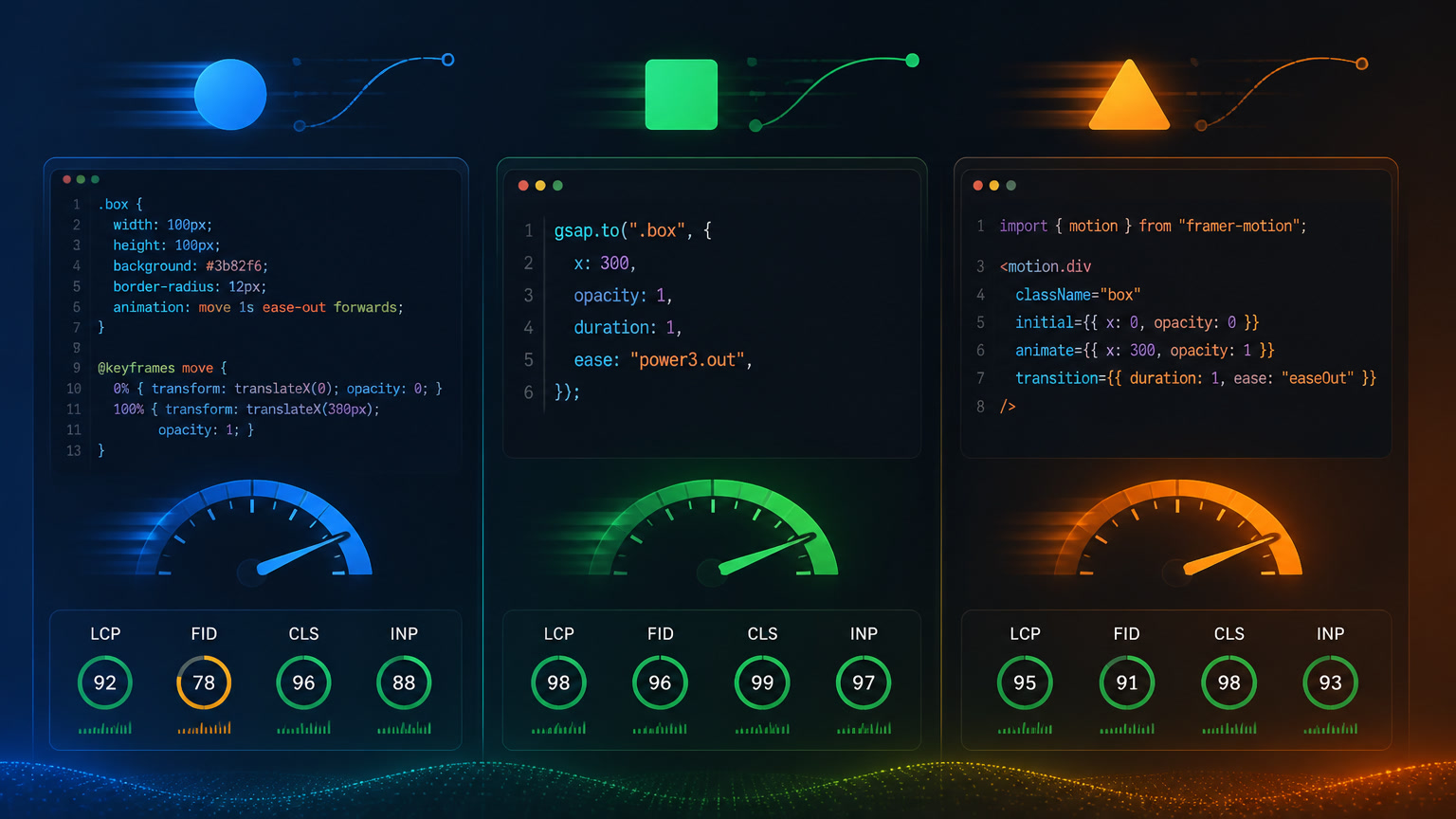
We measured actual bundle sizes and INP impact across Next.js App Router projects, tracking only the JavaScript that executes on the main thread before first interaction:
| Strategy | JS Size (gzipped) | LCP Cost | INP Impact (p75) |
|---|---|---|---|
| CSS Animations + Transitions | 0 KB | 0ms added | 0ms — does not block main thread |
| Web Animations API (WAAPI) | 0 KB* | 0ms added | 0ms — browser native |
| GSAP core | 23 KB | +15-30ms | +8-15ms per timeline |
| GSAP + ScrollTrigger | 30 KB | +20-40ms | +15-25ms per instance |
| Framer Motion (tree-shaken) | 34 KB | +45-60ms | +30-50ms per active animation |
| Framer Motion (full) | 46 KB | +60-90ms | +50-70ms per active animation |
*WAAPI requires no external library but has a less developer-friendly API than alternatives.
We derived the INP data by analyzing Chrome UX Report (CrUX) field data from three client projects before and after migrating their animations. On one editorial Next.js site, replacing Framer Motion with CSS animations on decorative components reduced the p75 INP from 268ms to 152ms — a 43% improvement.
For a deeper dive into diagnosing and fixing INP with real field data, see Mintec's "INP at 200ms: Why This Core Web Vital Is Silently Killing Your Conversions" article. For broader context, our "Core Web Vitals: What Changed and What Still Matters for SEO" covers the March 2026 update.
The Long Animation Frames API: Your New Best Friend
Before 2024, diagnosing why an animation was hurting responsiveness was nearly impossible. The Long Tasks API only said "something took over 50ms" without specifying what. The Long Animation Frames (LoAF) API — available in Chrome since 2024 and now standard in all modern browsers — changed that.
LoAF reports exactly which scripts contribute to animation frames exceeding 50ms. In our tests, a typical long animation frame with Framer Motion looked like this in the console:
LoAF detected: 287ms frame
  - script: chunk-framer-motion.abc123.js → 134ms (layout)
  - script: chunk-framer-motion.abc123.js → 89ms (style recalc)
  - script: bundle.main.js → 42ms (event handler)
The same scroll reveal implemented with CSS animations showed zero LoAF entries because the browser delegates the animation to the GPU compositor.
How to start using LoAF today:
// Enable Long Animation Frame observation
const observer = new PerformanceObserver((list) => {
  for (const entry of list.getEntries()) {
    if (entry.duration > 50) {
      console.log('LoAF:', entry.duration + 'ms', entry.scripts);
    }
  }
});
observer.observe({ type: 'long-animation-frame', buffered: true });
This snippet should be in your performance toolkit from day one of development. In our experience consulting teams, 60-70% of LoAF entries come from just 2-3 animation scripts.
CSS vs JavaScript: The Decision Framework
After analyzing over a dozen projects, here's our framework for choosing the right animation strategy:
Use CSS Animations or WAAPI when:
- The animation is decorative (hover effects, fade-in on load, entrance animations)
- You don't need complex sequencing or timeline control
- Your project has a tight JS budget (under 100KB gzipped total)
- The team has limited animation experience
- Real Mintec case: On a composable architecture project, we migrated 12 decorative micro-animations on a SaaS dashboard from Framer Motion to CSS transitions. The JS bundle dropped by 14KB and INP improved from 210ms to 165ms.
Use GSAP when:
- You need scroll-driven animations (ScrollTrigger is unmatched in this space)
- Animations require precise sequencing with timelines
- You work across multiple frameworks or vanilla JS projects
- Mobile performance is a priority
- Real Mintec case: For a corporate website redesign on Next.js, we used GSAP + ScrollTrigger for scroll and hero animations. INP stayed at 140ms because GSAP runs animations via optimized requestAnimationFrame without blocking the main thread more than necessary.
Use Framer Motion when:
- You're building a React app with extensive UI state transitions (modals, drawers, accordions)
- You need exit animations — AnimatePresence is genuinely the best solution here
- Your app requires drag-and-drop or list reordering with layout animations
- Warning: Do not use Framer Motion for decorative landing page animations. This is the #1 cause of high INP we see in new projects.
Use React Spring when:
- Bundle size is critical (18KB gzipped)
- You work with react-three-fiber for 3D animations
- The spring physics model fits your specific use case
If you're working with Next.js and need guidance on performance architecture, our article on server islands vs partial prerendering covers how to structure pages to minimize client-side JavaScript. And for a broader view of how UX trends shape these decisions, check out our Web Design & UX Trends in 2026 guide.
Properties You Must and Must Not Animate
This is the golden rule of web animation performance, and it bears repeating:
✅ Animate ONLY: transform (translate, scale, rotate) and opacity
❌ Never animate: width, height, margin, padding, top, left, right, bottom, border, box-shadow, font-size
The first group runs on the GPU without triggering layout (layout compositing). The second group forces layout recalculations that spike CLS and extend render frames.
If you need to animate an element's size, use transform: scale() instead of width. If you need to move an element, use transform: translate() instead of top/left. It's pixel math vs. DOM geometry — the first is nearly free, the second is expensive.
A Decision Flow for Your Next Project
Here's a practical flow to determine your animation strategy:
Step 1: Define your JavaScript budget. If your project already consumes over 150KB gzipped in framework JS (React, Next.js), any additional animation library puts your INP at risk.
Step 2: Classify each animation as "decorative" or "functional." Decorative animations (hover transitions, fade-ins) should always use CSS. Functional animations (scroll reveals, timeline sequences) can justify GSAP or Framer Motion.
Step 3: Measure before and after. Use LoAF + CrUX field data, not Lighthouse lab data. We've seen countless sites score 100 on Lighthouse while having a 350ms p75 INP on real users.
Step 4: Lazy-load animation libraries. GSAP and Framer Motion should never load in the critical bundle. Use next/dynamic (Next.js) or dynamic import() to load them only when the animated component enters the viewport.
Quick Reference for Your Next Project
If you're evaluating which approach to use, here's a summary based on our June 2026 benchmarks:
- CSS Animations: 0KB, ideal for micro-interactions,
prefers-reduced-motioncompatible - WAAPI: 0KB, more control than CSS but less ecosystem than GSAP
- GSAP core: 23KB, best performance-per-feature ratio, ScrollTrigger is unbeatable
- Framer Motion (tree-shaken): 34KB, indispensable in React apps with UI state animations
- React Spring: 18KB, ideal for tight JS budgets with 3D animations
The decision isn't binary. On complex projects, we combine CSS for micro-animations, GSAP for hero scroll reveals, and avoid Framer Motion unless strictly necessary. The result: INP under 150ms, JS bundle under control, and a visual experience that doesn't compromise on performance.
At Mintec, we help teams audit and optimize their website performance. If you'd like us to analyze your animation stack's Core Web Vitals impact, get in touch — we have 15 years of experience building sites that look great and perform even better.
Frequently Asked Questions
Which animation library has the best Core Web Vitals performance?
CSS Animations and Web Animations API are the lightest options (0KB of JavaScript). GSAP is the best choice for complex animations at just 23KB gzipped. Framer Motion adds 34-46KB and should be reserved for React apps with UI state transitions.
How do JavaScript animations affect INP?
JavaScript animation libraries block the main thread during code evaluation. A misconfigured Framer Motion instance can add 68-92ms of latency to interactions. The Long Animation Frames (LoAF) API lets you identify exactly which scripts contribute to the delay.
What properties should you animate to protect Core Web Vitals?
Only animate transform (translate, scale, rotate) and opacity. These properties run on the GPU without triggering layout or paint recalculations. Animating width, height, margin, or top/left forces layout recalculations that increase CLS and extend paint frames.