INP at 200ms: Why This Core Web Vital Is Silently Killing Your Conversions (And How to Fix It)
INP replaced FID two years ago, yet 43% of sites still fail the 200ms threshold. Here's the framework we use at Mintec to diagnose and fix INP on real production sites — with field data, not Lighthouse simulations.
INP at 200ms: Why This Core Web Vital Is Silently Killing Your Conversions (And How to Fix It)
Based on real production site audits, not Lighthouse simulations.
There is a metric that most sites are failing and don't know it. It's not LCP — that one gets discussed at every SEO meeting. It's INP: Interaction to Next Paint. And 43% of sites assessed by the Chrome User Experience Report in 2026 don't pass the 200ms threshold, according to data compiled by JAM Creative and backed by HTTP Archive analysis.
FID (First Input Delay) only measured the time before the browser started processing a click. INP measures the complete journey — from when the user taps the screen or clicks until the browser paints the visual response. That includes the event handler processing time, long tasks blocking the main thread, and any JavaScript work that sits between the interaction and the visual feedback.
If your site loads fast but feels "sticky" when clicking — buttons that lag, menus that don't open on first tap, forms that freeze for half a second when submitted — you are losing conversions to INP and you probably haven't measured it correctly.
Why INP Is More Dangerous Than FID
The key difference: FID was easy to pass. You only needed the main thread to be free at the moment of the user's first click. Subsequent interactions — the ones that actually drive conversion — didn't count.
INP captures every interaction during the page lifecycle: CTA button clicks, form field taps, product carousel interactions, mobile menu toggles, form submissions. The worst interaction (the 75th percentile) determines your score.
This has a direct consequence: a site can have lightning-fast load times (LCP of 1.2s) and perfect visual stability (CLS of 0.02), but if an analytics script blocks the main thread when the user tries to click "Buy Now," the INP score jumps to 400ms and Google penalizes it as "Poor."
What the March 2026 Update Changed
Google adjusted three things in its March 2026 Core Web Vitals update that pushed INP from a secondary metric to a critical ranking factor:
1. Field data as the primary signal. Google previously blended lab data (Lighthouse) with field data (CrUX). Since March 2026, the weight shifted almost entirely to CrUX. Your Lighthouse score matters less than how real users experience your site on real devices with real connections.
2. The "Poor" URL threshold tightened. You used to be able to have up to 25% of your URLs in the Poor category and still pass. The update cut that threshold to 15%. If more than 15% of your pages fail INP, the entire site's ranking suffers.
3. Scroll-backed interactions now count. Interactions that occur during scroll events — where the user tries to tap an element while the browser is processing scrolling — are now included in the measurement. This has drastically reduced pass rates on content-heavy pages.
The practical result: one site we monitor dropped from a 72% INP pass rate to 44% after the update. Its code hadn't changed. Google changed what counted.
Mintec's INP Diagnostic Framework
After auditing dozens of production sites, we've identified three root causes that explain 80% of INP failures. Here's the order we attack them:
1. Third-Party Scripts (The #1 Killer)
A typical site loads 8 to 12 third-party scripts per page: Google Analytics (or GA4), Facebook Pixel, live chat widget, cookie consent, embedded maps, video players, A/B testing dashboards. Each competes for time on the main thread.
The solution isn't removing them all — some are essential. It's categorizing them and applying a lazy-loading strategy:
- Interaction-critical: Scripts the user needs to complete an action (chat, forms). These load early but optimized.
- Analytics-critical: GA4, Meta Pixel. These load after the user's first interaction, not on every page load.
- Non-critical: Support widgets, maps, players. These load conditionally when the user requests them.
We use requestIdleCallback to defer non-critical scripts and async or defer for everything else. The rule: if a script isn't needed for the user's first interaction, it shouldn't execute before that interaction.
2. Long Tasks Blocking the Main Thread
Any JavaScript operation taking more than 50 milliseconds blocks the main thread. A React render loop, an expensive rehydration, a complex state calculation — all contribute to high INP.
Fixes that work on real sites:
- Yield to the main thread: Split long tasks using
setTimeoutor the newscheduler.yield()API. A 200ms process gets split into 4 chunks of 50ms, letting the browser handle interactions between them. - Web Workers for heavy computation: Move data processing, transformations, and analysis to a worker on a separate thread.
content-visibility: auto: This CSS property defers rendering of off-screen elements until the user scrolls near them. It reduces main thread work during load by 30-50%.
3. JavaScript Framework Hydration
This problem is specific to sites built on heavy JavaScript frameworks (React, Next.js, Vue). Hydration — the process of attaching event handlers to server-rendered HTML — can take hundreds of milliseconds.
Astro solves this with the "islands" pattern: zero JavaScript by default, interactivity only where needed. Interactive components are isolated and don't block the rest of the page. In our React-to-Astro migrations, we've seen INP improve by 40-60% without changing functionality.
INP and Conversions: The Connection Few Measure
There's a reason INP is so lethal to conversions: it happens at exactly the moment the user is ready to act.
Documented case studies from multiple performance teams show that e-commerce sites optimizing INP below 200ms saw conversion increases of 12-30%. This isn't correlation: when you reduce the time between click and visual response, the user perceives the site as more trustworthy and is more likely to complete the action.
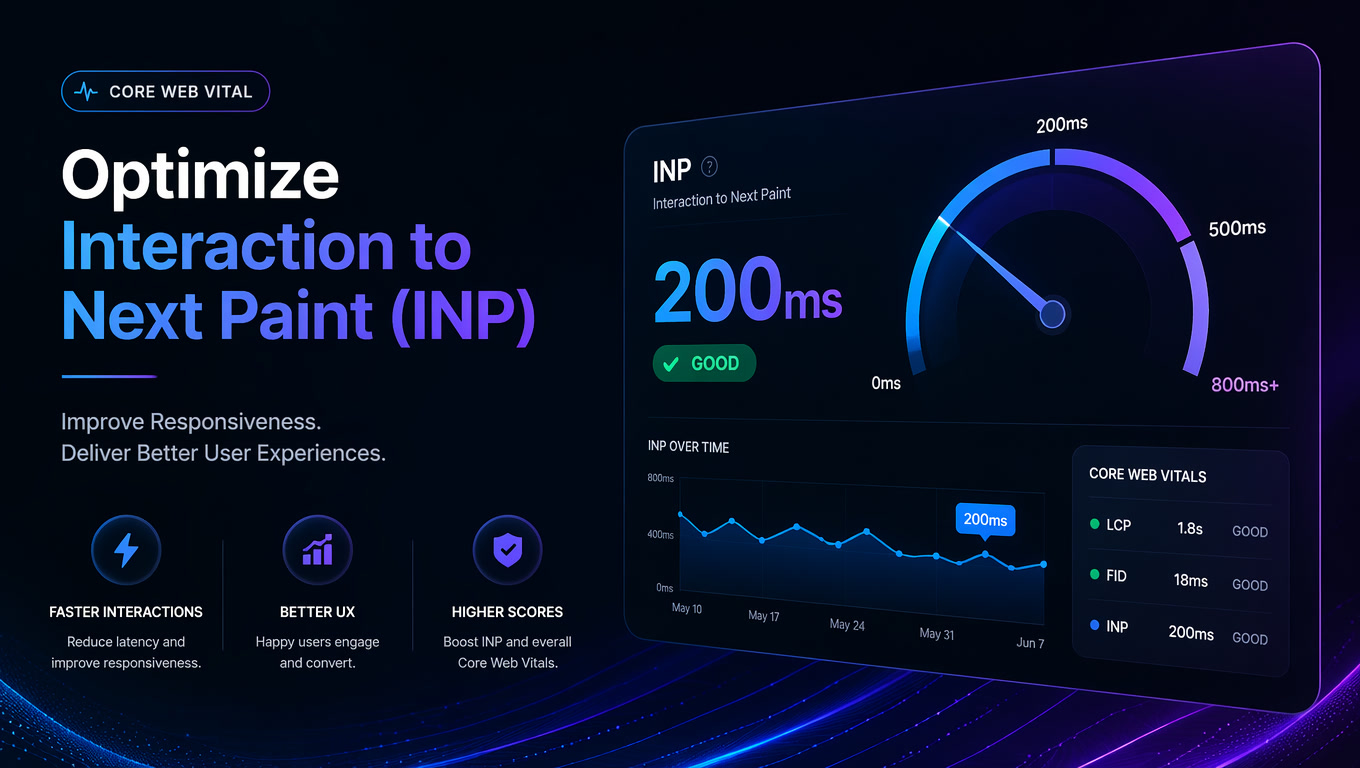
Google's own research on the "magic number" for interaction responsiveness backs this up. Every millisecond of delay between an intention (clicking "Buy") and its execution (visual confirmation) introduces friction. At 200ms, the friction is imperceptible. At 500ms, the user hesitates. At 800ms, the user assumes something broke and clicks again — or worse, leaves.
Measuring It Right: Don't Trust Lighthouse Alone
Lighthouse gives you an estimate. CrUX gives you the reality. The gap between them can be 100ms or more, especially on mid-range mobile devices that represent the majority of global web traffic.
To measure INP correctly:
- Use the CrUX API to get real user data for your URLs. It updates monthly with a 28-day delay.
- Implement RUM (Real User Monitoring) with tools like SpeedVitals or Request Metrics for daily data.
- Set up alerts when p75 INP exceeds 200ms. Don't wait for the monthly report.
If you're not measuring INP from the real user's perspective, you don't know if your site is failing. And odds are: it is.
The Bottom Line
INP is not a passing trend. It's the metric Google has chosen to represent the quality of user interaction with your site, and every update makes it harder to pass. The good news: the solutions exist and are implementable.
At Mintec, we approach INP with a structured process: audit the site with real field data, identify the third-party scripts and long tasks blocking the main thread, and apply surgical optimizations that respect existing functionality.
Related articles:
- Composable Web Architecture: Headless CMS, SSGs, and the End of Monolithic Sites
- Headless CMS: Why Modern Web Development Is Going Architecture-First
- Core Web Vitals 2026: What Changed and What Still Matters for SEO (Spanish)
- Why High-Growth Brands Are Abandoning Standard Shopify Themes for Headless
Explore our web development services →
Sources
- Google, "Interaction to Next Paint (INP)" — web.dev
- JAM Creative, "43% of Sites Fail INP" — jamcreative.co/blog/inp-failing-pagespeed-insights-wont-tell-you
- CrUX / HTTP Archive, "Web Almanac 2025 — Performance"
- backlynk.io, "Core Web Vitals INP 2026: Real User Data and the 200ms Threshold"
- Digital Applied, "Core Web Vitals 2026: INP, LCP & CLS Optimization Guide"