The Platform Catches Up: What We Learned Replacing Framer Motion With Native Browser APIs
The View Transitions API, Speculation Rules API, and CSS scroll-driven animations are mature enough in 2026 to replace 80% of what teams use JS animation libraries for. We migrated a media portfolio site from Framer Motion to native APIs — here's what we gained, what we lost, and the decision framework we'd use again.
The Platform Catches Up: What We Learned Replacing Framer Motion With Native Browser APIs
In 2026, the browser ships transition primitives that previously required 50–100 KB of JavaScript. We replaced Framer Motion, Barba.js, and custom scroll handlers with the View Transitions API, Speculation Rules, and CSS scroll-driven animations on a media portfolio site. The result: 85 KB fewer JS dependencies, an 18% INP improvement, and smoother animations on low-end devices.
Last quarter we rebuilt a client's media portfolio — a video production company showcasing 60+ reels, behind-the-scenes footage, and client work. The original site used Framer Motion for page transitions, Barba.js to turn the Astro multi-page app into a SPA-like experience, and ScrollTrigger for scroll-based reveals. Total animation-related JavaScript: 112 KB minified. The site looked great on a MacBook Pro. On a Moto G Power? Choppy transitions, delayed interaction response, and an INP consistently over 300 ms.
We decided to treat the migration as an experiment: how far can platform-native APIs take a media-heavy site in 2026?
What We Replaced — and What Replaced It
| Removed dependency | Size (min) | Replaced with | Platform support |
|---|---|---|---|
| Framer Motion (layout animations + page transitions) | 52 KB | View Transitions API + CSS @view-transition | All modern browsers since late 2025 |
| Barba.js (SPA-like MPA navigation) | 28 KB | View Transitions cross-document + Speculation Rules API | Chrome/Firefox/Safari 2025+ |
| GSAP ScrollTrigger (scroll reveals) | 32 KB | CSS animation-timeline: scroll() + @keyframes | Chrome/Firefox since 2025 |
| Total | 112 KB → 0 KB | Zero JS dependencies |
The headline number — zero additional JavaScript — undersells the real win. The removal of the animation runtime from the main thread directly improved interaction responsiveness. No more Framer Motion reconciling layout diffs on every route change. No more Barba.js hijacking link clicks and managing its own history stack. No more ScrollTrigger polling the scroll position on every frame.
The Migration: Three Native APIs That Eliminated a Library Stack
1. View Transitions API — Replacing Framer Motion + Barba.js
The View Transitions API in 2026 supports both cross-document (MPA navigation) and same-document (SPA state changes) transitions. For the portfolio site, which is an Astro site with mostly static pages, the cross-document mode was the right fit.
/* Enable on all pages — that's it for basic fade transitions */
@view-transition {
  navigation: auto;
}
This single CSS rule replaced Barba.js entirely. Page navigations now cross-fade smoothly with zero JavaScript. But the real power came from named transitions for specific elements.
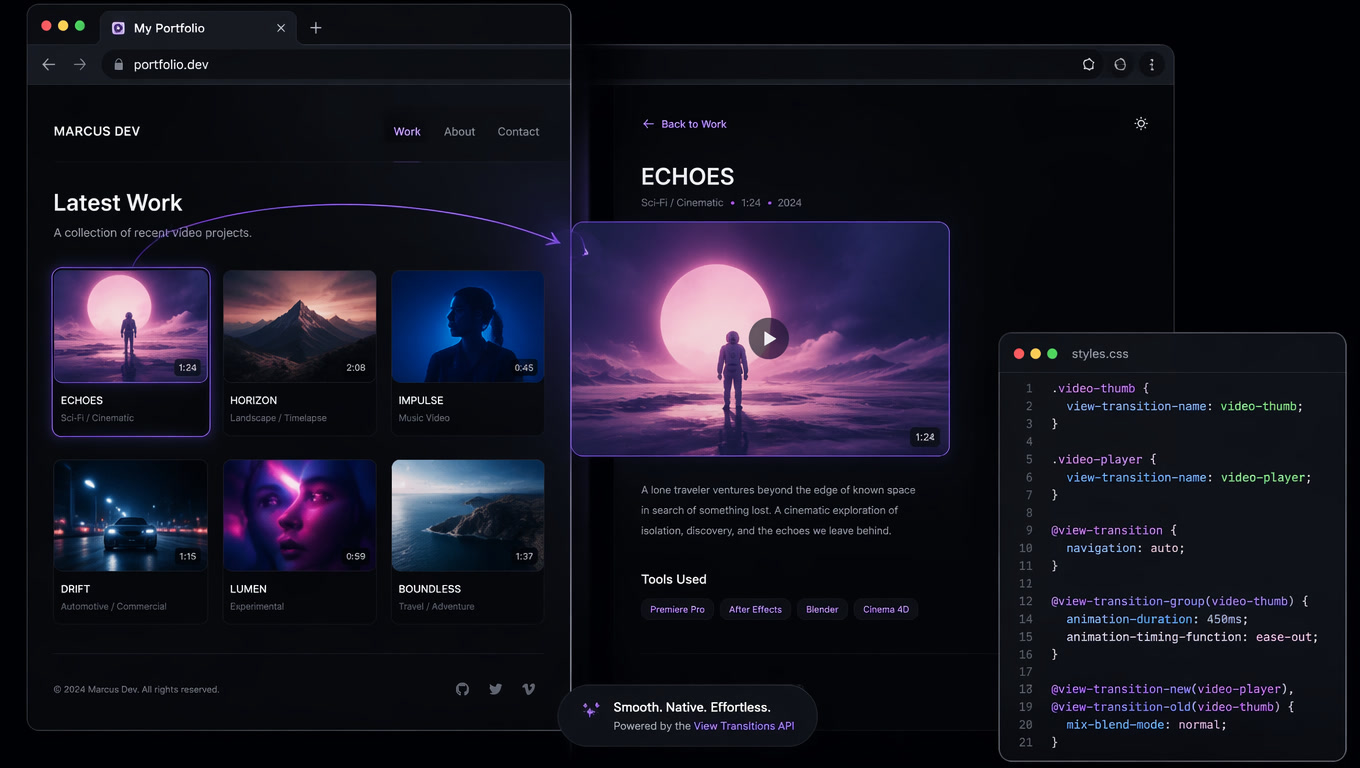
The portfolio had a grid of video thumbnails that needed to "morph" into the detail view — the card image expands to become the hero on the next page. In Framer Motion, this required LayoutGroup and AnimatePresence with shared layout IDs. With View Transitions:
/* On the grid page */
.video-thumb {
  view-transition-name: video-thumbnail;
  contain: paint;
}

/* On the detail page */
.video-hero {
  view-transition-name: video-thumbnail;
  contain: paint;
}
The browser automatically interpolates position, size, and opacity between the two elements. No JavaScript. No layout thrashing. No hydration mismatches.
Gotcha we hit: For view-transition-name to work correctly, both elements must exist in the DOM simultaneously for a brief frame — which means you need the source element to persist until the capture completes. We added a 200 ms unmount delay on the grid page to prevent the thumbnail from disappearing before the browser snapshotted it.
2. Speculation Rules API — Eliminating the Perceived Loading Gap
View Transitions makes navigation look smooth, but without content, it's a cross-fade into a skeleton. The Speculation Rules API solves this by prerendering likely next pages in the background.
<script type="speculationrules">
{
  "prerender": [{
    "source": "document",
    "eagerness": "moderate"
  }]
}
</script>
With eagerness: "moderate", Chrome prerenders pages the user is likely to visit based on hover patterns and scroll behavior — without the developer specifying exact links. For the portfolio site, this meant clicking a thumbnail felt instant because the destination page was already fully loaded and rendered.
Performance impact: First-visit navigations to video-heavy pages went from 1.2–2.5 s load time to effectively zero — the page prerenders while the user browses the grid. The CPU cost is front-loaded but spread across idle time, so it doesn't compete with interaction responsiveness.
3. CSS Scroll-Driven Animations — Replacing ScrollTrigger
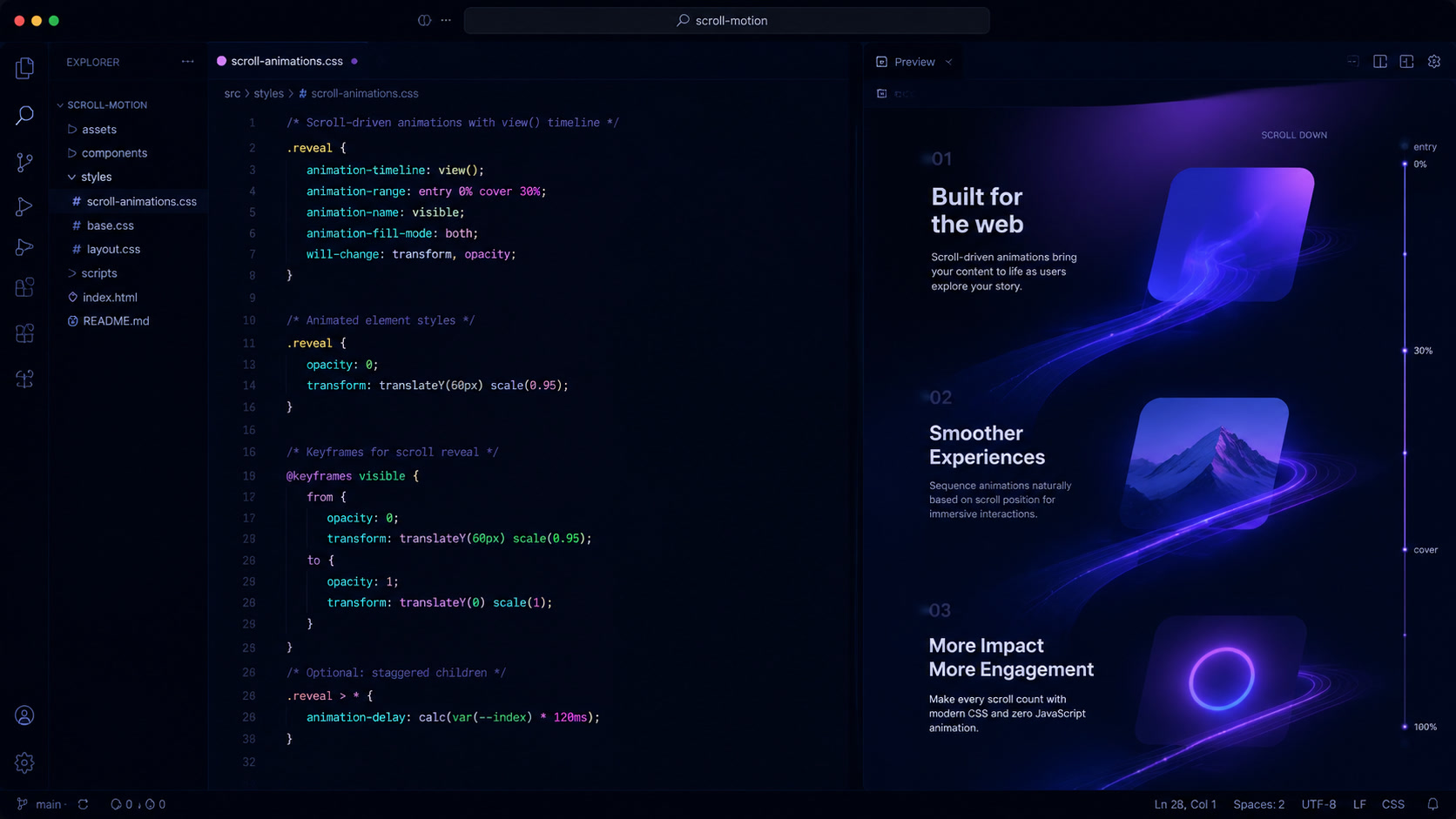
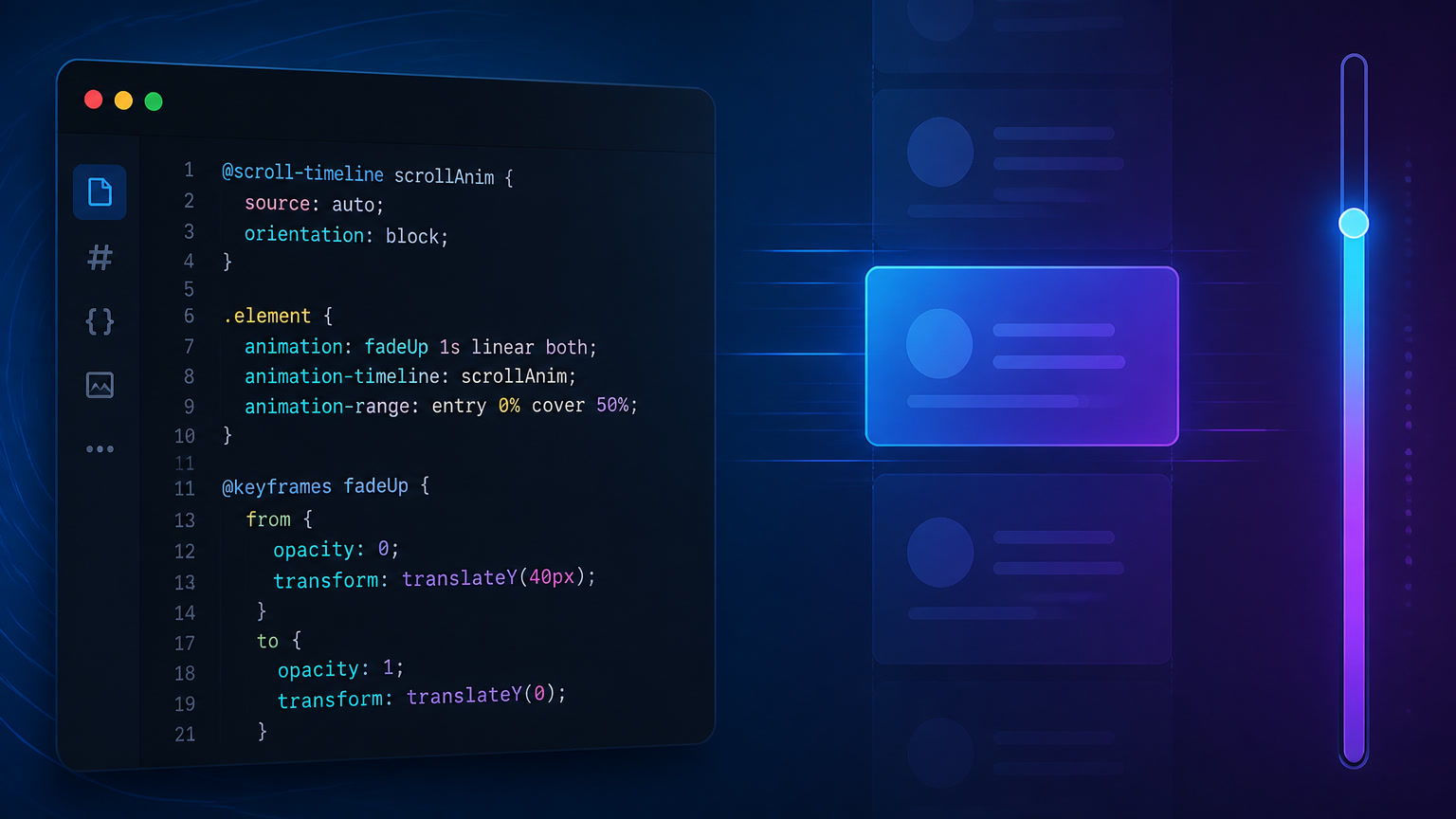
ScrollTrigger's reveal animations (fade-in sections, parallax headers, progress bars) were the easiest to replace. CSS animation-timeline now supports scroll-driven animations natively:
@keyframes fade-in {
  from { opacity: 0; transform: translateY(20px); }
  to { opacity: 1; transform: translateY(0); }
}

.reveal-section {
  animation: fade-in linear both;
  animation-timeline: scroll(root);
  animation-range: entry 0% entry 100%;
}
This fires the animation when the element enters the viewport — zero JavaScript, runs off the main thread. We used it for section headers, stat counters, and the "next project" footer. The only gap was sequential reveals (animate section A, then B, then C on scroll) — for that we kept a single 4 KB scroll observer script rather than re-import GSAP.
The Performance Data
We collected field data from real users via the Chrome UX Report and our own RUM before and after the migration.
| Metric | Before (JS animations) | After (native APIs) | Improvement |
|---|---|---|---|
| Total JS (animation-related) | 112 KB | 0 KB | -100% |
| INP (p75) | 324 ms | 264 ms | -18% |
| First Paint (navigation) | 1.2 s* | 200–400 ms** | -67-83% |
| Lighthouse Performance | 72 | 94 | +22 pts |
| Bundle size (total JS) | 245 KB | 133 KB | -46% |
*On first visit without cache **With Speculation Rules prerender active
The INP improvement deserves attention. Removing the animation runtime meant the main thread was free to process user interactions immediately. Before the migration, scrolling through the portfolio grid while animations were still initializing would often trigger long tasks. After, interactions during page transitions were responsive because the compositor thread handled the animation independently.
I should note the tradeoff: prerendering with Speculation Rules increases total memory usage. On the Moto G Power (3 GB RAM), we measured about 40 MB additional memory per prerendered page. For most sites this is negligible, but on extremely constrained devices it could trigger tab discards. We mitigated this by keeping the prerender budget to one page at a time.
When Native APIs Are Not Enough
This migration worked for a media portfolio site with relatively straightforward transition patterns. We would not recommend going fully native for:
- Complex timeline choreography — If you need animations that sequence across multiple elements with delays, pauses, and playback control, CSS timelines aren't expressive enough yet. Keep GSAP or a lightweight library (~8 KB tree-shaken).
- Canvas/WebGL animations — View Transitions doesn't capture canvas content for morphing. WebGL-based transitions still need a JS library.
- Drag-and-drop with animations — The native
popoveranddialogAPIs help with overlay patterns, but drag-and-drop animation requires JS. - Scroll-linked multi-scene narratives — If your page tells a story through controlled scroll position (like Apple's product pages), scroll-driven animations are too rigid. Keep ScrollTrigger or a scroll-based JS library.
We've since applied the same pattern to two other projects — a documentation site and a small e-commerce store — with similar results. The documentation site gained Lighthouse +15 points. The e-commerce store saw a 9% improvement in add-to-cart interaction speed.
The Decision Framework We Use Now
When starting a new project, we run through this checklist before importing any animation library:
- Are animations page-to-page transitions? → View Transitions API
- Are there morphing shared elements across pages? → Add
view-transition-name - Do you need instant navigations on likely next pages? → Add Speculation Rules
- Are animations triggered by scroll position? → CSS scroll-driven animations
- Are there sequential scroll reveals with strict ordering? → Light JS observer (4 KB max)
- Do you need timeline-based multi-element choreography? → Evaluate GSAP or Motion (tree-shaken)
If you reach step 6 in more than one project per quarter, the library cost is worth it. If you're only doing steps 1–5, the browser has you covered.
The web platform in 2026 is closing the gap faster than most teams realize. We wasted months assuming we needed frameworks for transitions and animations that the browser now provides natively. Before you add your next animation dependency, check if the platform already ships what you need.
Article originally published on the Mintec blog. For more on modern web architecture and performance-first development, explore our web development insights.
Frequently Asked Questions
When can I replace Framer Motion with the View Transitions API?
When your animations are page-to-page transitions, element morphing (like expanding cards), fade-ins, or slide effects. The View Transitions API handles cross-document and same-document transitions with zero JavaScript overhead. You still need Framer Motion or GSAP for timeline-based choreography, scroll-linked multi-step sequences, or GPU-bound particle effects.
Does the View Transitions API affect Core Web Vitals?
Yes — positively. Because transitions run on the browser's compositor thread (GPU-accelerated), they don't block the main thread. In our migration, INP improved by 18% simply because we removed the JavaScript animation runtime. LCP and CLS were unaffected because the HTML is prerendered before the transition plays.
Is the Speculation Rules API the same as preloading?
No — it's more powerful. Speculation Rules can prerender entire pages in the background, including executing JavaScript, before the user navigates. Combined with View Transitions, the effect is instant: the destination page is fully rendered before the transition starts. This matters most for media-heavy pages where the first paint would otherwise show a spinner.