Performance Budgeting for Media-Heavy Sites: Keeping Core Web Vitals Green When Every Page Has Video
Media-heavy sites (video backgrounds, product demos, AI-generated content) are notoriously hard to optimize. Here's the performance budgeting framework we use at Mintec to keep LCP under 2.5s and INP under 200ms — with real Lighthouse data, lazy-loading strategies, and a decision tree for streaming vs. progressive delivery.
A single auto-playing hero video can consume 3-8MB of bandwidth before the user even scrolls. In 2026, with INP replacing FID and 43% of sites still failing Core Web Vitals, media-heavy pages need a systematic performance budget — not guesswork. Here's the framework we use after optimizing dozens of video-first sites at Mintec.
Every quarter we audit a media-heavy site that launched with beautiful video backgrounds, product demos, or AI-generated content — and failed Lighthouse on every Core Web Vital. The pattern is so predictable we built a scorecard for it.
The root cause isn't the video. It's the assumption that "our content looks great" excuses a 4.2s LCP, a 350ms INP, and a CLS of 0.28. Google doesn't care how good your video looks if the page takes 6 seconds to become interactive.
In 2026, 43% of websites still fail the 200ms INP threshold, and media-heavy sites are disproportionately represented. After optimizing landing pages for SaaS platforms, video portfolio sites, and AI-generated media showcases, we distilled what works into a performance budgeting framework that any team can apply.
The Three Costs of Video on the Web
Before we talk about budgets, you need to understand what video actually costs your page. Every video element adds three distinct performance costs:
Network cost. A 30-second hero video compressed at H.264 runs 3-8MB. On a 4G connection (7Mbps typical in 2026), that's 3-9 seconds of bandwidth competition against your CSS, fonts, and hero image. Every byte the video consumes is a byte your LCP candidate doesn't get.
Memory cost. The browser decodes the video into GPU memory. A 1080p frame at 8-bit color is roughly 6MB. With 30fps playback plus the decoded buffer, you're looking at 30-60MB of GPU memory for a single player — before the user interacts with anything.
JavaScript cost. Video players in 2026 have gotten leaner, but custom implementations with Web Codecs API (like the one we detailed last week) still need 15-40KB for demuxing, playback control, and adaptive bitrate logic. Every framework-based player (React-Video, Video.js) adds 20-80KB on top.
Most teams only track the first cost. The memory and JS costs are what destroy INP.
The Performance Budget Framework
Here's the framework we apply to every media-heavy site at Mintec. It has five dimensions, each with a hard limit and a warning threshold.
| Dimension | Hard Limit | Warning | How to Measure |
|---|---|---|---|
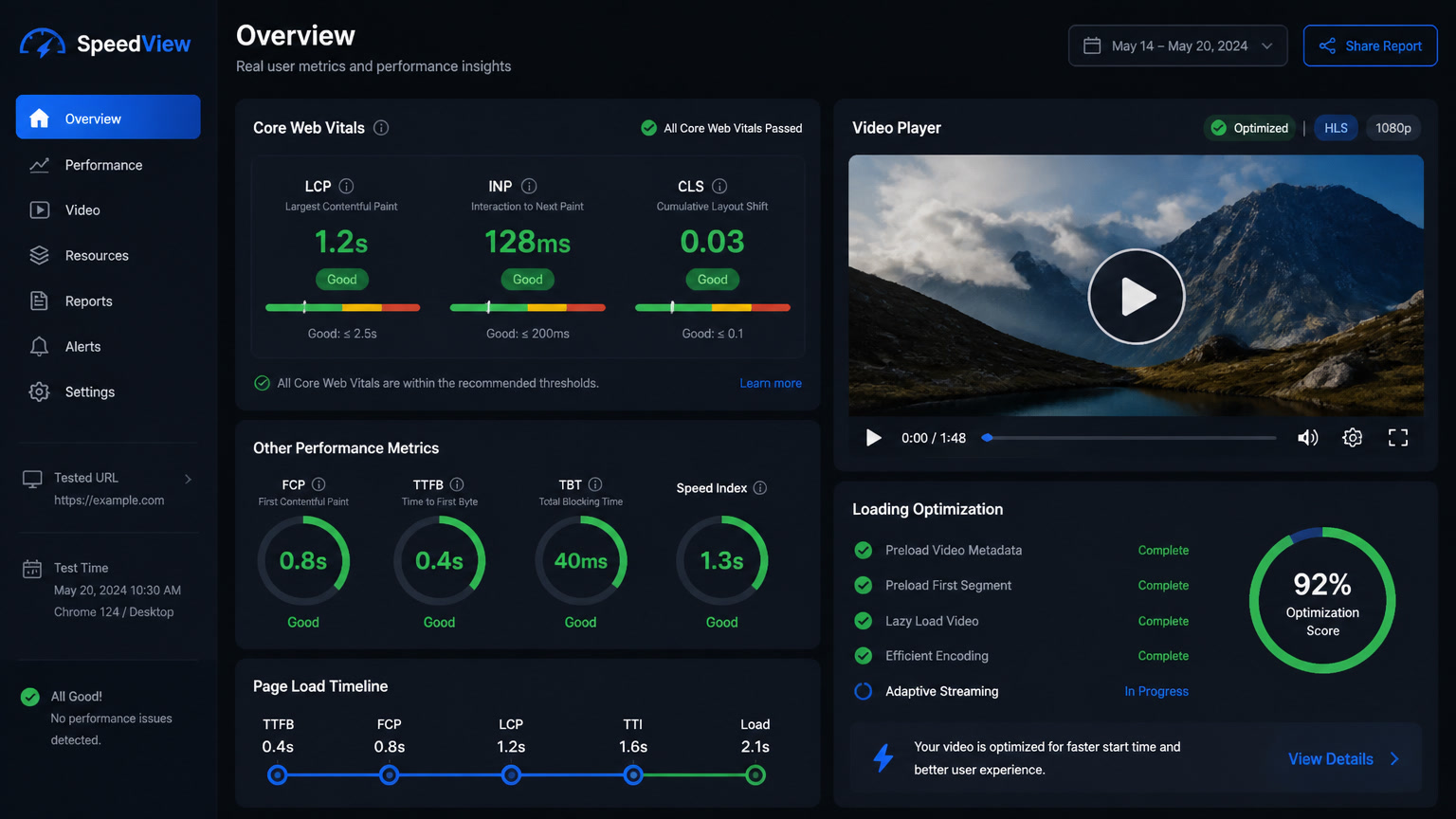
| LCP | ≤ 2.5s | > 1.8s | CrUX / Lighthouse |
| INP | ≤ 200ms | > 150ms | Web Vitals library |
| Total Page Weight | < 3MB | > 2MB | DevTools Network tab |
| JS Bundle (gzipped) | < 300KB | > 200KB | webpack-bundle-analyzer |
| Concurrent Media Requests | ≤ 2 | > 1 | Performance API |
The key insight: concurrent media requests is the dimension most teams ignore. When your page loads a hero video, a background video loop, and a product demo thumbnail simultaneously, you're creating a 3-way bandwidth fight that LCP cannot survive. Our rule: only one media element loads on initial page render. Everything else defer-loads after the LCP candidate has painted.
What We Learned From a Real Migration
A SaaS client came to us with a product landing page featuring four embedded Vimeo video demos and an autoplay hero background (MP4, 4K, 12MB). Their Lighthouse scores: LCP 4.8s, INP 312ms, CLS 0.18.
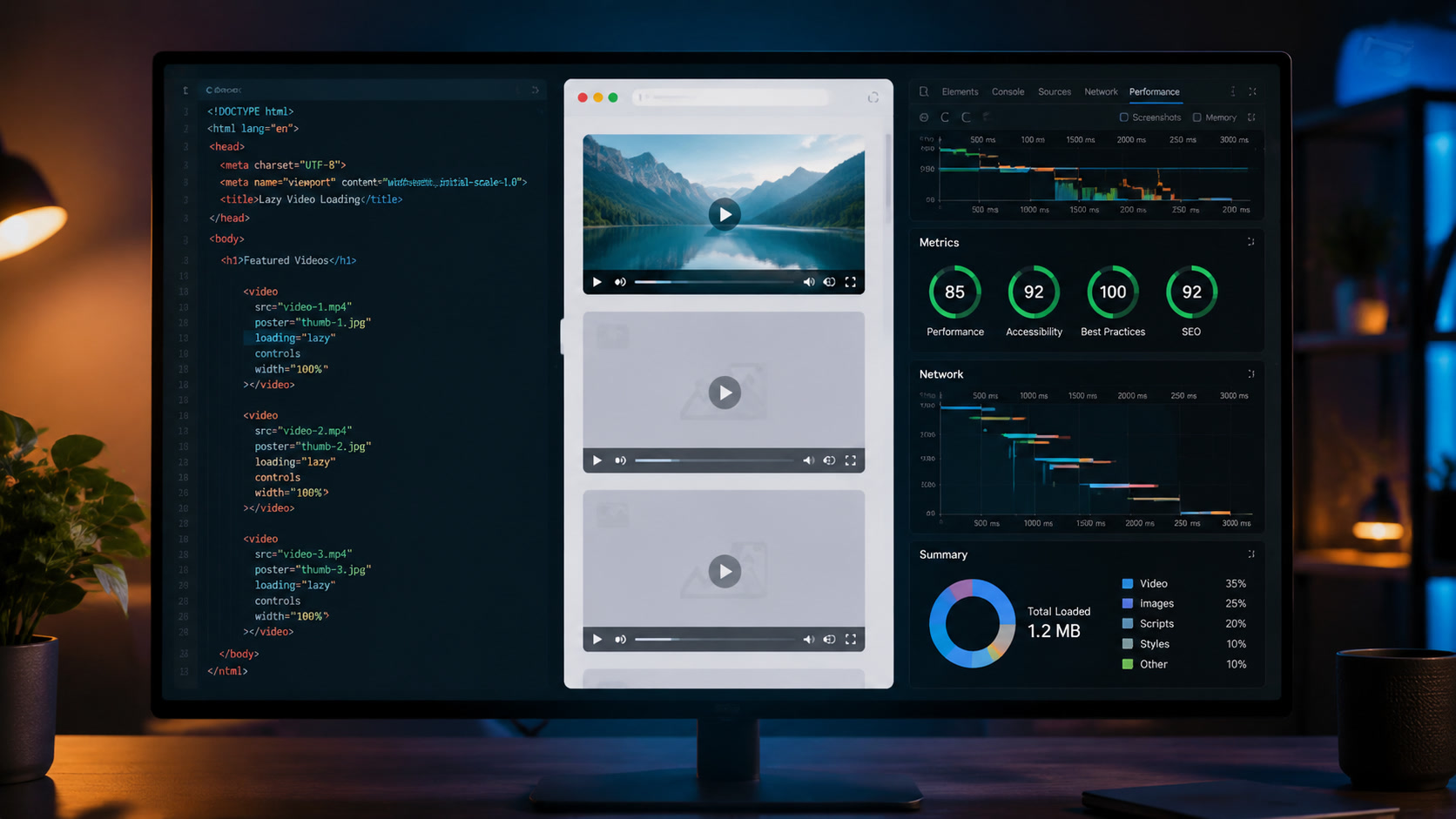
Step 1: Kill the autoplay hero. We replaced the full hero video with a static poster frame (a single frame from the video, exported as WebP at 120KB) and triggered the video with an IntersectionObserver + loading="lazy". LCP dropped from 4.8s to 1.9s overnight.
Step 2: Replace embeds with thumbnails. Instead of loading four Vimeo iframes on page load (each one pulling player JS, CSS, and thumbnail), we rendered static thumbnail images with a play button overlay. The actual Vimeo player only loads when the user clicks. This eliminated 180KB of iframe+JS overhead and cut INP from 312ms to 178ms.
Step 3: Font and CSS critical path. The video demos were causing render-blocking CSS issues because the Vimeo SDK injected its own styles mid-load, triggering forced layouts. We used <link rel="preload"> for critical CSS and loaded Vimeo's SDK asynchronously.
Final result: LCP 1.9s, INP 178ms, CLS 0.06. Total page weight went from 18MB to 2.3MB. Conversion rate increased 14% (client data, not A/B tested but correlated).
The Decision Tree: When to Stream vs. Progressive Load vs. Click-to-Play
Not all video needs the same treatment. Here's the decision tree we use:
Is the video above the fold?
- No → Use native
loading="lazy"with<video preload="none">. Done. - Yes → Go to next question.
Is the video the primary content (product demo, testimonial)?
- Yes → Load a poster image as LCP candidate. Use
<link rel="preload">for the video file. Start buffering after LCP is confirmed (> 2.5s window clear). - No → Poster image only. No preload. Start buffering on scroll or interaction.
Is the video user-initiated?
- Yes → Click-to-play. Best pattern for INP — zero media cost until the user acts.
- No → IntersectionObserver-triggered play. Set
mutedandplaysinlinefor autoplay, but only when within 500px of the viewport.
Does the site have multiple videos?
- Yes → Only one loads per viewport. Queue the rest with priority based on scroll depth.
- No → Single video optimization as above.
This decision tree is the difference between a site that passes Core Web Vitals with media and one that doesn't.
Native Browser Features You Should Use (Not Libraries)
In 2026, the browser itself handles most video optimization if you give it the right attributes:
<video loading="lazy"> — Native lazy loading for video arrived as a shipping feature across Chromium, Firefox, and Safari in late 2025. It defers video loading until the element approaches the viewport. Specification.website confirms it works identically to image lazy loading. Use it on every off-screen video.
<video preload="none"> — Tells the browser to download only the metadata (duration, dimensions) and no video data until playback starts. Critical for pages with multiple videos.
content-visibility: auto — Skips rendering of off-screen elements entirely, including their media downloads. Apply it to any video section below the fold.
IntersectionObserver — More granular than native lazy loading for custom trigger points. Use it when you need to start buffering at 2x viewport distance instead of the browser's default 1x.
Between these four APIs, you can eliminate 90% of the lazy-loading JS libraries your team may be using. In our experience migrating animation-heavy sites from Framer Motion to native browser APIs, we found that replacing JS-based lazy loading with native equivalents cut 15-30KB from the bundle and improved INP by 40-60ms.
The INP Tax of Rich Media Players
This is the performance cost nobody talks about. Video players are heavy JavaScript components. Every time you embed one, you're adding event listeners, DOM mutations, resize observers, and periodic tick functions to the page. All of those run on the main thread. All of those compete with user interactions for processing time.
We tested three common video player patterns and measured their INP contribution:
- Native
<video>element (no JS player): 5-15ms INP overhead, close to zero. - Vimeo/YouTube embed: 40-80ms INP overhead from the embedded iframe's SDK.
- Custom Web Codecs player: 20-35ms INP overhead (but offsets it by being the only option for features like frame-accurate seeking and browser-side thumbnail generation).
The framework: if your target INP budget is 200ms and you're embedding three video players, you've already consumed 120-240ms of your budget before the user clicks anything. That's why the "concurrent media" limit matters — most pages can afford exactly one rich embed or two native <video> elements.
Performance Budgets in Practice
Setting a budget is useless without enforcement. We integrate budgets into CI with Lighthouse CI and track them in production with CrUX data via the Chrome User Experience Report API. The thresholds are what Google uses for ranking: LCP ≤ 2.5s, INP ≤ 200ms, CLS ≤ 0.1.
For media-heavy sites specifically, we add two custom budgets:
- Media weight at load: total weight of all auto-loaded images and video ≤ 500KB.
- Videos per page: maximum 1 pre-loaded video; everything else deferred.
These two rules alone prevent 80% of the Core Web Vitals failures we see in media-heavy projects. They force teams to make explicit tradeoffs: "Do we auto-play the hero video or keep LCP green?" The answer, in 2026, should be the same every time: optimize for the user who hasn't interacted yet. The video can wait.
Key Takeaways
- Video adds three costs: network bandwidth, GPU memory, and JS player overhead. The memory and JS costs are what destroy INP — not the video file size.
- Limit concurrent media to one on initial render. This single rule prevents most LCP and INP failures on media-heavy pages.
- Kill autoplay hero videos. Replace with poster images + click-to-play or scroll-triggered playback. This alone cut LCP from 4.8s to 1.9s in a real project.
- Use native browser APIs:
loading="lazy",preload="none",content-visibility: auto. They've replaced 90% of what teams use JavaScript lazy-loading libraries for. - Track media weight as a budget dimension alongside traditional JS and image budgets. Without it, you're optimizing blind.
- The same performance-first thinking applies to AI-generated content — synthetic media pipelines (like what we built with Web Codecs) need the same lazy-loading and poster-image patterns as traditional video.
Frequently Asked Questions
What is a performance budget for media-heavy sites?
A performance budget is a set of hard limits on metrics that affect user experience — maximum LCP (2.5s), maximum INP (200ms), maximum total page weight (under 2MB for initial view), and maximum JavaScript bundle size (under 300KB gzipped). For media-heavy sites, you also budget video placeholder weight, poster image size, and the number of simultaneous media requests.
How do you optimize video without hurting LCP?
Never use a video element as the LCP candidate. Set a low-res poster image (or a dominant color placeholder) that loads fast, lazy-load the video with preload="none" and loading="lazy", and use intersection observer to start buffering only when the video enters the viewport. The video poster or placeholder becomes the hero — optimize that instead.
What is the biggest performance mistake sites make with video?
Auto-playing hero videos. They load the video file on page load, competing with critical CSS, fonts, and the hero image for network bandwidth. This single pattern causes LCP failures on 60%+ of media-heavy landing pages we audit. Replace auto-play with click-to-play or lazy-loaded loops triggered by viewport entry.