The Hidden Cost of Disconnected Automation: Why Your Tool Stack Costs More Than You Think
The integration tax adds 40% to 70% to the real cost of your automation stack. Here's why disconnected tools destroy your ROI and how workflow orchestration fixes it.
The Hidden Cost of Disconnected Automation: Why Your Tool Stack Costs More Than You Think
If you run a CRM, an invoicing tool, a project manager, and an email marketing platform, you are likely paying an invisible 40% to 70% tax on top of your nominal subscription costs. This is not hyperbole — it is the integration tax, and in 2026 it has become the single biggest ROI killer in business automation for small and mid-size businesses.
The integration tax is the sum of every hidden cost associated with running disconnected tools: middleware subscriptions, manual data sync repairs, context-switching productivity loss, duplicate data management, and vendor management overhead across 8, 10, or 12 monthly invoices.
At Mintec, we implement automation workflows for clients across Latin America using Clientify, Make, and n8n. One pattern emerges in every implementation: the problem is almost never the individual tools. The problem is that they don't talk to each other.
What the Integration Tax Actually Costs
The article "Why All-in-One Beats Best-of-Breed in 2026" from Deelo (April 2026) defines the Data Integration Tax as every cost associated with keeping disconnected tools functional. Here is what it actually looks like:
| Component | Estimated Cost |
|---|---|
| Direct subscription costs (7-12 SaaS tools) | $200-500/month |
| Integration middleware (Zapier, Make) | $20-70/month |
| Sync failure repairs (manual) | 2-4 hours/month |
| Context-switching (9.5 min per switch) | 3-5 hours/week per employee |
| Duplicate data management | 1-2 hours/week |
| Vendor management overhead | 2-3 hours/month |
Research from Qatalog and Cornell University found that workers lose 9.5 minutes each time they switch between applications. For a 10-person team using 8 apps daily, that translates to hours of lost productivity per week.
IDC's 2024 research on SMB automation ROI found that small and mid-size businesses deploying workflow orchestration recover 800 to 1,200 hours per year in administrative overhead. At average consulting billing rates, that is $35,000–$55,000 in recovered capacity.
Why "Best-of-Breed" Is Costing You More
The conventional SaaS wisdom has long been: choose the best tool for each function. The best CRM. The best project management tool. The best email platform. Then connect them with Zapier or Make.
This best-of-breed approach sounds logical in theory but creates a cost trap in practice. Every integration is a potential failure point. Every broken sync requires manual intervention. Every new tool adds complexity to the stack.
The SMB dilemma in emerging markets
In Latin America — and similar markets — this problem is even more acute:
- Fewer native integrations. Global SaaS tools prioritize HubSpot, Salesforce, and QuickBooks integrations, leaving local platforms like Clientify, Siigo, or Contpaqi without seamless connectivity.
- Smaller teams. A 10-person company doesn't have a dedicated IT department managing integrations. The owner or ops manager becomes the de facto stack administrator.
- Tighter margins. The cost of 8-12 SaaS subscriptions represents a higher percentage of revenue than for companies in the US or Europe.
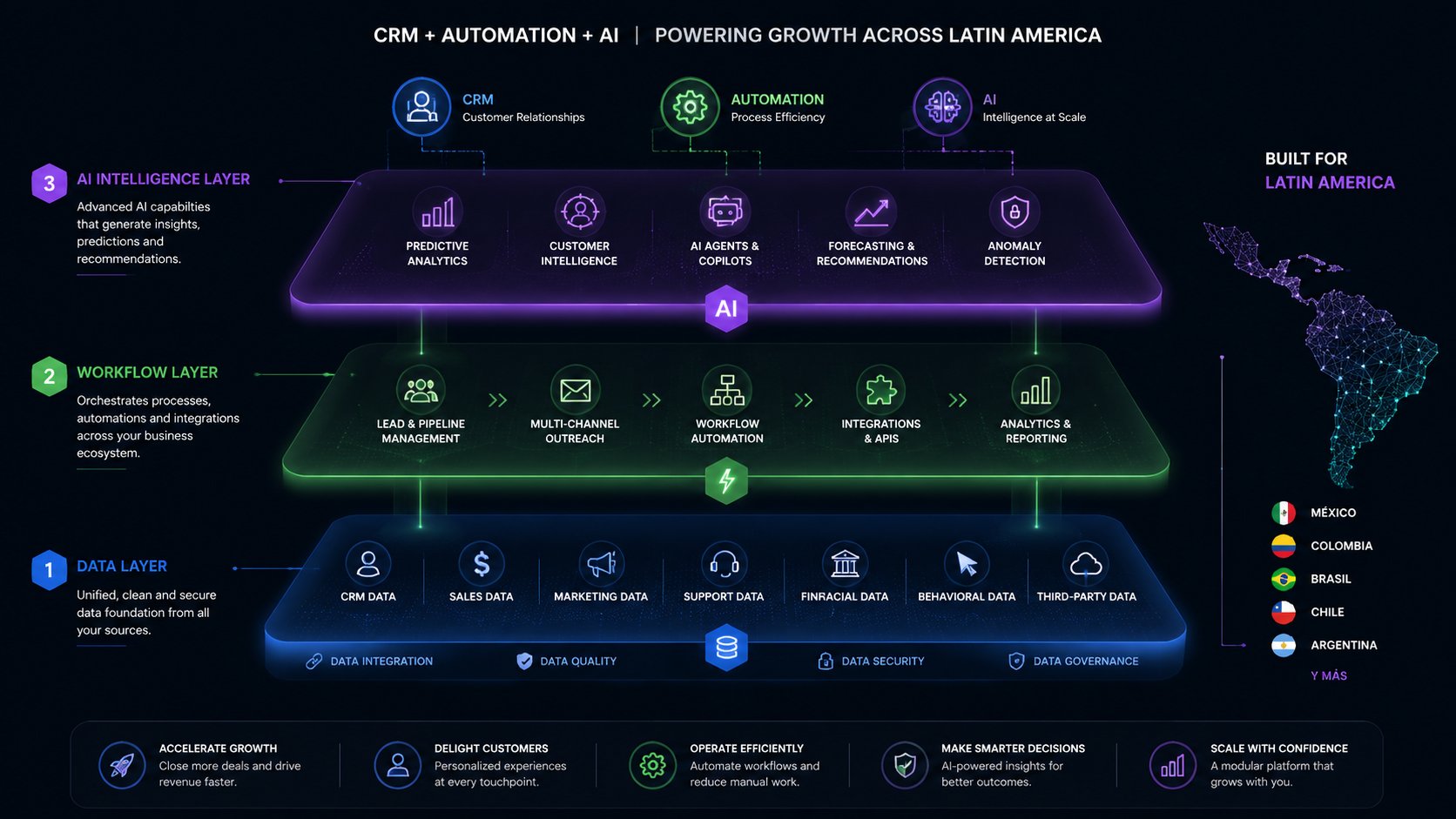
This is why we've found that the integrated platform approach (tools like Clientify that combine CRM, marketing automation, and sales in one place) ends up delivering better ROI than a fragmented stack — even when each individual tool is slightly less feature-rich.
The 4 Integrated Pillars Framework
Based on our implementation experience, we use a simple framework to evaluate whether your automation stack is truly integrated. Business automation rests on four pillars, and real ROI appears when all four are connected:
Pillar 1: CRM and Pipeline
Your CRM should be the nervous system. When a lead enters, it should trigger automatic flows: assignment to the right salesperson, follow-up sequence, project creation.
Disconnection symptom: Your sales team enters leads in the CRM but has to manually copy them to the project management tool or billing system.
The fix: Connect CRM + workflow automation via Make or n8n. With Clientify, native automations eliminate external middleware entirely.
For a deeper look at CRM automation, see our article on AI-powered CRM.
Pillar 2: Proposals and Documents
Proposal generation is one of the most time-consuming administrative tasks. A typical proposal involves pulling CRM data, customizing the executive summary, generating a work plan from a template, calculating fees, and formatting the document.
The data: According to US Tech Automations' 2026 consulting automation analysis, steps 1, 3, 4, and 5 are nearly fully automatable with today's tools. Time drops from 4-8 hours to 45-90 minutes.
Disconnection symptom: Your team creates proposals from scratch each time, copying and pasting CRM data manually.
Pillar 3: Billing and Collections
Billing automation has two components: the time-to-invoice cycle (approved timesheets → invoices) and the invoice-to-payment cycle (reminders, reconciliation).
The data: Consulting firms that automate billing reduce DSO from 45-65 days to 25-35 days, per the CFO Alliance 2024 Survey on Professional Services Finance.
Disconnection symptom: Your finance team spends 2-4 hours per month manually generating invoices from timesheets.
Pillar 4: Reporting and Dashboards
Automated reporting shifts from retrospective to predictive. Instead of looking backward (last week's timesheets), you see forward (next week's at-risk capacity).
Disconnection symptom: Someone on your team spends 2-4 hours each week building utilization reports in Excel.
Decision Matrix: All-in-One vs Best-of-Breed
| Scenario | Recommendation |
|---|---|
| 1-10 employees, simple operations | All-in-one platform (Clientify, Zoho One) — lowest total cost, zero integrations |
| 10-50 employees, moderate needs | Hybrid — core platform (CRM + automation) + specialized tools for critical functions |
| 50+ employees, complex operations | Best-of-breed with orchestration — best individual tools connected via Make/n8n with dedicated IT |
| Regulated industry (fintech, healthcare) | Best-of-breed — compliance needs that general platforms don't cover |
How to Eliminate the Integration Tax in 90 Days
If you recognize the disconnection symptoms above, here is the implementation roadmap we use with clients:
Weeks 1-2: Audit your stack. List every system for CRM, projects, billing, email, and communication. Note which pairs are connected and which require manual transfer. For one week, track every instance of manual data entry between systems.
Weeks 3-4: Automate billing first. Connect your time tracking tool to invoicing. Configure automatic draft invoice generation from approved timesheets. This is always step one because it is the most painful and the easiest to measure.
Weeks 5-6: Connect CRM with proposals. When a deal enters the proposal stage, automatically trigger template selection and variable field population from CRM data.
Weeks 7-8: Orchestrate client onboarding. When a client is marked "won" in the CRM, automatically create the project, assign the team, and generate the first invoice template.
Weeks 9-12: Build the utilization dashboard. Configure real-time reports showing billable vs. non-billable hours by consultant and by project.
Our Take at Mintec
We have spent years implementing automation with Clientify, Make, and n8n for businesses across Latin America. After dozens of implementations, our conclusion is clear:
The biggest mistake is not choosing the wrong tool. It is choosing tools that don't talk to each other.
Most automation content focuses on individual tools — "how to configure Make," "how to use Clientify," "10 Zapier zaps." But the real value lives in the integration layer — connecting your CRM to billing, proposals to projects, leads to follow-ups.
A great CRM in isolation underperforms a decent CRM that is fully connected to the rest of your operations. That is the central thesis of this article, and it is what we see confirmed client after client.
If your current stack is costing you more than it should, the problem is probably not the tools. It is the gaps between them.
Recommended Reading
Frequently Asked Questions
What is the integration tax?
The integration tax is the hidden cost of keeping disconnected software tools synced. It includes middleware subscriptions (Zapier, Make), time lost on manual data transfer, context-switching productivity loss, vendor management overhead, and duplicate data management.
How much does the integration tax actually cost a small business?
Industry estimates suggest 40% to 70% on top of subscription fees. A $400/month stack actually costs $600-$700/month when factoring in integrations, management time, and lost productivity. For a 10-person team, this can mean $17,000+ in hidden annual costs.
How do you fix disconnected automation tools?
The fix is workflow orchestration — connecting your existing CRM, billing, project management, and reporting tools through an automation layer like Make or n8n. Alternatively, all-in-one platforms like Clientify dramatically reduce the need for external integrations altogether.