Every email workflow needs an exit: four exclusions that stop out-of-context messages
Reliable email automation does more than decide when to send. It knows when to stop, which CRM state wins, and how to keep sales, support, and marketing from talking over each other.
Email automation fails when it keeps sending the right message to the wrong person at the wrong time. The fix is not another branch or better copy. It is explicit exclusions: every sequence needs to know which event makes it irrelevant, which CRM state takes priority, and which messages are still allowed to run.
The common failure is not technical. A team builds a solid nurture sequence, connects opens and clicks, and celebrates because it runs by itself. Then a prospect asks for a demo, replies on WhatsApp, opens a support case, or buys. The sequence never hears about it. Two hours later, it sends another automated email explaining why they should talk to sales.
That is not a personalization problem. It is an exit problem.
At Mintec, we use one rule: a contact does not "exit email" once and for all. They exit a specific purpose. They can leave a prospecting campaign because a sales conversation is active and still receive an appointment confirmation. They can leave a promotion because they bought and still receive a service update. Putting every decision behind one "do not email" checkbox removes the context the CRM is supposed to preserve.
This is the missing layer after behavioral email automation. Responding to a pricing-page visit matters. Stopping the nurture flow after a salesperson has started a real conversation matters more.
Give every sequence an exit condition before its first send
The question before activating an automation should not only be "who gets in?" It should be: "what needs to happen for this message to stop making sense?"
A demo-recovery sequence can have several valid outcomes:
- The contact books a meeting. Recovery stops; the appointment confirmation stays active.
- A salesperson opens an opportunity. Acquisition nurture pauses; transactional email does not.
- The contact replies with a question. Automated follow-up pauses until someone classifies the conversation.
- The contact unsubscribes. Promotional messages stop, even though the CRM retains the record.
- The contact has no meaningful activity for a defined period. They stop consuming send frequency and move to a hygiene path.
It reads as obvious. It is usually missing because workflows are built as independent campaigns rather than parts of one customer experience.
HubSpot supports suppression lists and unenrollment triggers in workflows. It can also remove a contact from selected workflows when that contact enters a new one.[2] That is more than a product setting. It shows the design issue: workflows compete when nobody states which process has priority.
The four exclusions your CRM must keep separate
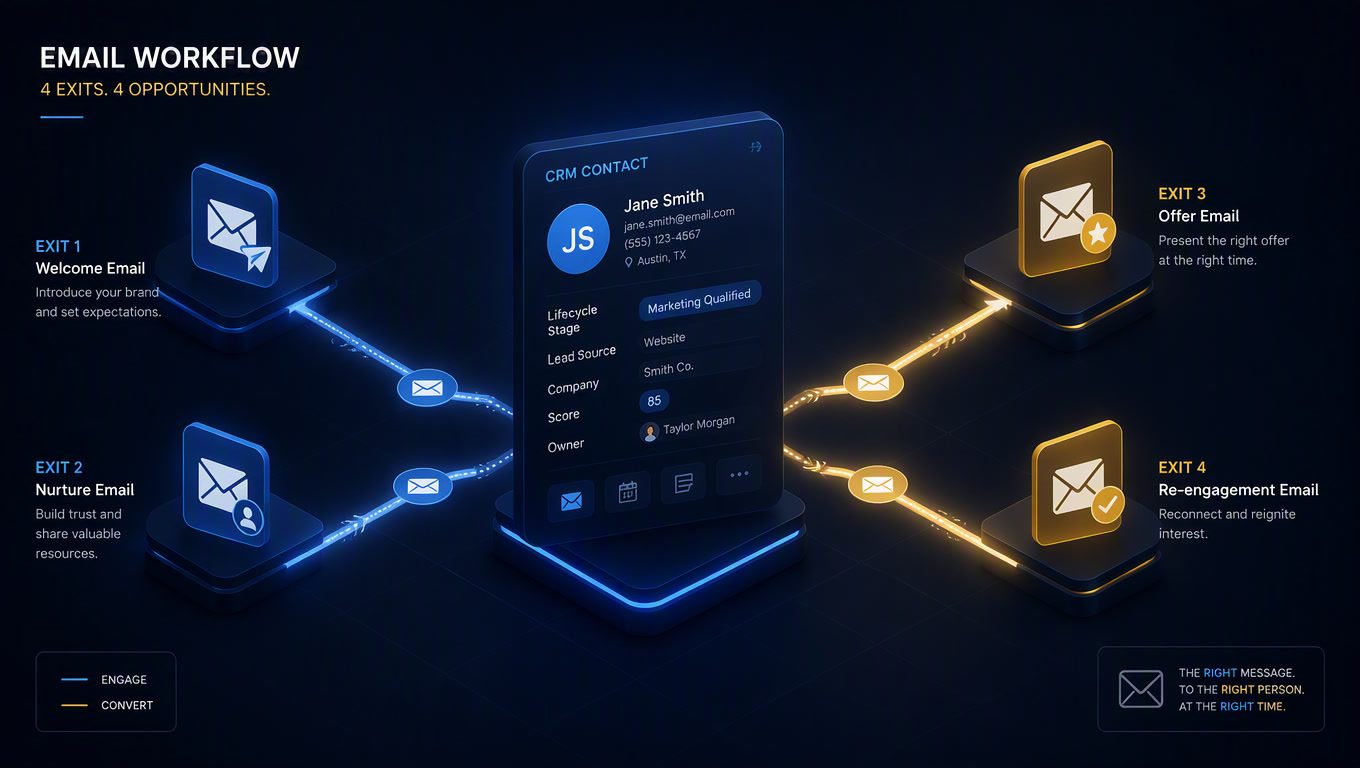
We do not recommend a single do_not_email field. It is too blunt. The table separates decisions teams often collapse into one rule.
| Exclusion | Question it answers | Example event | What must stop | What may continue |
|---|---|---|---|---|
| Permission | Are we allowed to send this message type? | Unsubscribe, withdrawn consent, unauthorized channel | Promotional and nurture messages for that channel | Permitted receipts or operational notices |
| Sales state | Is the contact already in a live sales conversation? | Meeting booked, deal opened, positive reply | Prospecting and reactivation sequences | Confirmation, reminder, and owner task |
| Relationship state | Has the message objective changed? | Purchase, renewal, cancellation, critical ticket | Pre-purchase offer, premature upsell, irrelevant survey | Onboarding, support, or account communication |
| Pressure and quality | Should we slow down even if we still can send? | Bounces, inactivity, frequency cap reached | The next promotional send | Hygiene or deliverability-review path |
The opinion is intentional: email should not own its own exclusion logic. It should read relationship data that lives in the CRM. If marketing creates a separate list to identify customers, while sales keeps another to identify active negotiations, the system will contradict itself even when every platform reports a green workflow run.
1. Sales-state exclusions stop automation from competing with the seller
A person who requests a demo does not need another educational asset an hour later. They need a human response, a confirmation, or a clear booking path. If nurture continues at its normal pace, the business looks like it missed the request.
For a sales sequence, define at least these exits:
| CRM signal | Sequence action | Owner of the next action |
|---|---|---|
| Meeting booked | Unenroll from prospecting; send appointment confirmation | Assigned seller |
| Opportunity created | Pause acquisition nurture; record the last message sent | Assigned seller |
| Free-text email reply | Pause until intent is classified | Sales or operations |
| Deal lost as "no budget" | Exit active selling; enter a future reactivation path with a defined delay | Marketing |
| Deal lost as "competitor" or "poor fit" | Do not automatically re-enroll | Human review |
That last line matters. A lost deal is not automatically a cold lead. Someone who asked to revisit in six months may deserve a future path. Someone who said the business is the wrong fit does not.
Dynamic segmentation can help interpret affinity and intent. It should not overrule explicit sales evidence. If a seller has already opened an opportunity, that truth should outweigh a model that inferred interest from three clicks.
2. Relationship-state exclusions change the message when the goal changes
Many automations fail because they know only two states: lead and not-lead. A new customer keeps receiving evaluation emails. A contact with an urgent support ticket receives a promotion. A user who requested cancellation receives an upsell before anyone knows why they left.
You do not need forty stages. You need a few events that change the purpose of the communication:
active_customer: no longer eligible for acquisition; may enter onboarding or adoption.onboarding_in_progress: does not receive an upsell that assumes they already use the service.critical_ticket_open: pauses promotions until support resolves or classifies the case.cancellation_requested: blocks expansion campaigns and creates a human-review task.renewal_in_negotiation: keeps generic reactivation from clashing with the actual conversation.
That separation lets the CRM accompany the process instead of merely storing contacts. Our automated B2B nurture framework changes routes by maturity and intent. This adds a stricter layer: when the relationship changes, eligibility changes before content does.
3. Permission exclusions are not a footnote in the sequence
An unsubscribe is not a marketing event to review on Friday. It is an operational signal that must sync between the CRM, the email platform, and any orchestration layer that could enroll the person again.
Google requires senders who deliver more than 5,000 messages daily to personal Gmail accounts to support one-click unsubscribe for marketing and subscribed messages and include a clearly visible unsubscribe link. Its guidance also says to send to people who want the messages and to consider unsubscribing people who do not read or engage.[1] Your volume may be lower, but the architecture should be the same: consent cannot stay trapped in one tool.
The important field is not simply subscribed = false. Keep the subscription type, channel, change date, and source. "Does not want promotional email" does not automatically mean "cannot receive a receipt" or "does not want the meeting reminder they requested." Designing that distinction early prevents both over-sending and nonsensical exclusions.
4. Pressure exclusions protect reputation before the recipient complains
A contact may have permission and no active sales conversation. That does not make every possible message a good idea. This is where frequency pressure belongs.
Set a contact budget across campaigns. If someone received a nurture email today, a product campaign should not add another that afternoon just because it comes from a different list. A hard bounce should update the CRM immediately. Months without a meaningful signal should not be treated as an active audience by default.
Do not use opens as your only signal. Privacy protections and blockers make that data incomplete. Combine clicks, replies, known CRM activity, bounces, and complaints. Conversational email automation already starts from behavior; the next level is using behavior to reduce pressure, not merely chase another conversion.
The minimum exit contract before a workflow goes live
Document this matrix before you switch on a sequence. It is intentionally short. If a row has no answer, the workflow is not ready.
| Question | Answer that must be written down |
|---|---|
| What is this sequence's one purpose? | Recover demo, activate trial, nurture a cold lead, or support onboarding |
| Which sales event makes it irrelevant? | Meeting, opportunity, reply, owner assignment, or closed deal |
| Which relationship change alters the message? | Purchase, critical ticket, renewal, cancellation, or unsubscribe |
| Which permission field takes priority? | Subscription type, channel, and consent state |
| What is the pressure limit? | Maximum messages, time window, and other campaigns included |
| Who reviews ambiguous cases? | Named team, SLA, and specific task |
| What record does the exit leave? | Event, reason, date, workflow, and next permitted route |
Automation earns trust when it can explain why it did not send something. That trace is more valuable than an attractive open rate because it lets the team correct a bad rule without reconstructing a contact's history across the CRM, inbox, and spreadsheets.
Start with the sequence that sends most often. Review its last fifty exits. If you find customers, booked meetings, open tickets, or unsubscribed people who kept receiving messages, you do not need more content. You need better exits.
Sources
[1] https://support.google.com/a/answer/81126 [2] https://knowledge.hubspot.com/workflows/manage-your-workflow-settings
Frequently Asked Questions
What is an exclusion in email automation?
An exclusion is a condition that keeps a contact out of, or removes them from, a sequence. It can reflect consent, a purchase, an active sales conversation, a support issue, or a frequency limit.
Should a contact who replies to an email leave every sequence?
No. They should leave the sequence whose objective is no longer valid, such as prospecting, while still receiving relevant and permitted transactional or support messages.
How do I stop sales and marketing from sending contradictory messages?
Keep consent, lifecycle state, campaign eligibility, and sales activity in separate fields. Then use those fields as entry and exit rules for each workflow.