Zapier's Next Gen Zaps and Agentic Management: what changes and whether to turn it on
Zapier shipped Next Gen Zaps: workflows built from Claude or ChatGPT over MCP, plus an agent that repairs broken runs. What changes, what it will cost, and who should enable it.
Zapier's Next Gen Zaps and Agentic Management: what changes and whether to turn it on
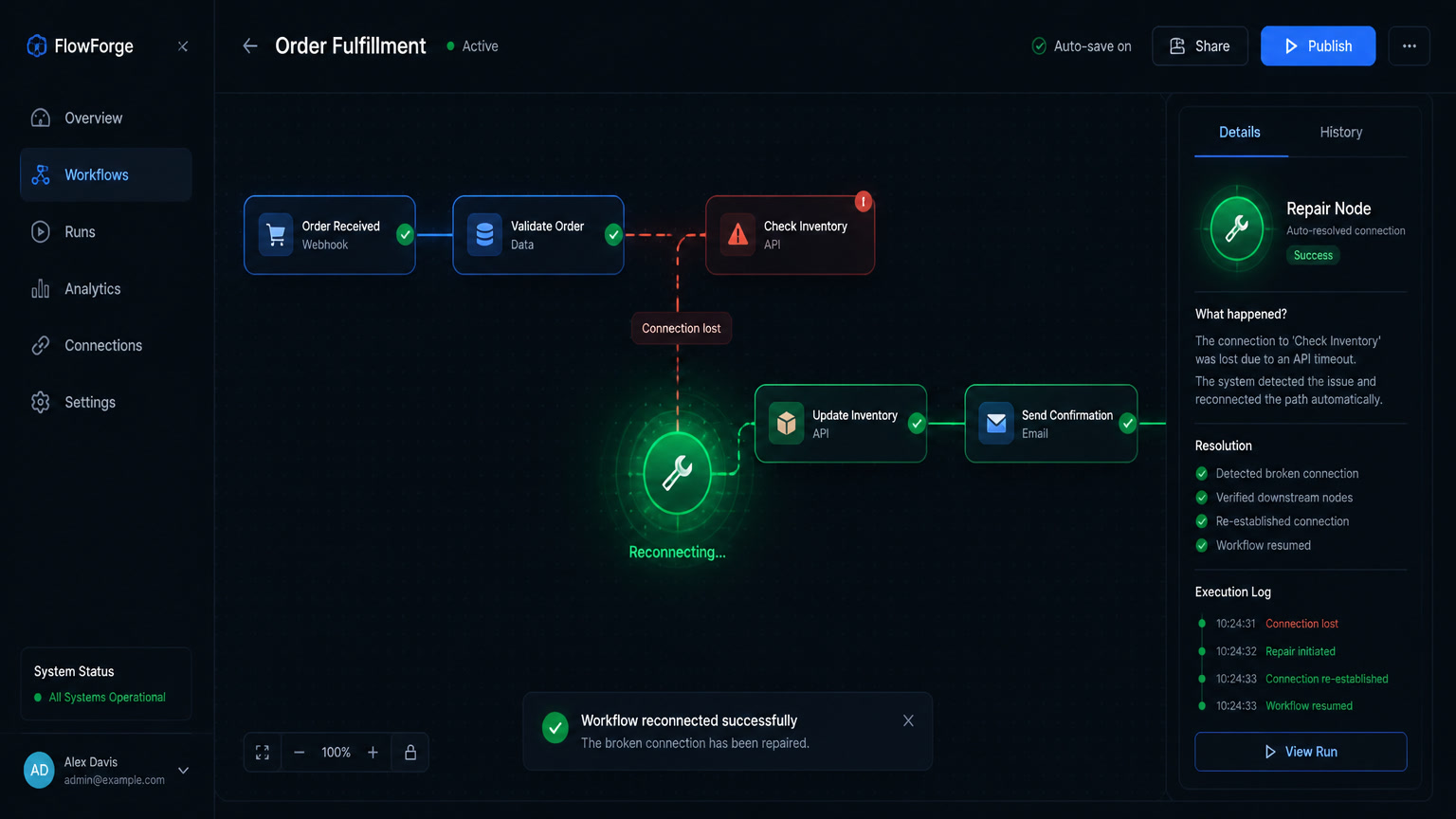
On September 23, 2026, at ZapConnect 2026, Zapier announced Next Gen Zaps: workflows you build by describing what you want in plain language from Claude, ChatGPT or Cursor, deployed to Zapier, and wrapped in Agentic Management — an agent that monitors your runs, diagnoses failures and can apply the fixes itself. They are in early access, they consume no tasks while that lasts, and per-task billing returns when Zapier starts charging. Our recommendation before the detail: request access only for low-risk internal workflows, leave Heal and Optimize on, turn off Automatically apply fixes until you have run history, and don't design your operation around the assumption that "free" stays free.
We've run Zaps, Make and n8n for clients across Mexico, Colombia and Central America for years, and we already wrote here when Zapier's per-task model stops paying off and why AI should build workflows but not execute them. This launch touches both theses, so we're taking it apart with the official documentation in hand.
What Zapier shipped and what didn't change
Next Gen Zaps don't replace classic Zaps: they coexist. Zapier lets you convert existing Zaps whenever you're ready, and editing visually, in code or with AI lands in the same place. What's new are six capabilities the classic Zap never had:
| Capability | Classic Zap | Next Gen Zap |
|---|---|---|
| Loop volume | 500-item loop cap | No cap; process full lists in batches |
| Branches | Paths that exclude each other | Branches split, do their work, then rejoin |
| Nesting | Not available | Loops inside loops with a final rollup |
| Error handling | A failure stops the run | The run continues with what worked |
| Pauses | Fixed or scheduled delay | Pause mid-run waiting for a human reply or event, then resume automatically |
| Maintenance | You find out after it broke | An agent monitors, diagnoses and repairs |
Plus the new entry point: instead of dragging steps in the editor, you describe the process from a compatible MCP client, the zapier:build-workflows connector picks the connections and steps, and deploys the flow to Zapier. You review it afterward in the Workflow Manager. It's the same pattern we covered in MCP for business agents, now made Zapier's official front door.
What doesn't change: it's still a managed cloud platform, with early-access limits Zapier lists without sugarcoating — publish approval requests aren't supported, sharing and per-asset permissions are viewer-only, global variables are out, and neither are autoreplay and flood protection. Early access is enabled for your entire account, not per workspace, and a Next Gen Zap's TypeScript code has a 200,000-character limit.
Fluid Determinism: Zapier productized the architecture we already recommend
The concept Zapier wraps all of this in is Fluid Determinism: each step of the workflow shifts "intelligently" between AI reasoning and predictable if-then tasks, so commonly repeated AI steps turn into lower-cost deterministic automation while an agent diagnoses and repairs failures. Their own framing: "it gets cheaper the more you run it — repeat AI work turns into deterministic steps, so you burn fewer tokens over time."
The honest context: this is exactly the thesis we defended in build with AI, execute with rules and the myth of the total AI Agent — AI where flexibility pays, rules where predictability pays — turned into a product feature by the largest no-code platform on the market. Useful validation for anyone who has argued for this architecture internally.
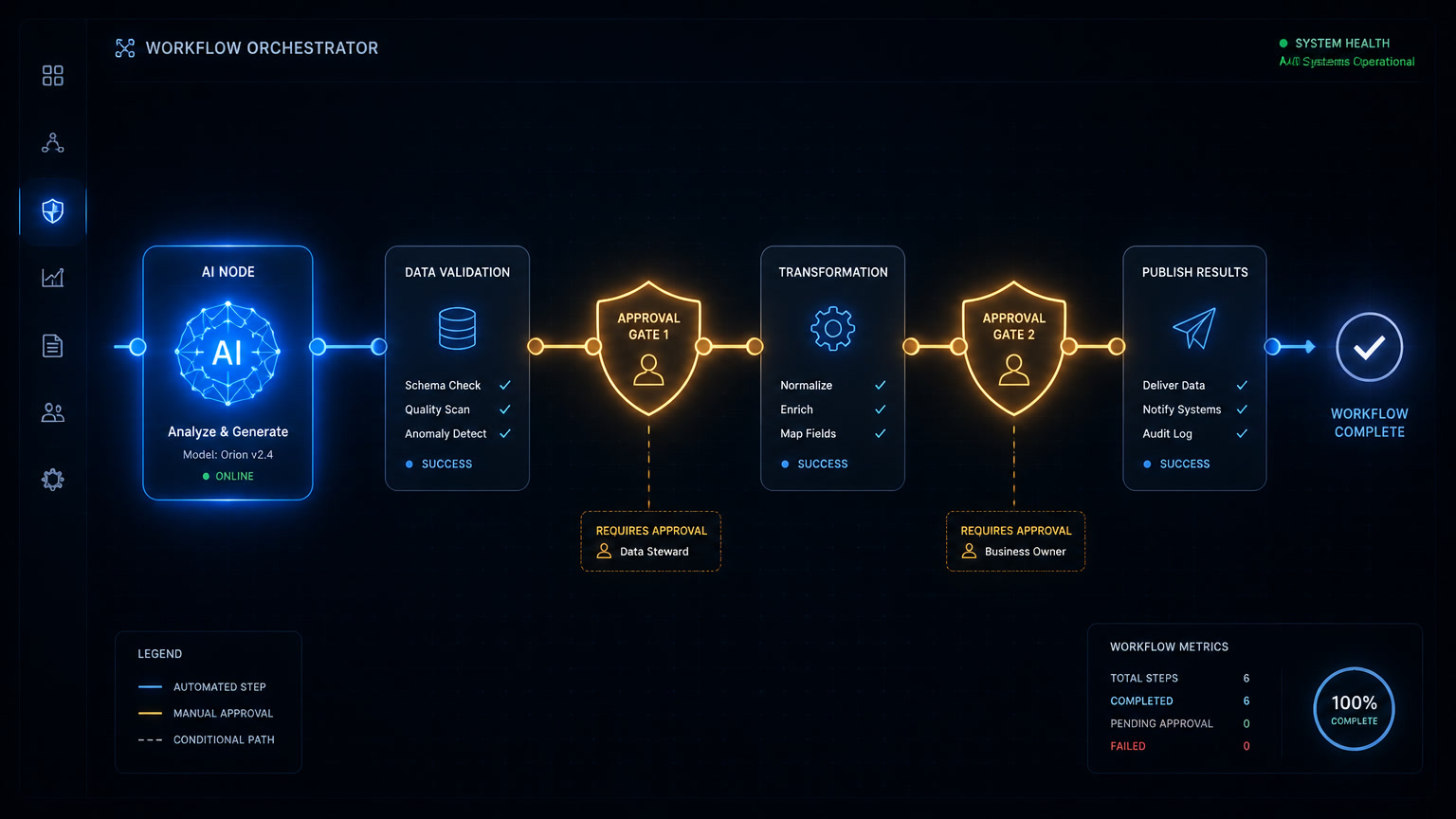
But there's a line Zapier crosses that we wouldn't cross: putting an agent on top of production execution, with permission to touch the flow when something breaks. Our stance, the one we implement with clients, is two weeks in read-only mode before any agent sees write credentials, approval gates for high-impact changes, and one agent, one credential, one purpose. The hybrid architecture Zapier validated is the good half of the news. The other half — who repairs production and with how much autonomy — remains a governance decision, not a settings toggle.
Agentic Management: what the agent can touch and what you should allow
Agentic Management ships with three capabilities, all enabled by default:
| Capability | What it does | Our starting configuration |
|---|---|---|
| Heal | After 5 retries fail, diagnoses the error and prepares a fix | On — diagnosis is where lost hours actually hurt |
| Optimize | After successful runs, suggests efficiency or predictability improvements | On — suggestions are cheap and reviewable |
| Automatically apply fixes | Applies fixes that don't change what the workflow can do, without asking | Off at first — turn it on after weeks without surprises, and never on flows holding sensitive data |
Zapier emails you at each stage — failure detected, review pending, fix applied — and every fix lands as a new version of the workflow, so rollback exists. Those are serious safeguards. They still aren't a reason to jump straight to full autonomy, because the failure an agent diagnoses well in a spreadsheet flow is not the same one touching billing or client data.
This is where the launch connects to the problem we already documented in the Day 2 of AI automation: per Datadog, 1 in 20 requests to AI systems in production fails while the system keeps answering as if nothing happened. Zapier is turning into a product exactly the work agencies bill for today — watching runs, finding the pattern, proposing the fix. It's only fair to say that part of our monthly monitoring business competes with this. The answer isn't denying the feature; it's telling you where its autonomy stops: the agent repairs the run that failed, it doesn't notice your business logic was defined wrong, or that a 20% discount just leaked to 400 customers.
The cost: free today, per-task tomorrow
The fine print lives in the help documentation, and it's unambiguous:
- During early access: Next Gen Zaps consume no tasks on Professional, Team and Enterprise plans. Composing, editing, testing and publishing don't bill.
- When billing starts: each app action costs 1 task, each fetch call costs 1 task, AI by Zapier steps follow your plan's task table, and internal logic — filters, formatting, loops, branching — costs nothing. Only successful actions count; failed ones don't.
- Zapier will notify you by email with pricing and a start date before billing begins.
The temptation is to re-architect your operation around the free window. Don't. We measured back in June that per-task billing is Zapier's cost trap: 10,000 tasks a month runs about $343 versus $29 for Make Pro and $20-50 for self-hosted n8n. Not charging for Next Gen Zaps today doesn't change that curve; it only postpones it. And an architecture built on a temporary price breaks the day the price arrives.
Worth noting n8n's counter-move: since version 2.38 (September 1), your error workflow executions no longer count against your quota — handling a failure no longer bills you a second execution on top of the first — and since 2.36 you can use AI models with Gateway credits without a provider account or API key of your own. While Zapier ships an agent that repairs, n8n is making the error-handling layer cheap. The war is no longer just about building flows; it's about operating them.
Who should request access this week
| Flow profile | Request access now | Configuration |
|---|---|---|
| Internal, non-sensitive data (reports, alerts, sheets) | Yes | Heal + Optimize ON, auto-apply OFF |
| Commercial operations touching CRM or invoicing | Not yet | Wait for history, enable auto-apply per flow — never account-wide |
| Regulated data (health, finance, minors) or clients under contract | No | Compliance first: LGPD, LFPDPPP and Ley 1581 require an audit trail of who changed what |
Zapier's own documentation warns it: an agent with access to private data, exposed to untrusted instructions and allowed to send data elsewhere can take actions you didn't intend, and it recommends starting with low-risk workflows, using a separate account or test workspace, and avoiding connections to legal documents, financial records or private company files. It's the same prompt-injection class of risk we explained in AI chatbot security: when the manufacturer itself publishes the warning, ignoring it isn't agility, it's negligence.
What we'd do this week
- Request early access at
zapier.com/workflow/early-accesswith one bounded use case: an internal flow, no client data, that burns hours of manual review today. - Configure Agentic Management with Heal and Optimize on and Automatically apply fixes off. Document who receives the failure emails.
- Audit your current Zaps by cost, not age: if you're past 3-4 steps and $100-150 a month, per-task billing is already charging you more than early access saves.
- Note the date Zapier announces billing and recalculate with your real volumes before anything becomes a dependency. We published the October 1 WhatsApp change with the same logic: the new price is read in the official documentation, not in the announcement.
Next Gen Zaps is the best product Zapier has shipped in years and the first serious signal that the no-code market accepted the hybrid architecture. Turn it on with the same discipline you'd grant any agent with credentials: small permissions, history first, autonomy earned.
Frequently Asked Questions
What are Zapier's Next Gen Zaps?
The next generation of Zaps, built by describing the process in plain language from an MCP client like Claude, ChatGPT or Cursor, then deployed to Zapier. They add unbounded loops, branches that split and rejoin, mid-run pauses, and Agentic Management — an agent that watches runs, diagnoses failures and can apply fixes. They are in early access and free until Zapier announces billing.
Does Agentic Management change my workflows automatically?
Only if you enable the 'Automatically apply fixes' capability. With Heal and Optimize on and that capability off, the agent diagnoses the failure and asks for approval before touching anything. Zapier ships all three capabilities enabled by default, so turning off automatic application is your decision — and it is the first setting we review on every implementation.
How will Next Gen Zaps be billed?
During early access they consume no tasks and generate no invoice on Professional, Team and Enterprise plans. Once billing starts, classic per-task pricing applies: each app action costs 1 task, each fetch costs 1 task, AI by Zapier steps follow your plan's task table, and internal logic — filters, formatting, loops, branching — costs nothing. Only successful actions count.