The Day 2 problem: your AI automation will break (and you probably won't notice)
1 in 20 requests to production AI systems fails and the system keeps answering as if everything were fine (Datadog 2026). Why automations break silently and the 7-question checklist we run before launch.
Your AI automation will break. That's not pessimism, it's statistics: according to Datadog's State of AI Engineering 2026, 1 in 20 requests to production AI systems fails — and the system keeps answering as if everything were fine. Launch day is no longer anyone's problem. The problem is Day 2: everything that happens after your workflow goes live, nobody watches it, and something breaks silently for three weeks. In this article I'll explain why AI failures are invisible by design, the five ways your automation can be dying without you knowing, and the seven-question checklist we run at Mintec before leaving any workflow in production.
Dave's week: the story everyone has lived
In August 2026, n8n published one of the best operations articles I've read this year: "Your AI project WILL break. Welcome to the Day 2 problem." It tells the story of Dave, a finance guy who built an automation to read PDF invoices, extract the data and upload it to the accounting system. Monday: everything works. Tuesday: three invoices are posted with the wrong amounts. And the spiral begins — there's no record of what the bot did at each step (it just says "Automation complete"), there's no way to roll back because he edited the only copy, the credentials live in Dave's email, and nobody else can operate the workflow.
The worst part comes when a vendor calls to say they weren't paid: the automation had been silently skipping invoices whose format it couldn't parse all week. No error. No alert. No log. Eleven lost invoices while Dave was putting out the fires he could see.
n8n's point isn't that Dave is clumsy. It's that nobody taught him the questions the software world has been asking for decades before shipping anything. Amazon summarized it in 2006 with Werner Vogels' principle: "You build it, you run it." In AI automation, almost nobody does. That's where the Day 2 problem starts: Day 0 is planning, Day 1 is launching, and Day 2 is the months where the system has to keep working with no one watching.
Why Day 2 is worse with AI than with normal software
With traditional software, the same code produces the same output until someone changes it. With AI, that doesn't exist: the model can change behavior overnight without you touching anything. Same input, same prompt, different output. If your workflow depends on consistency — and every business workflow does — you need a way to verify it still behaves like it did last week. The industry term is evals: quality assurance for AI.
Datadog's report adds three numbers that should scare you if you have automations in production:
- 70% of organizations already run three or more models in production. Every model is a moving part: it updates, changes versions, changes prices.
- Token usage has more than doubled in typical workloads. It's not users generating more text — it's the system prompts, tool instructions and policies processed on every request. Cost grows while the workload looks stable.
- Rate limits are already a massive cause of failure — millions of events recorded in production. Intermittent failures at peak hours that look like internet hiccups and aren't.
Then there's the human layer. In March 2026, CNBC published "Silent failure at scale", an analysis of how AI systems fail without anyone noticing. The conclusion: most companies haven't documented their workflows, their exceptions or their decision boundaries. As the consultant interviewed put it, "exception-handling lives in people's heads, and the AI surfaces those gaps immediately." If your operation relied on María knowing what to do when a weird order came in by email, your automation doesn't have María.
The 5 modes of silent failure
These are the patterns we keep seeing in audits of automations we take over from other providers. All five share one trait: the workflow "completes successfully," nobody gets an error, and the damage piles up until someone stumbles on it by accident.
| Failure mode | How it looks from outside | Why nobody notices | Typical signal |
|---|---|---|---|
| Input data format changes | The workflow ends "OK" but processed nothing | No record of what each step did | Processed volume drops and nobody compares |
| Connected app API or schema changes | Calls start failing | Errors pile up in logs nobody reads | Repeated 4xx errors at fixed times |
| The model gets updated | Same input, different or degraded output | Nobody compared today's output to last week's | Tone or formatting changes in responses |
| Rate limits and quotas | Intermittent failures at peak hours | They look like "internet glitches" | Error spikes that match high volume |
| Token cost spikes | The bill grows, usage doesn't | System tokens don't show in the user dashboard | Spending doubles with stable volume |
Notice the pattern: all five are detectable. The problem is never the technology — it's the absence of observability. Not knowing what happened, when, and why.
The Day 2 checklist: 7 questions before you launch
At Mintec, we don't leave a workflow in production until we can answer these seven questions. They're not for engineering teams: they're the minimum any SMB running an automation on n8n, Make or Zapier should be able to answer.
| Day 2 question | How to check it | The minimum that works |
|---|---|---|
| Can I see what the system did at each step? | Check the platform stores inputs and outputs per execution | An execution log, even a spreadsheet |
| Can I undo a change? | Test rolling back to a previous version | A saved version before every workflow edit |
| Who else can operate it? | Have someone else make a test change | Shared credentials + one-page documentation |
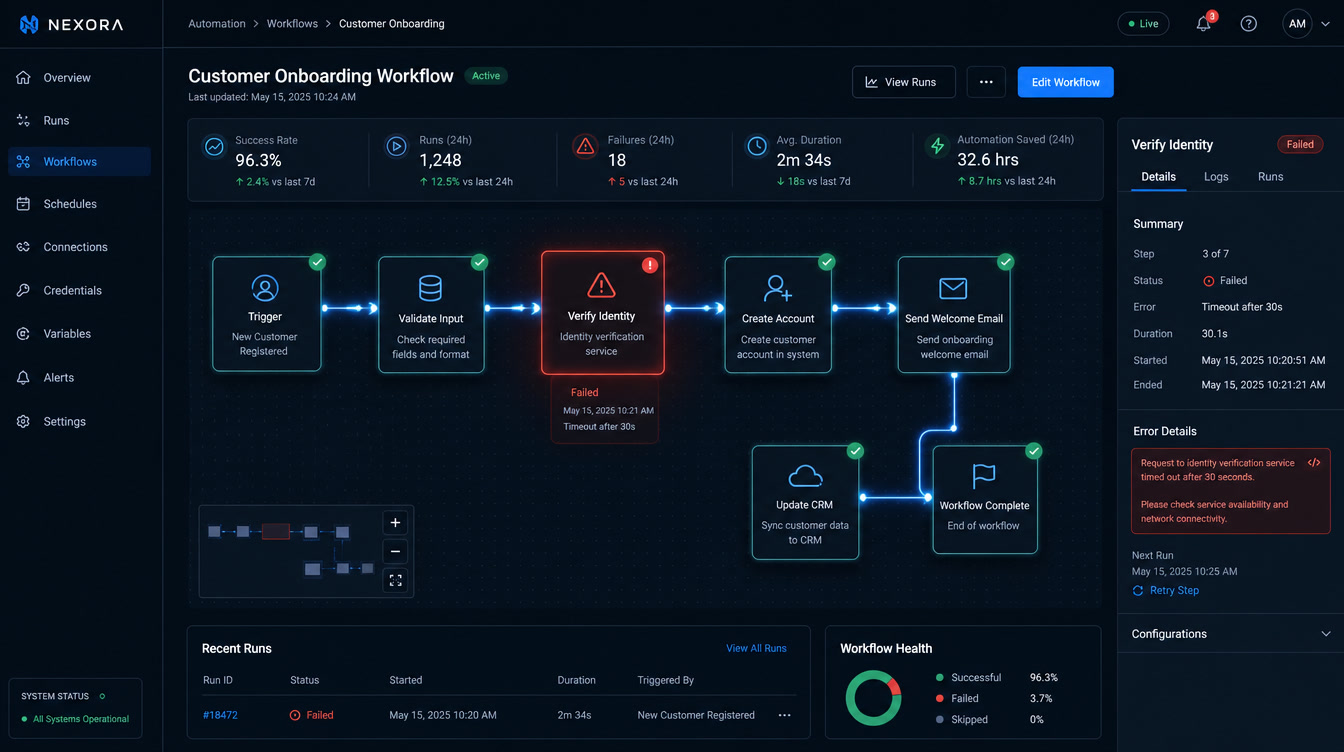
| Will it tell me when it fails? | Break the workflow on purpose and watch for the alert | Team-channel notification + daily execution summary |
| Does it still behave like last month? | Run the same set of 10-20 test cases | A weekly eval suite |
| How much does each run cost? | Average tokens × model price | Alert when monthly spend rises more than 20% |
| What happens if someone breaks in? | List what data the bot can touch and with which permissions | Least privilege: only the workflow's actions, nothing else |
Question four is the most important and the most ignored. If your automation can't tell you it failed, it's not running — it's failing without you knowing. A workflow without alerts isn't an automation, it's a bet.
What we see at Mintec (and why we charge for Day 2)
We've spent years building automations for companies across Mexico, Central America and the US — and taking over the ones other providers abandoned. In the first audit of an inherited workflow, the first question is always the same: does it have alerts? In most cases, the answer is no. Second: is there documentation of how it operates? Almost never. Third: who owns it? Almost always the person who built it and already left.
The classic case we handled: an invoicing automation that had been silently failing for three weeks. The client found out when a vendor called to claim a payment — exactly like Dave. The workflow "completed successfully" every night, but it had parsed zero invoices since a big vendor changed its PDF format. Nobody noticed because nobody compared the number of processed invoices per day.
That experience changed how we deliver: we no longer sell automation without operations. Every project includes a maintenance retainer with monitoring, monthly execution reviews, evals, version updates and living documentation. For an SMB with 1-3 workflows, the realistic cost is $200-500 USD per month. It sounds expensive until you compare it with the cost of not having it: three weeks of lost invoicing, an angry vendor, and the team's trust in automation destroyed.
It's also a retention issue. We wrote about the 90-day churn window and how time-to-first-value decides whether a client stays; Day 2 is the other side of that coin. We've also documented why 90% of automation projects fail — and one root cause is exactly this: the launch gets celebrated, the operation gets abandoned. In our analysis of the total AI agent myth, one conclusion was that a deterministic workflow you can audit beats an agent nobody can inspect.
Operate it yourself, or let us operate it?
The decision isn't binary, it's about scale:
- One simple workflow, non-critical data (a reminder, a webhook, a sync): answer the checklist yourself and budget 2-4 hours a month to review it. In our CRM automation with n8n piece we show how to build this kind of workflow without depending on an agent.
- 3+ workflows or data touching money, clients or billing: you need dedicated operations. That's where a maintenance retainer pays for itself, and where our automation and chatbot service comes in as the operator.
- An automation that already exists and nobody maintains: get an audit before the silent failure costs you a client. It's cheaper than the scare.
If any of this sounds familiar, start with the cheapest fix: answer the seven questions on the checklist today. If you can't answer number four — "will it tell me when it fails?" — you don't need more AI. You need alerts. And unlike a new agent, that costs less than $20 a month.
Frequently Asked Questions
What is the Day 2 problem in AI automation?
It's everything that happens after launch: the maintenance, monitoring and operation of an automation that is already in production. The name comes from software engineering — Day 0 is planning, Day 1 is building and shipping, Day 2 is the years the system has to keep working. With AI, Day 2 is riskier because models change behavior without warning and failures are usually silent.
How do I detect if my automation is failing silently?
The fastest way is to make the system notify you when something fails and review a daily execution summary, even if it's a message to a team channel. Then run a fixed set of 10-20 test cases every week: if the same input produces a different or degraded output, something changed. According to Datadog, 1 in 20 requests to production AI systems fails while the system keeps returning answers that look correct.
How much does it cost to maintain an AI automation in production?
For an SMB with 1-3 workflows, realistic operating cost is $200-500 USD per month if an agency handles monitoring, monthly reviews and evals. If you operate it yourself, the cost is mostly time: 2-4 hours a month to review executions, update versions and keep documentation current. Not budgeting for that cost is the most common reason automations die within 90 days.