Search Console's Generative AI Report Just Went Global. How to Measure GEO Without Misreading It
On August 11, 2026, Google finished rolling out the generative AI performance reports in Search Console worldwide. You can finally see which pages AI cites, but measuring GEO with this data has traps: clicks that never come, queries the report doesn't show, and benchmarks nobody has. Here's how we read them at Mintec.
Search Console's Generative AI Report Just Went Global. How to Measure GEO Without Misreading It
On August 11, 2026, Google finished rolling out the generative AI performance reports in Search Console worldwide, according to Search Engine Watch. From that date, any site can see which of its pages appear inside AI Overviews and AI Mode, no third-party tools required. The problem is these numbers invite wrong readings: clicks that never come, queries the report doesn't show, and benchmarks nobody has. We've been reading these reports in real accounts since June. Here's what we learned.
What changed on August 11
Google launched these reports on June 3, 2026 for a limited set of sites, starting in the UK. On August 11 it expanded them to everyone, both the Search and the Discover versions (source: Search Engine Watch). It's not a new feature. It's the same report, now available to all.
That matters more than it looks. Since June, measuring AI visibility was a luxury for the few. Since this week, it's a standard dataset any client can open. Two things follow: teams will start making decisions with these numbers, and most of them will misread them.
What the report measures, and what it doesn't
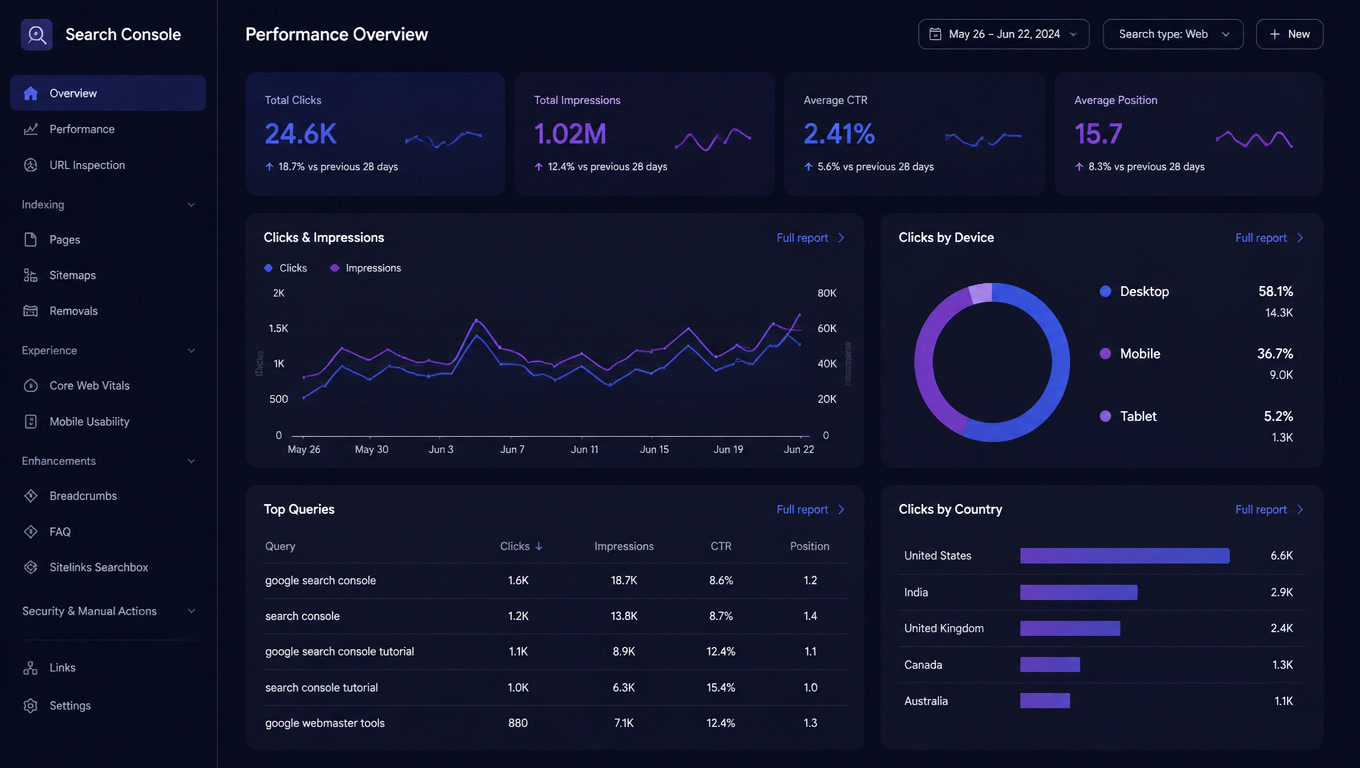
The generative AI performance report shows your pages' impressions in AI Overviews and AI Mode, broken down by page, country, device and date. It includes clicks when someone follows a link inside a generated response. That's it.
No queries. No positions. No insight into who cited you or why.
The Discover version does the same for Google Discover's generative surface, and it's the one most people will ignore. If your brand runs editorial-style content, that's the number that tells you whether AI is distributing your articles or just skipping them.
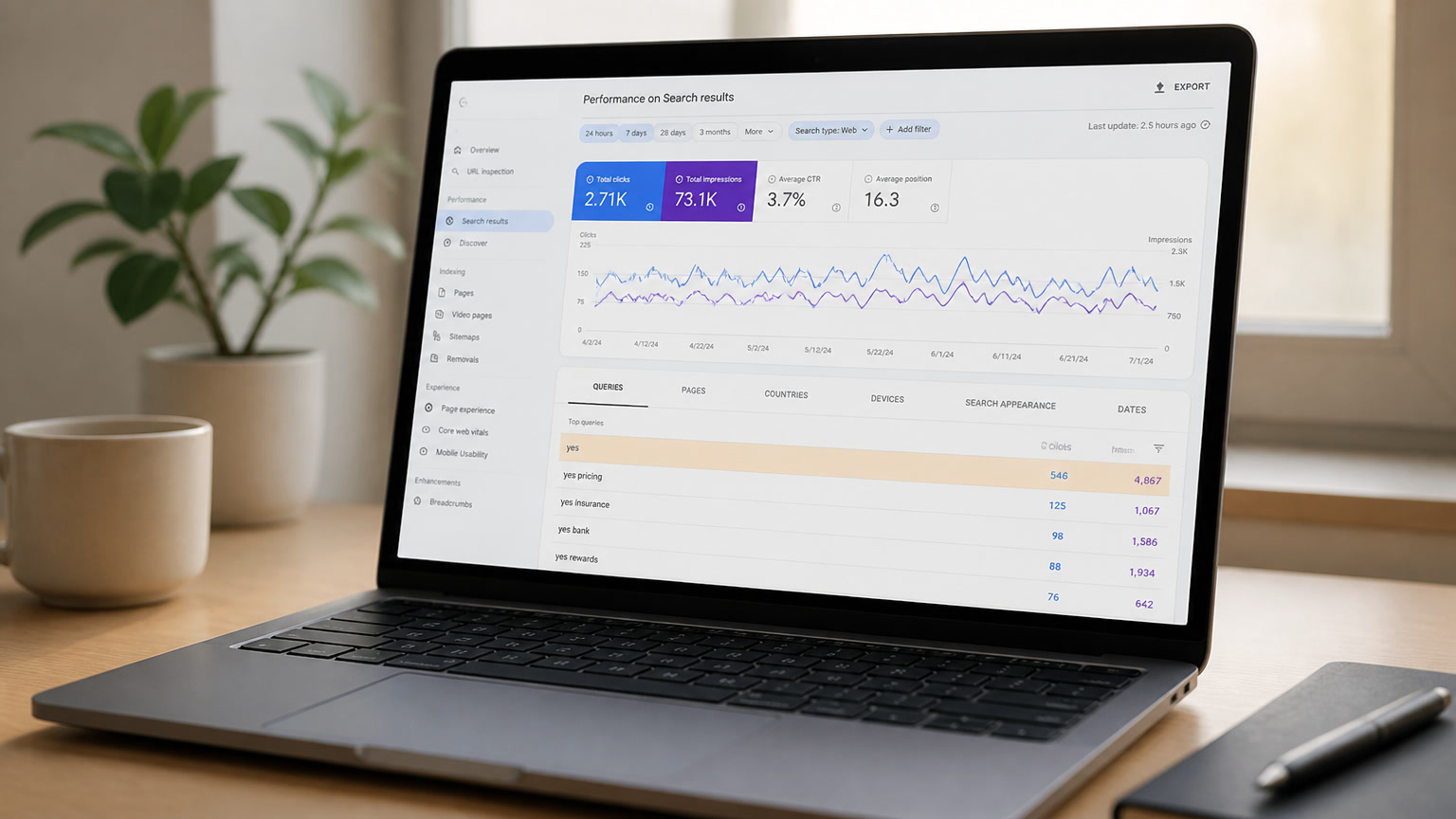
AI Mode queries live in the regular performance report instead, mixed with classic traffic. Google confirmed this in August: AI Overviews and AI Mode data flow into the general report with full queries, positions and clicks. We broke down where to find them, including the famous nonsense queries like "yes, pricing" that are follow-up questions inside an AI session (AI Mode queries in Search Console).
That separation is the first trap. Look only at the new report and you get visibility without intent. Look only at the regular report and you get intent without knowing which part is AI. Serious measurement uses both.
The clicks trap
The most common mistake will be judging the report by clicks. Clicks from AI answers will be few, and not because your content underperforms.
AI Mode passed one billion monthly active users, according to Sundar Pichai at I/O 2026 (Keyword Everywhere's tracker). That massive volume coexists with an uncomfortable reality: most queries with a generative answer don't end in a click. The user gets the answer in the panel and leaves. That's the product working as designed, not a failure of yours.
We measure this in our own accounts and published the numbers in the real numbers of GEO traffic: AI impressions grow, clicks don't follow, and the traffic that does arrive from AI answers converts better than classic organic, because it arrives with intent already resolved. An AI click is worth more than a classic click. There are just far fewer of them.
So when your boss or your client asks for "the ROI of the AI report" in week one, slow down. There are no benchmarks yet. Nobody knows what a good AI impression number looks like, because the global dataset is less than a week old. Anyone selling you a target metric is improvising.
The four-layer framework for measuring GEO
Measuring GEO isn't reading one report. It's crossing four layers, and each answers a different question:
Layer 1: visibility. The generative AI report in Search Console: which pages appear in AI Overviews and AI Mode, by country and device. Answers "do we exist for AI?"
Layer 2: intent. The regular performance report: which queries we win in AI Mode, including follow-ups. Answers "what does AI search us for?" It's the layer almost nobody checks, because it requires recognizing queries that don't look like searches.
Layer 3: traffic. The LLM referral segment in GA4 (chatgpt.com, perplexity.ai, gemini.google.com, claude.ai). Answers "who actually clicks and visits?" The numbers are small, but they're the only ones that hit your server.
Layer 4: value. Conversions and value of those visits against classic organic. Answers "what is a citation worth?" It's the layer that justifies the GEO budget.
Most analysis you'll read this week stops at layer 1 and jumps to conclusions. The real work is setting up all four layers once and reviewing them together weekly. For the full audit workflow against the report and Google's official AI optimization guide, the framework we published in June still holds with the global rollout.
What to do in the first two weeks
Capture your baseline today. The report has no global history. Your first reading is a starting point, not a diagnosis. Note it down and change nothing for fourteen days.
Don't optimize for AI impressions at the expense of classic traffic. Traditional organic is still orders of magnitude bigger. The play is to prepare for the hybrid, not abandon what works.
Cross pages, not global numbers. Pages that perform in both AI and classic search are your most valuable content. Pages that only perform in classic have a structure problem for AI. Pages that only perform in AI are usually definition or comparison pieces, great to cite and bad to sell from: decide there whether your goal is traffic or authority. Our 30-minute GEO audit has the full per-page checklist.
Get ready for the screenshots. From this week on, clients and bosses will show up with screenshots of the new report asking if these numbers are good. The honest answer is that nobody knows yet, and that we need two weeks of baseline plus the other three layers before we can say anything with data. Saying it on day one saves you an awkward conversation in week three.
Watch out for vanity metrics. AI impressions are the flashiest number in the report and the least useful on its own. We wrote about why AI visibility without context is a vanity metric right when the report launched, and the global rollout doesn't change that. It makes it worse, because more people are now staring at the wrong number.
My take
This report is a mirror, not a scoreboard. It shows you where you stand, not whether you're doing well. Benchmarks will arrive, but they'll arrive from accumulated data collected by people like us, not from Google. Until then, the competitive edge goes to whoever reads all four layers and survives the first weeks of uncertainty without making decisions on noise.
AI data is global now. The question is whether you'll read it right.
Frequently Asked Questions
What is the generative AI performance report in Search Console?
It's the report Google launched on June 3, 2026 and rolled out globally on August 11. It shows your pages' impressions in AI Overviews and AI Mode, broken down by page, country, device and date, and includes clicks on links inside AI-generated responses.
Does the generative AI report show queries?
No. It only shows aggregated impressions, with no queries and no positions. AI Mode queries appear in the regular performance report, mixed with classic searches. Google confirmed this in August 2026.
Why do I see weird queries like 'yes' or 'yes, pricing' in Search Console?
Those are follow-up questions inside AI Mode sessions. When a user answers 'yes' to continue, Google counts it as a new query and assigns that query the impression, position and click of the response.