Your GEO Guide and GSC AI Report Aren't Separate Tools. Here's How to Use Them Together.
Google published an AI Optimization Guide (May 2026) and launched Gen AI Performance Reports in Search Console (June 2026). Most people treat them as unrelated resources. They're not. Here's a 4-step framework for using them together to audit your content for AI search visibility.
Your GEO Guide and GSC AI Report Aren't Separate Tools. Here's How to Use Them Together.
Google dropped two big things within three weeks this spring. The AI Optimization Guide in mid-May, then the Gen AI Performance Reports in Search Console in early June. I've read maybe two dozen articles about these launches, and almost all of them treat them as separate stories.
They aren't.
The guide tells you what Google wants. The report tells you where you stand. Put them together and you get something neither provides alone: a concrete, repeatable content audit for AI search visibility.
Here's how we do it.
What Each Tool Gives You
The GEO guide is Google's first official statement on optimizing for AI search. It says things like "use clear answers," "apply structured data," "establish expertise and authority" — but it does not tell you which pages to fix or how to prioritize. It's a destination without a map.
The GSC Gen AI report, launched June 3, shows your organic impressions in AI Overviews and AI Mode per page, country, device, and date. It tells you where Google's AI is already considering your content. But it does not tell you what to do about it. It's a map without a destination.
On their own, both are useful but incomplete. Together, they're an audit system.
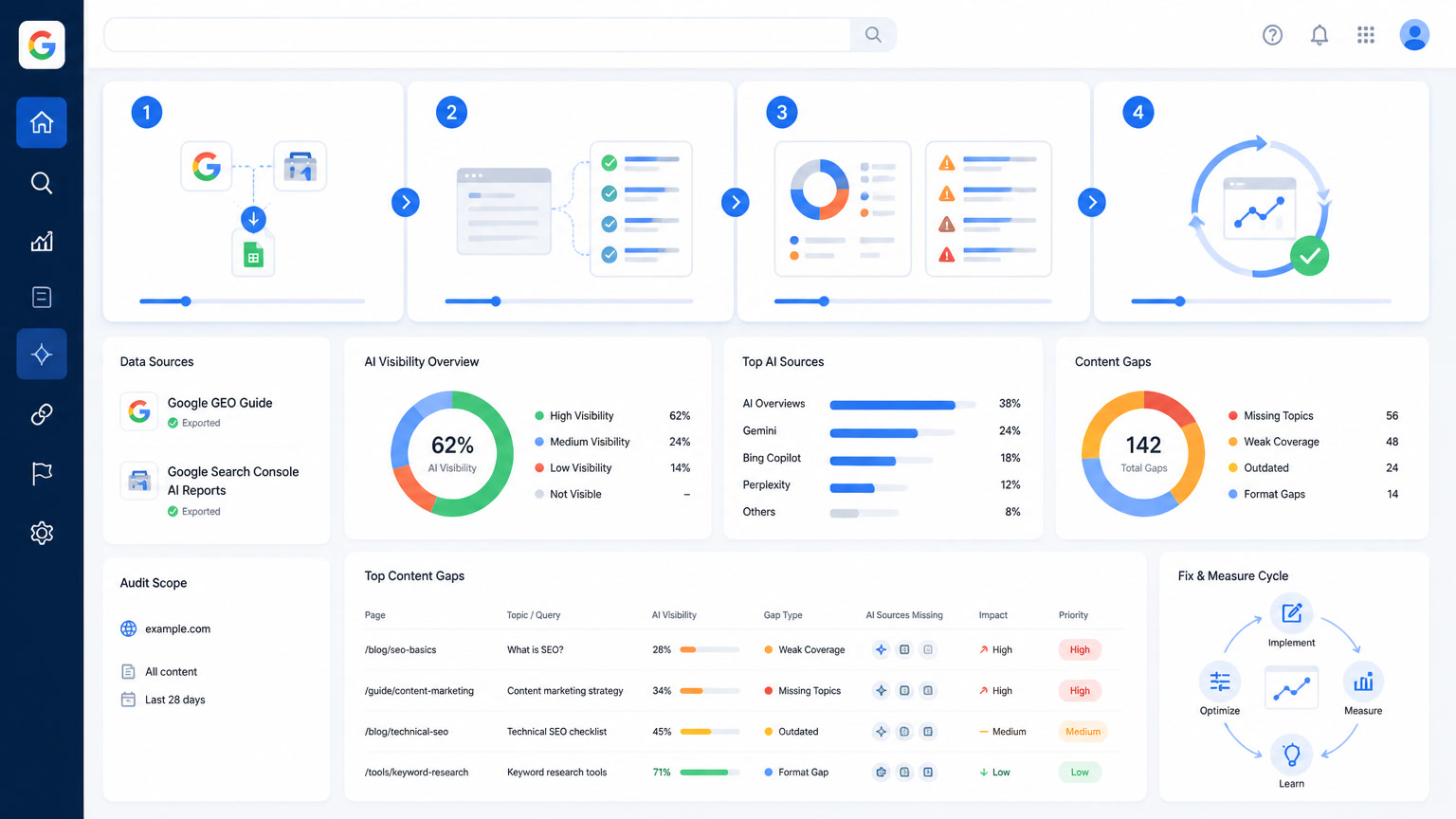
The 4-Step Framework
Step 1: Pull your GSC Gen AI data
Export the Generative AI Performance report from Search Console. Look at the last 28 days — long enough for patterns, short enough to be current. Sort by impressions, descending.
Three buckets emerge:
- High AI impressions, high clicks. These pages are winning in both AI visibility and traditional engagement. Don't touch them. Document what they do right.
- High AI impressions, low/zero clicks. Something is showing the AI your page, but users aren't clicking through. The content might answer an AI Overview query but fail to create a reason to visit. These are your highest-ROI optimization candidates.
- Low/zero AI impressions. Google's AI is not citing this content. Could be a content quality issue, a technical barrier, or simply that nobody is asking the questions this page answers.
Step 2: Map each page against the GEO guide
Open two tabs: the AI Optimization Guide and your spreadsheet of GSC data. For each page in buckets 2 and 3, ask:
Does the page contain a clear, authoritative answer to at least one specific question? The guide says AI features "pull content from the same index" but favor pages that directly and concisely answer queries. If your page buries the lede under fluff, rewrite the first 100 words to state the answer immediately.
Is structured data present and correct? The guide lists FAQ, HowTo, Product, Article, and Review as schema types that "already serve AI features." This does not mean adding arbitrary schema. It means the markup must accurately reflect the page content. We've seen FAQ schema still drive AI citations even after Google removed FAQ rich results — but only when the questions and answers are substantive.
Is there genuine E-E-A-T signal? The guide explicitly says "first-hand experience" and "original research" are differentiators. We're past the era where generic AI-written paragraphs could rank. If your page reads like a summary of other people's work, it will get cited less in AI features.
Step 3: Identify the gap
For each page in bucket 2 (high impressions, low clicks), run a quick gap analysis:
- Content gap: Does the page answer the query fully, or does it tease an answer that requires clicking elsewhere? AI Overviews need self-contained answers. If your page depends on users reading multiple sections to connect the dots, it loses.
- Structure gap: Can an AI parser extract the answer easily? Pages with clearly headed sections, bullet lists, and concise paragraphs out-cite walls of text.
- Authority gap: Does the page demonstrate why Mintec (or whoever) is the right source for this answer? Author bios, publication dates, cited sources, and original data all count.
At this point, you have a prioritized list: pages where the AI is already showing interest but something is blocking the click-through.
Step 4: Fix, measure, repeat
Fix the structural issues first — they're fastest. Add clear headers, rewrite opening paragraphs as direct answers, ensure schema is correct. Then measure again in two weeks using the same GSC Gen AI report. If impressions stay flat but clicks improve, the content was good but the presentation was wrong. If impressions drop, the AI was citing your page for a query it no longer considers relevant.
This is where most audits stop. Keep going: compare your Gen AI report data with your traditional Search Performance report. If a page has strong organic rankings but zero AI impressions, you might be over-optimized for traditional search queries and under-optimized for the conversational, planning-style queries that AI Mode serves.
What This Looks Like in Practice
Take a concrete example. Say you run a comparison post. In our experience, pages comparing two tools (format: "X vs Y") consistently show up in GSC Gen AI reports with moderate impressions. The AI Overview cites the comparison because it's a common query type. But if the comparison lacks a direct recommendation — just lists features without picking a side — the click-through rate drops. Users read the AI answer and don't need the page.
The fix isn't more content. It's a decisive opinion in the first screen of text: "For teams under 20 people, X wins because of price. For enterprise, Y is more scalable." That's the kind of specific, opinionated content the GEO guide rewards and AI citations amplify.
We wrote about this dynamic in our post on AI Overviews vs AI Mode vs ChatGPT citations — the engines pull from different sources, but they all favor pages that commit to an answer instead of hedging.
When the Report Shows Nothing
If your Gen AI report shows zero or near-zero impressions across the board, that is still useful information. It means either your content is not indexable by AI features (technical issue), not perceived as authoritative enough for AI citation (content issue), or not aligned with the conversational queries that drive AI search.
Start with the technical check: are your pages renderable by Google's crawlers? The GEO guide confirms AI features use the same index, so if your page doesn't crawl, it doesn't appear. Then audit for E-E-A-T signals: author bylines, publication dates, cited sources. Finally, compare your keyword strategy against the types of queries that trigger AI Overviews — longer, conversational, comparison-driven.
We covered the technical side in our GEO guide breakdown, which goes deeper into what the guide actually says versus what GEO vendors claim it says.
Why This Matters Now
The spam update rolling out since June 24 is enforcing the line Google drew in the GEO guide. Sites that optimized for AI Overviews with scaled content are getting hit. Sites that optimized with genuine expertise and clear structure are not. The GSC Gen AI report is the only native tool that shows you which side of that line you're on.
If you are not running this combined audit now, you are flying blind. The data is free. The guide is free. The only thing missing is the process of putting them together.
I wrote more about the spam update's connection to Google's information gain signal last week, and the pattern is consistent: Google is measuring something different now, and the old audit frameworks don't capture it.
If you want the short version: export your Gen AI report today, open the GEO guide in another tab, and start matching pages to recommendations. The intersection of those two things is your AI search roadmap for the next quarter.
Frequently Asked Questions
What is Google's AI Optimization Guide?
Google published its first official AI Optimization Guide in May 2026 on Search Central. It confirms that optimizing for AI Overviews and AI Mode is still SEO — the same ranking systems, the same index, but held to a higher standard for clarity, structure, and authority. It explicitly debunks tactics like llms.txt, AI-only structured data, and content chunking.
What does the GSC Gen AI Performance Report show?
Launched June 3, 2026, the Generative AI Performance Report in Google Search Console shows your content's impressions in AI Overviews and AI Mode, broken down by page, country, device, and date. It includes clicks from AI-generated responses. It's the first native tool to measure AI search visibility separately from traditional organic search.
How do I run a content audit using both the GEO guide and GSC AI report?
Step 1: Export your GSC Gen AI report data. Step 2: Map each high-impression page against the GEO guide's recommendations (clear answers, structured data, E-E-A-T signals). Step 3: Identify gaps where pages have AI impressions but lack GEO guide criteria. Step 4: Prioritize fixes based on AI impression volume versus content gap severity.