CRM automation needs exception lanes before you turn it on
Reliable CRM automation does more than handle the happy path. It defines what can retry, what waits in quarantine, what needs a person, and what must stop.
CRM automation is reliable when its exceptions are designed before its happy path is switched on. For every write, message, or commercial action, define whether a failure can retry safely, should wait in a queue, needs a person to decide, or must stop. Without those routes, a workflow is only reliable on the days when nothing unusual happens.
Most automation diagrams are optimistic. A form arrives, a contact gets created, a rep receives a notification, and the dashboard ticks upward. Then the real world arrives: a rate limit, a shared phone number, an expired token, a half-finished sync, or an AI classifier that is not confident enough to label an inquiry.
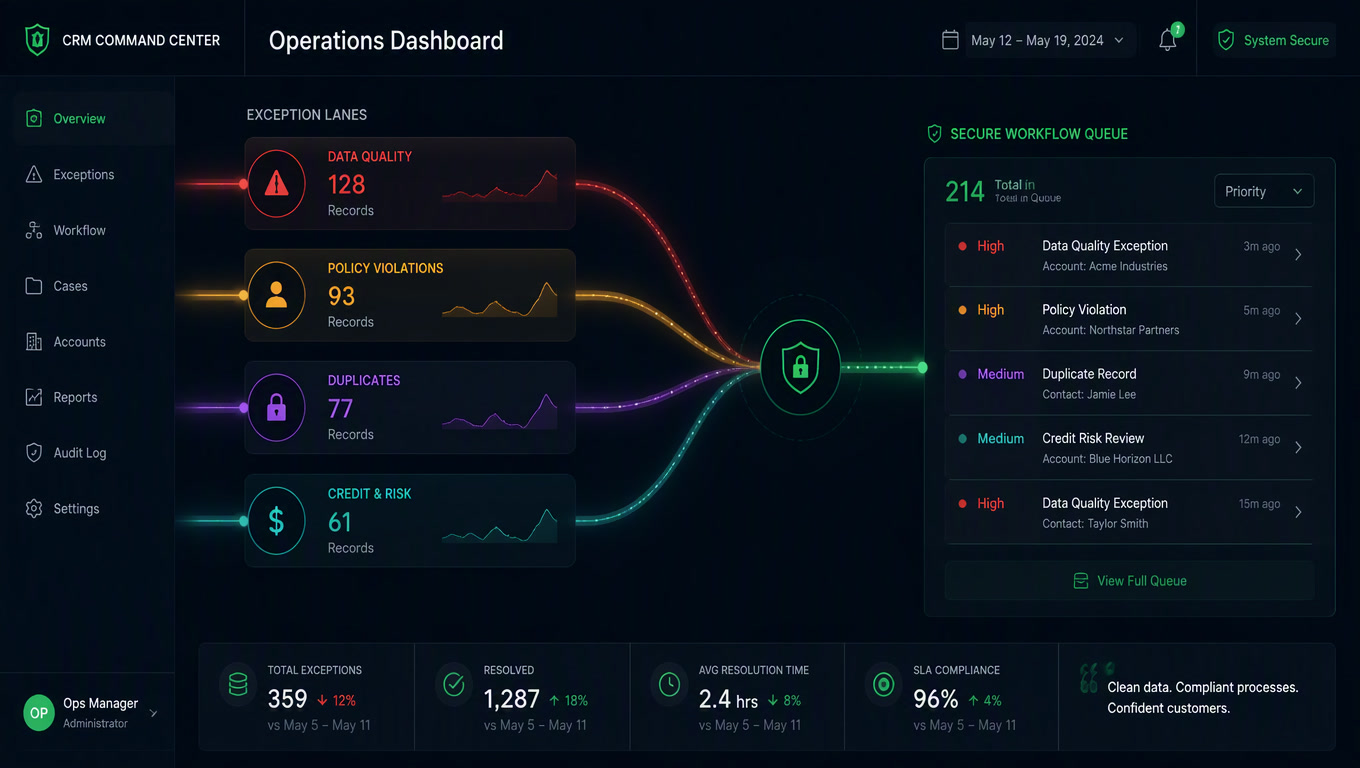
Those are not edge cases to hide in a generic "error" branch. They are part of the operating model. At Mintec, we treat the normal workflow as one lane in a four-lane system. The other lanes are where reliability comes from.
Our article on CRM workflows with n8n covers what internal processes to automate. This article deals with a more uncomfortable question: what should the system do when one of those processes cannot finish safely?
The happy path is not the architecture
A CRM failure is not one thing. The response changes depending on the type of failure:
- A transient technical failure includes a timeout, intermittent network issue, temporary provider outage, or rate limit.
- A permanent technical failure includes an expired credential, invalid field mapping, missing required value, or permission denial.
- A data or identity failure happens when the system finds possible duplicates, a weak CRM match, or an account without a clear owner.
- A decision failure occurs when the model gives a low-confidence intent label or a deal moves forward without the evidence the business requires.
- A sensitive-action failure includes an uncertain message send, invoice creation, contract action, or an irreversible pipeline change.
Retrying all five as if they were a temporary API outage is how automations create silent damage. Microsoft recommends alternate paths based on whether an action failed, timed out, was skipped, or succeeded. Its guidance also calls for logging the failure and notifying the responsible person inside a try/catch-style structure.[2] A temporarily unavailable service can recover. A nonexistent contact field will not recover because you ran the same request again.
n8n supports dedicated error workflows that receive information about a failed execution, including retry context, so teams can alert or respond in a controlled way.[1] That does not make an error design by itself. An alert that says "workflow failed" adds a Slack message. A useful exception tells the team which contact or deal is affected, whether a duplicate may have been created, and what the next safe action is.
The four exception lanes
Every workflow that writes CRM data, sends a customer message, or triggers a financial consequence should state its exception lane before launch.
| Lane | What happened | System response | CRM example | Owner |
|---|---|---|---|---|
| Recover | The failure is transient and the operation is repeatable | Retry a bounded number of times | Contact lookup times out | Automation |
| Quarantine | The action cannot finish now, but the event is valid | Persist the event and resume it under control | API returns 429 while creating a task | Operations |
| Human review | Context is ambiguous or commercial risk is high | Create a decision task with an SLA | Two contacts match the same phone number | Sales or operations |
| Stop and repair | The failure is permanent or harmful | Block dependent actions and alert | Token revoked or required CRM field missing | Stack administrator |
The lanes are not labels for a dashboard. They change outcomes. A lost form cools a potential buyer. A blind retry can create three deals for the same buyer. A bad update can distort reporting and put a real customer into an irrelevant nurture sequence.
1. Recover: retry only what is safe to repeat
A retry is not automatically harmless. A record lookup is usually safe to run again. Updating a known field may be safe if the flow uses the same event_id or an idempotency key. Sending a WhatsApp message, creating an invoice, or opening a deal requires more care. After a timeout, you may not know whether the receiving system completed the action before the connection failed.
Microsoft's reliability guidance says teams should first determine whether an operation is suitable for retry and choose retry counts and intervals for the workload. It recommends exponential intervals for background work, warns against duplicate retry layers, and explicitly rules out endless retries.[3]
Our operating rule is blunt: allow two or three controlled attempts for reads and idempotent updates; do not blindly retry an action that might duplicate a customer communication or payment. Move uncertainty to another lane instead.
2. Quarantine: keep incomplete work visible and recoverable
Quarantine is a durable table, queue, or collection that holds an incomplete event with enough context to resume it. It is not a graveyard for errors. A good exception record contains the following:
| Field | Why it matters |
|---|---|
event_id and source | Prevents the same incoming signal from being processed twice |
| CRM entity and record URL | Points the resolver to the affected contact, deal, or task |
| Failed step and provider response | Separates a 429 from a validation or permission problem |
| Normalized payload | Allows recovery without asking the customer for the same information again |
| Attempt count and next retry | Prevents loops and shows how long work has been delayed |
| Owner and SLA | Ensures a high-value exception has a person accountable for it |
Imagine a WhatsApp lead reaches the CRM, the workflow identifies the contact, classifies the request, and tries to create a Clientify task. The API returns 429. The flow should not throw away the context or create a vague manual task. It should persist the event with the contact, intent, expected owner, message ID, and retry state. After the wait window, it tries to create that one task. If it still cannot, the exception escalates with evidence.
This is connected to the problem behind CRM data quality. Teams stop trusting the CRM when nobody can explain what happened to a record. A visible backlog is much healthier than a green workflow dashboard paired with contacts that quietly never received a next step.
3. Human review is not a failure of automation
Automation should ask for help when context is missing, not because the workflow avoided making a design decision. Typical human-review triggers include:
- a CRM identity match below a set confidence threshold;
- two or more plausible accounts tied to one phone number or domain;
- low-confidence AI intent classification;
- a stage change that launches a contractual or high-value sales action;
- a complaint, sensitive request, or data that should not circulate automatically.
The task cannot say only "check error." It must present a decision: select the correct contact, approve or reject a deal, or confirm whether a proposal should be sent. Give the person the CRM record, the relevant conversation, the reason for escalation, and a due date.
That is the practical boundary in the debate between AI agents and deterministic automation. AI can interpret unstructured text. It should not receive an implied right to turn an uncertain interpretation into an irreversible commercial action. A confidence score without a review route is just a hidden bet.
4. Stop and repair before the workflow makes the situation worse
An authentication failure, renamed field, missing required value, or permission denial will not improve with additional retries. The workflow should stop its dependent steps and raise an actionable alert. If the CRM update cannot be saved, the customer should not receive a confirmation that implies their case has been recorded.
n8n's Error Trigger exposes execution information that helps teams build a traceable error-handling flow rather than copy error messages by hand.[1] Still, do not dump full customer payloads into Slack or an open spreadsheet. The alert should help a resolver find the issue in the approved system of record, not create a second insecure copy of CRM data.
The pre-launch matrix we use
Before enabling a CRM workflow, we run this small operating check. An empty answer means the automation is not ready.
| Question | Required answer |
|---|---|
| What triggers the workflow, and how is the event identified? | Webhook, stage change, or scheduled job with a unique event_id |
| Which writes are idempotent? | A named list of repeatable updates and actions that must never retry blindly |
| Which failures are transient? | Error codes, retry limit, and delay strategy |
| Where does incomplete work live? | Queue with evidence, state, owner, and next retry time |
| What decision needs a person? | Threshold, named owner, SLA, and explicit choice to make |
| What stops the flow altogether? | Permission, mapping, validation, or duplicate-communication risk |
| How do we know recovery worked? | Backlog size, exception age, duplicate rate, and resolution time |
Do not measure only successful executions. A workflow can appear healthy while it drops the cases that matter most. Track how many events enter quarantine, how long they stay there, how many require human action, and whether the same cause keeps returning. Those measures tell you whether the fix belongs in the integration, the rule, or the underlying business process.
The hidden cost of disconnected automation is not limited to software subscriptions. It also shows up when an employee has to rebuild one customer story across the CRM, inbox, chat history, and a spreadsheet. Exception lanes cut that reconstruction work.
Start with the flow you are least comfortable turning on
Do not attempt fault tolerance for every automation at once. Pick the workflow that touches the most customer records or could send the wrong message today. Document one main action, its success condition, and its exception lane. Test a timeout, a 429, ambiguous customer data, and a denied permission. Then see whether the team can resolve each case without stitching together five tools.
That is the test. Automation is not reliable because it runs without people. It is reliable when a bad day leaves a clear record and one safe next action.
Sources
[1] https://docs.n8n.io/flow-logic/error-handling — n8n Docs: Error handling [2] https://learn.microsoft.com/en-us/power-automate/guidance/coding-guidelines/error-handling — Microsoft Learn: Employ robust error handling [3] https://learn.microsoft.com/en-us/power-platform/well-architected/reliability/handle-transient-faults — Microsoft Learn: Handle transient faults
Frequently Asked Questions
What is an exception lane in CRM automation?
It is an explicit route for a case that cannot safely stay on the normal workflow path, such as a transient API outage, a rate limit, ambiguous customer data, missing permissions, or a sensitive action. Each route specifies whether to retry, wait, request review, or stop.
Which CRM errors can retry automatically?
Only transient failures on idempotent operations, such as a timed-out record lookup or a repeatable update tied to the same event ID. Invalid data, denied permissions, and sends that might have already gone out need another path.
Do I need an exception queue if I use n8n or Make?
Yes when a failure can leave work incomplete or needs a person to decide what happens next. The platform can retry and alert, but a queue with context, ownership, and an SLA prevents errors from turning into lost leads or corrupted CRM records.