The Real Cost of Rich Media in 2026: How We Optimize Video, AI Images, and Next-Gen Formats for Core Web Vitals
Synthetic video, AI-generated images, and rich media are transforming the web — but they're also tanking Core Web Vitals. Here's what we've learned optimizing content-heavy sites in 2026.
The Real Cost of Rich Media in 2026: How We Optimize Video, AI Images, and Next-Gen Formats for Core Web Vitals
What's happening with rich media on the 2026 web?
Rich media is undergoing an unprecedented transformation. The synthetic media market hit $5 billion in 2024 and is projected to reach $48 billion by 2033, according to industry data from TechRT. AI-generated video accounts for 34% of all synthetic media, and AI-generated images account for 27%. Simultaneously, legacy formats like PNG and JPEG are being replaced at remarkable speed — their share of web traffic dropped from 75% in 2021 to 13% in 2026, per HTTP Archive data compiled by ImgShifter.
This creates a real tension: the richer and heavier the media we put on our sites, the harder it becomes to maintain healthy Core Web Vitals. And in 2026, with Google using real-user data (CrUX) as its primary signal since the March update, the ranking impact is immediate.
At Mintec, we've spent the last few months migrating and optimizing content-heavy sites — from synthetic video portfolios to e-commerce stores with AI-generated product galleries. Here's what actually works and what doesn't.
The core issue: rich media doesn't scale equally
When we talk about rich media in 2026, we're really talking about four categories with very different performance profiles:
Raster images (JPEG, PNG, WebP, AVIF): File size grows with resolution. A 2000px image can weigh 5-10x more than an 800px one. Format choice alone accounts for 25-50% weight difference.
SVG and vector illustrations: Virtually weightless at any size — a 50px icon weighs the same as a 5000px one. They render up to 16x faster than unoptimized PNGs, based on benchmarks from ImgShifter's 2026 state of web graphics report.
Traditional and synthetic video: Video is by far the heaviest resource on any page. A 30-second 1080p clip can weigh 5-10MB uncompressed. Synthetic (AI-generated) video adds the challenge that many platforms export without progressive optimization or embedded poster frames.
AI-generated images: These almost always come as PNGs by default from tools like Midjourney, DALL-E, and Stable Diffusion. A 1200px PNG can weigh 2-3MB, when the same content in AVIF would be 150-300KB.
The key insight: the media's origin matters less than its delivery format. A well-optimized AI-generated image performs identically to a professional photograph.
The optimization framework we use at Mintec
After iterating across multiple client projects, we've settled on a four-layer decision framework. This isn't theory — it's the checklist we apply on every build.
Layer 1: Delivery format (the single highest-impact decision)
| Media type | Primary format | Fallback | When to use |
|---|---|---|---|
| Hero images / photography | AVIF | WebP → JPEG | Always. AVIF is ~50% smaller than JPEG at equivalent quality. |
| Icons and illustrations | Inline SVG | External SVG → PNG | Inline SVG whenever possible. One HTTP request costs ~300ms on a cold cache. |
| AI-generated images | AVIF (convert from PNG) | WebP | Convert immediately. AI tools default to PNG. |
| Video hero poster | AVIF poster + lazy player | JPEG poster | AVIF poster drastically reduces LCP impact. |
| In-page video | Lazy load + adaptive streaming | — | Never load the player until the user scrolls to it. |
One thing we discovered in practice: most synthetic video tools (Synthesia, HeyGen, ElevenLabs) export formats without embedded thumbnail metadata or progressive optimization. You always need to generate posters manually.
Layer 2: Load prioritization (fetchpriority)
This is probably the most undervalued optimization. Adding fetchpriority="high" to your LCP element can shave hundreds of milliseconds off load time.
<picture>
  <source type="image/avif" srcset="hero.avif" />
  <source type="image/webp" srcset="hero.webp" />
  <img src="hero.jpg" alt="Hero" width="1200" height="630" fetchpriority="high" />
</picture>
Paired with <link rel="preload"> in the <head>, this is the fastest way to tell the browser: "download this first."
<link rel="preload" as="image" type="image/avif" href="hero.avif" fetchpriority="high" />
For a deeper technical breakdown of load prioritization strategies, see our guide on INP 200ms: Why Most Sites Are Failing Core Web Vitals in 2026.
Layer 3: Smart lazy loading
Everything outside the initial viewport — images, videos, iframes — gets loading="lazy". But there's a catch with synthetic video: many AI video players load heavy JavaScript bundles even when the video is lazy. The fix: defer the player until the user clicks the poster.
<div class="video-wrapper" data-lazy-video>
  <img src="poster.avif" alt="Video preview" loading="lazy" width="800" height="450" />
  <button class="play-button" aria-label="Play video">
    <svg><!-- play icon --></svg>
  </button>
</div>
<script>
  document.querySelectorAll('[data-lazy-video]').forEach(wrapper => {
    wrapper.querySelector('button').addEventListener('click', () => {
      const iframe = document.createElement('iframe');
      iframe.src = wrapper.dataset.videoUrl;
      wrapper.appendChild(iframe);
    });
  });
</script>
This prevents the player bundle from affecting INP — the metric most sites are currently failing in 2026. Our full analysis of Server Islands vs Partial Prerendering explores how Astro and Next.js architectures handle deferred content delivery at scale.
Layer 4: CDN with content negotiation
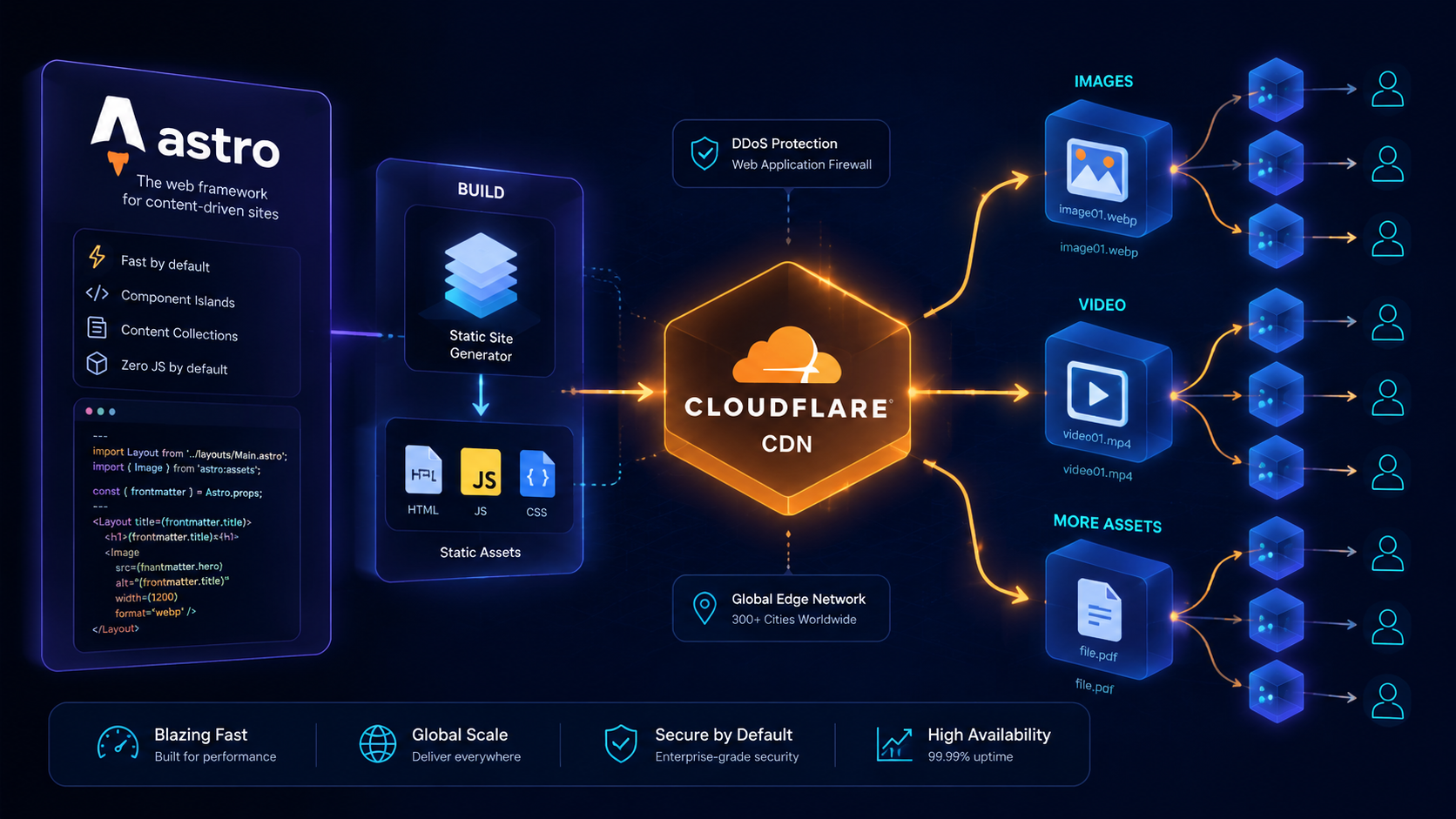
If your CDN supports content negotiation (Cloudflare, Fastly, Imgix), you can skip the <picture> element entirely. One <img> tag serves AVIF to supporting browsers and falls back to WebP or JPEG automatically. This simplifies markup, eliminates format-selection errors, and guarantees optimal delivery without ongoing maintenance.
In a recent project, migrating to Cloudflare with content negotiation reduced total image payload by 38% without changing a single line of HTML.
Lessons from real projects
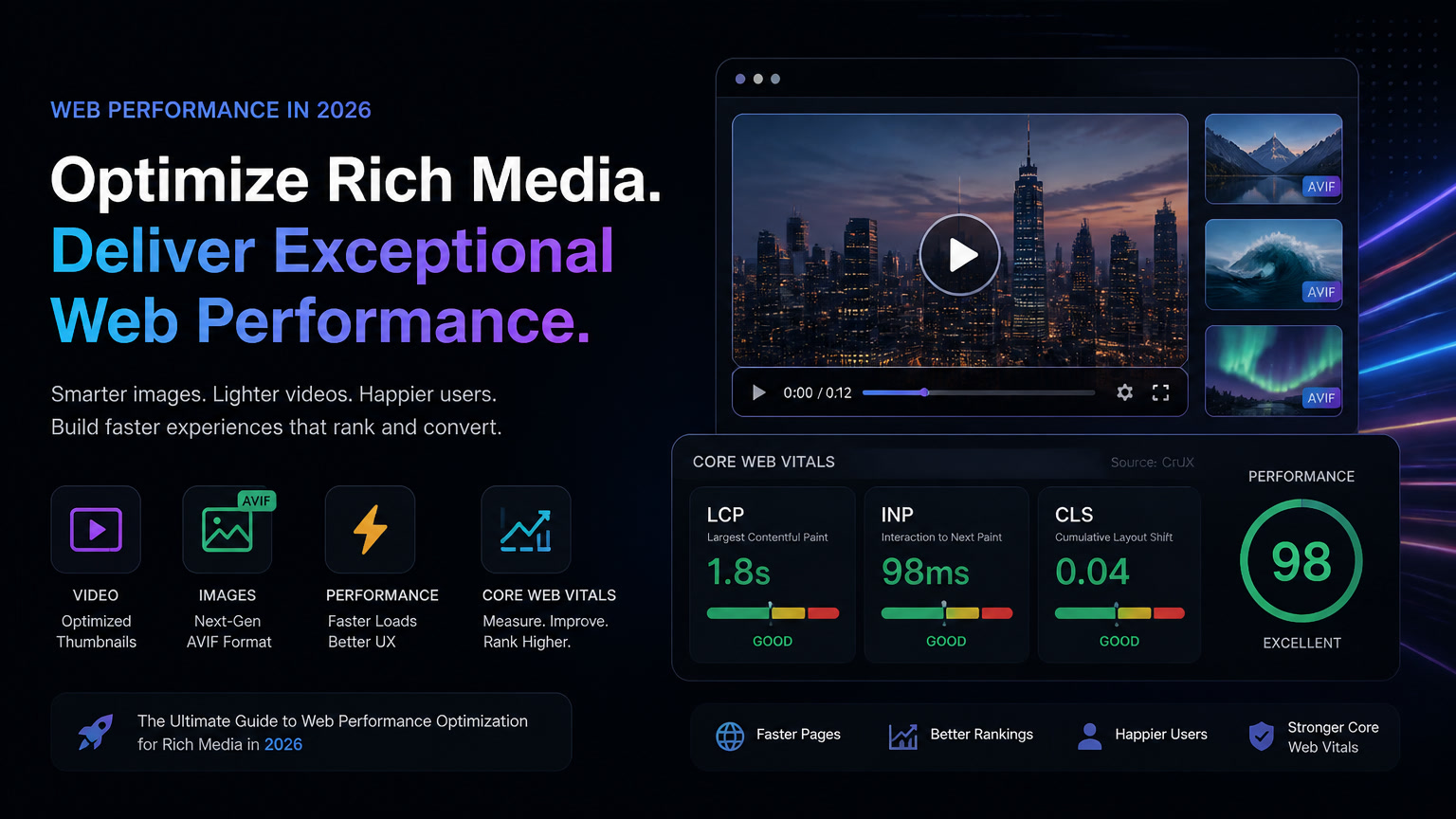
Earlier this year we migrated a synthetic video portfolio site that was using 2-3MB PNG thumbnails for every video. LCP was at 4.2 seconds — deep red. After:
- Converting all thumbnails to AVIF (average weight: 180KB)
- Setting
fetchpriority="high"on the hero - Implementing lazy loading for video sections
LCP dropped to 1.8 seconds — green. The backstory: the client's team was generating videos with AI tools and exporting frames as PNG because "that's what the tool outputs." The format change was free and had a bigger impact than any other optimization.
In another project, a store with AI-generated product galleries was serving 2400px images. The problem wasn't format — it was size. Delivering a 2400px image for a 300px thumbnail wastes 87.5% of bytes. Properly configured srcset with sizes and explicit width/height attributes reduced transferred weight by 62% and eliminated CLS.
What about INP and video?
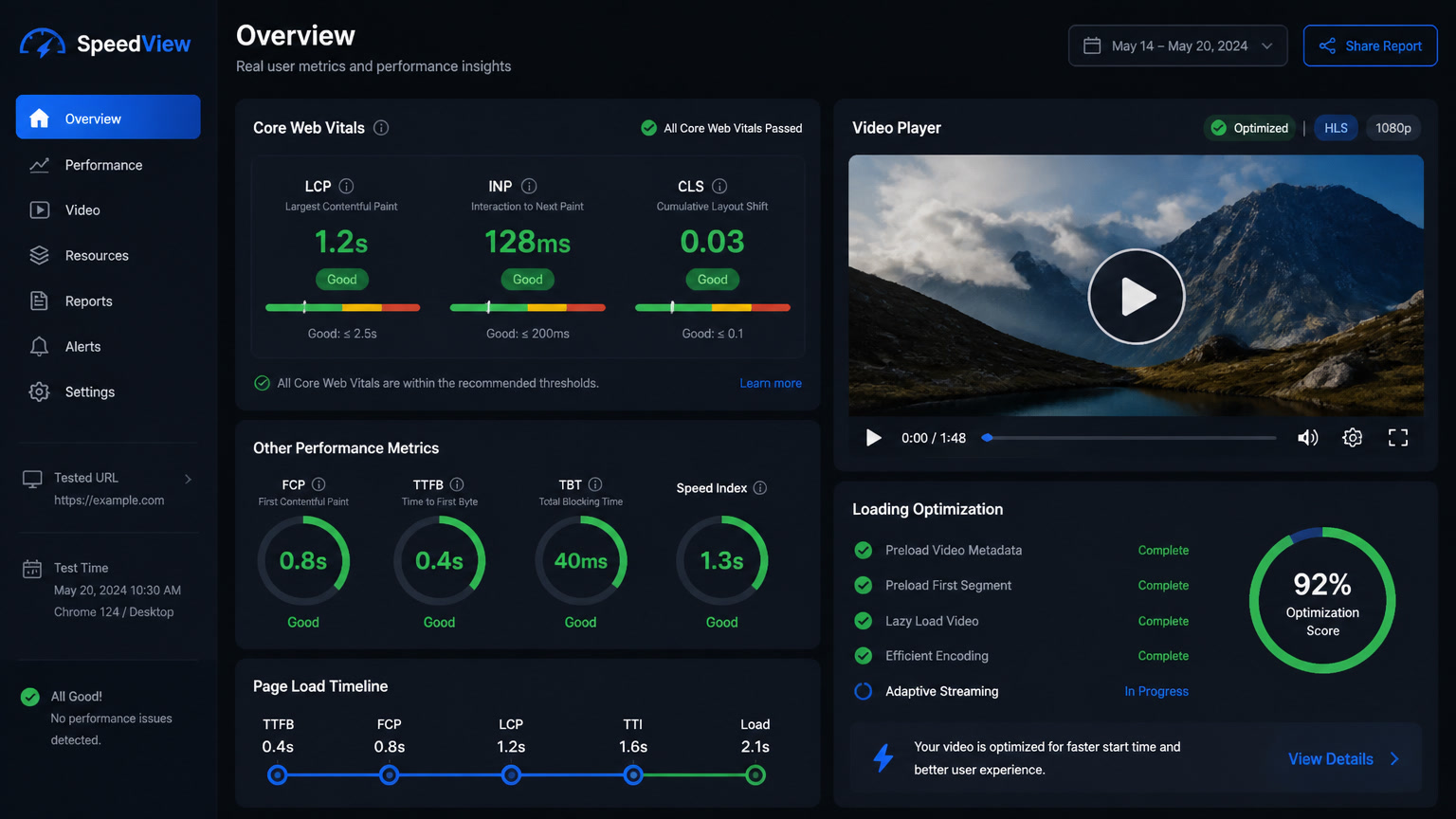
INP (Interaction to Next Paint) has become the hardest metric to optimize in 2026. The video problem: many players — especially synthetic video players — load full JavaScript frameworks that block the main thread during user interaction.
Our rule: the video player doesn't load until the user signals intent to play. Not in the background, not preemptively. If the video is below the fold, the player loads when the user scrolls to it or clicks the poster. This keeps INP under 200ms even on pages with multiple videos.
For a complete INP optimization guide, see our dedicated post: INP 200ms Core Web Vital.
The practical 5-step checklist
If your site has rich media and you need to improve Core Web Vitals today:
- Audit your formats: Find every PNG and JPEG over 100KB. These are your biggest wins.
- Convert heroes and thumbnails to AVIF: Free online tools handle this. Expect 30-50% size reduction.
- Add fetchpriority="high" to your LCP element: One line of code, potentially hundreds of milliseconds shaved off LCP.
- Native lazy load everything non-hero:
loading="lazy"+ explicitwidth/heighton every image prevents CLS and saves bandwidth. - Defer video players: Especially synthetic video. Load them only when the user needs them.
Conclusion
Rich media isn't the enemy of Core Web Vitals. The enemy is assuming the default export format is the right one for the web. An AI-generated image is only as fast as you choose to deliver it.
In 2026, the difference between a fast multimedia site and one that fails Core Web Vitals isn't the type of media you use — it's how you prepare it for delivery. Modern formats (AVIF, WebP, inline SVG), smart prioritization (fetchpriority), and deferred loading (lazy loading) solve 80% of the performance problems.
For more on how modern web architectures handle content delivery, check out our comparison of Server Islands vs Partial Prerendering and our deep dive into Composable Web Architecture in 2026.
Frequently Asked Questions
How does synthetic video affect Core Web Vitals?
Synthetic video primarily impacts LCP (if it's the hero element) and INP (if the player has heavy scripts). Strategy: use AVIF posters, native lazy loading, and defer the player until user interaction.
Which image format should I use in 2026 for performance?
AVIF is the standard for photos and hero images (~50% smaller than JPEG). WebP as universal fallback. Inline SVG for icons and illustrations. PNG only for legacy browser support.
Do AI-generated images weigh more than traditional ones?
Not inherently. An AI-generated image at 1080px weighs the same as a traditional photo in the same format. The issue is that most AI tools export in PNG by default, which is 5-10x larger than AVIF.