AI Agents for Back-Office Operations: Automating the Internal Work Nobody Sees (But Everybody Pays For)
73% of back-office tasks can be automated with current AI agents. Here are the categories that work, the real costs, the architecture patterns we use in production, and —more importantly— what you should definitely not automate.
Short answer: yes, back-office processes can be automated with AI agents, and the ROI is often faster than any customer-facing chatbot. The trick is knowing where to start — and more importantly, what not to automate.
When we talk about AI automation, most coverage focuses on what the customer sees: WhatsApp chatbots, lead qualification agents, meeting schedulers. That makes sense — those are the visible, easy-to-sell use cases.
But there's another layer of automation happening behind the scenes — one with a more direct and predictable financial impact. I'm talking about back-office automation: the internal processes that quietly consume your team's hours without anyone outside the company noticing.
According to Stealth Agents Research (2026), 73% of administrative back-office tasks can be automated with current AI technology, and companies that have done it report cost reductions of 60-80% on specific processes. Alice Labs (June 2026) found that back-office AI automation projects have a median payback period of 4 to 8 months — significantly faster than customer-facing projects.
At Mintec, we've deployed AI agents for internal operations across half a dozen clients — from logistics to fintech — and clear patterns have emerged. Here's what works, what doesn't, and how to prioritize.
The 4 Categories of Internal AI Automation
Not every internal process automates the same way. After several attempts (and failures), we've classified back-office automation into four categories with very different complexity and return profiles:
1. Financial and Accounting Processes
Invoices, reconciliations, expense approvals, periodic financial report generation.
Profile: High volume, structured data, clear rules. The best place to start.
Real example: For a logistics client processing 300+ vendor invoices per month, we deployed an n8n agent that:
- Receives invoices via email or portal upload
- Extracts data using OpenAI Vision (vendor, amount, date, line items)
- Cross-references against purchase orders in the ERP
- Flags discrepancies for human review
- Routes valid invoices directly through the approval workflow
Result: Manual workload dropped from 12 hours per week to 2 hours of oversight. Extraction accuracy hit 94% after initial fine-tuning.
Implementation cost: ~$200/month in AI APIs + 25 hours of n8n setup.
2. HR and Onboarding
Employee onboarding, leave request management, record updates, employment letter generation.
Profile: Medium-high volume, multi-step processes, requires HRIS integration.
Real example: For a 80-person fintech, we automated onboarding with an agent that:
- Triggers on new hire notification from the ATS
- Creates the profile in the HRIS (BambooHR)
- Assigns role-specific training courses
- Sends a digital welcome kit with credentials, policies, and documents
- Schedules the induction meeting with the team
- Sends check-in reminders at days 1, 7, and 30
Result: Onboarding that previously took 4 hours of HR time per new hire dropped to 30 minutes of review. New employee satisfaction improved because everything arrived on time.
3. Internal IT Operations
Internal support tickets, access management, account provisioning, system monitoring.
Profile: Variable volume, requires access to internal systems, high criticality in some cases.
Pattern: We don't recommend fully autonomous agents here. The working pattern is "assisted agent": the agent diagnoses, classifies, and suggests actions, but a human authorizes sensitive changes (account creation, permission changes).
4. Reporting and Data Reconciliation
Periodic report generation, cross-system reconciliation, anomaly detection, audit data preparation.
Profile: Medium volume, high value, low risk. Ideal for autonomous agents with periodic human oversight.
The Prioritization Framework: Why Your First Project Should Be Boring
The most common mistake is wanting to automate the most visible or painful process first. The right approach prioritizes by volume × structure × risk:
| Priority | Volume | Data Structure | Risk | Example |
|---|---|---|---|---|
| 1 (High) | High | Structured | Low | Invoice reconciliation |
| 2 (Medium) | High | Semi-structured | Low | Report generation |
| 3 (Medium) | Medium | Structured | Medium | Expense approvals |
| 4 (Low) | Low | Unstructured | High | Hiring decisions |
The rule of thumb: start with processes that someone has already documented. If there's no written procedure, don't automate it until there is. Automating chaos just produces faster chaos.
What You Should Definitely Not Automate with AI Agents
After seeing several failed attempts, here's what we recommend keeping under significant human supervision:
- Hiring and firing decisions. An agent can screen CVs, but the final decision must be human. We've seen agents reject excellent candidates whose CVs didn't use the exact keywords.
- Legally binding communications. Termination letters, client contracts, breach notifications — the agent can draft, but legal review is not optional.
- Out-of-policy expense approvals. An agent can approve expenses that follow the rules. But exceptions — justifiable expenses outside policy — must go to a human.
- Sensitive data without oversight. If the process handles financial, medical, or legal information, the agent should operate with a human in the loop until it demonstrates consistent accuracy for at least 90 days.
The Architecture We Use (and Why It Works)
Don't reinvent the wheel. This is the architecture we've validated in production for back-office agents:
Trigger → Classification → Extraction → Decision → Action → Audit Log
   ↓            ↓              ↓            ↓          ↓          ↓
Email/      What kind     Extract       Follows    Execute    Log agent,
webhook/    of process?   data with     the        action or  action,
schedule                   AI/OCR       rules?     escalate   data, outcome
Tool stack: n8n (primary orchestration), OpenAI or Claude (language processing), Supabase or Airtable (knowledge base), and webhooks to connect internal systems (ERP, HRIS, CRM).
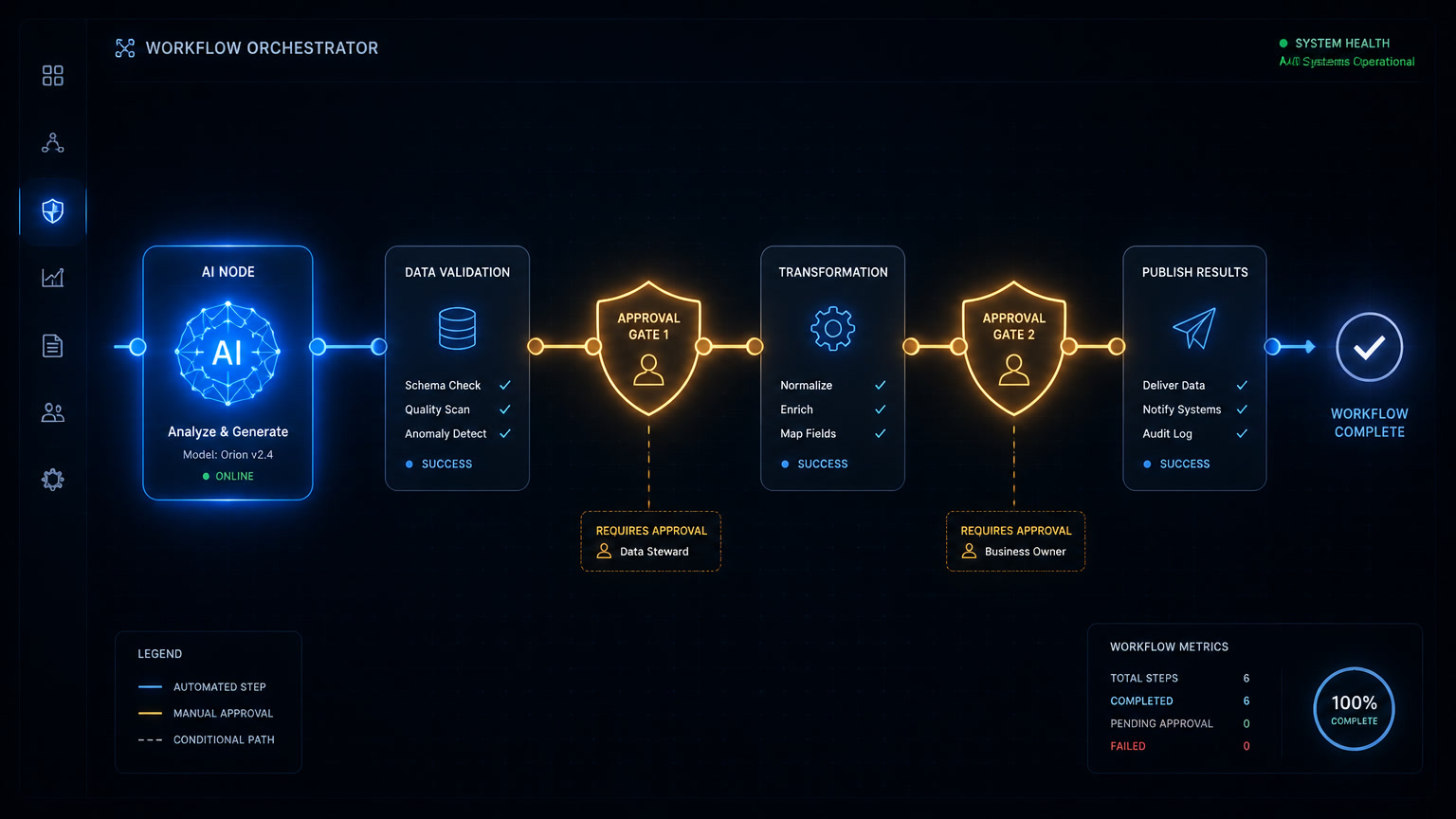
The critical piece isn't the tool — it's the audit pattern: every agent action must log which agent took it, what data was used, what decision was made, and who reviewed it (if applicable). This isn't bureaucracy — it's what lets you sleep at night when an agent is operating in your financial core.
Real Costs and Returns
Based on our implementations (June-July 2026):
| Category | Setup (hours) | Monthly cost (infra+APIs) | Weekly hours saved | Payback |
|---|---|---|---|---|
| Financial | 20-30 | $150-300/mo | 8-15h | 3-5 months |
| HR | 15-25 | $100-250/mo | 5-10h | 4-6 months |
| Internal IT | 10-20 | $80-200/mo | 4-8h | 3-5 months |
| Reporting | 8-15 | $50-150/mo | 3-6h | 2-4 months |
Costs assume self-hosted n8n ($10-20/month VPS) plus AI APIs (OpenAI or Claude). Using Make or Zapier adds $30-200/month in subscription fees depending on execution volume.
Your First Concrete Step
If you want to get started after reading this, here's the exercise we recommend to every client:
- Audit for one week. Ask your team to track how much time they spend on repetitive tasks for 7 days. Don't speculate — measure.
- Find the highest-hour process with clear rules. That's your candidate #1.
- Document the current flow in a diagram. If you can't draw it, you can't automate it.
- Prototype over a weekend. With n8n and an AI API, you can have a working pilot in 2 days.
- Measure before and after. Hours spent, error rates, cycle time. If it doesn't improve, kill it.
Back-office automation isn't sexy. It won't show up in marketing metrics or impress investors. But it frees up your team's hours for what actually matters: growing the business.
Related Mintec articles:
- Multi-Agent CRM Implementation: What We Learned Deploying AI Agents for 3 Clients — orchestration patterns that apply to back-office too
- Make AI Agents vs n8n AI Agents: Which One Should Your Business Use — tool comparison for implementing these agents
- The Hidden Cost of Disconnected Automation — why architecture matters when you scale
- Document and Contract Automation for Consulting Firms — a specific back-office automation case study
- ROI of Back-Office Automation for Consulting Firms — real metrics and payback from client projects
Frequently Asked Questions
What back-office tasks can be automated with AI agents?
Any repetitive process that follows predictable patterns with structured or semi-structured data: expense approvals, employee onboarding, invoice reconciliation, recurring report generation, internal IT ticket responses, and CRM record updates. The rule of thumb: if a person spends more than 2 hours per week on a task that follows a predictable pattern, it's a candidate for automation.
How much does it cost to implement an AI agent for back-office operations?
It depends on complexity. A simple n8n workflow with OpenAI API calls costs $50-150/month in execution. A multi-step agent with knowledge bases, human approval gates, and connections to 3+ internal systems runs $300-800/month in infrastructure plus 20-40 hours of setup. Typical ROI is 3-6 months for high-volume processes.
Is back-office automation worth it for a 10-person SMB?
Yes, but prioritize. An SMB should start with high-volume, low-risk processes: automatic notifications, report generation, and data entry. Save approval-heavy or sensitive-data workflows for later after proving the model. The threshold: if the process consumes 5+ weekly team hours, it justifies automation.