WebMCP Is Live in Chrome 149 — What It Means for Your Website Architecture
Chrome's WebMCP Origin Trial lets websites expose structured tools to browser-based AI agents. This shifts web architecture from a two-surface model (human UI + APIs) to a three-surface model. Here's what changes for your development roadmap, form strategy, and security posture — with real implementation patterns from our testing.
WebMCP Is Live in Chrome 149 — What It Means for Your Website Architecture
Browser-based AI agents have been guessing their way through your website like tourists reading a foreign menu. Chrome's WebMCP Origin Trial, shipping in Chrome 149, finally gives them a proper menu — structured tool descriptions that turn clicking guessing into deterministic function calling. This changes web architecture at a level most developers haven't processed yet.
Google shipped WebMCP (Web Model Context Protocol) as an Origin Trial in Chrome 149 in June 2026 — a proposed open web standard that lets websites expose structured tools directly to browser-based AI agents. The trial period lets developers integrate the API for live testing on their own origins.
At Mintec, we've been experimenting with the WebMCP prototype since the Google I/O announcement. Here is what we found about how it works, what it changes architecturally, and what you should do about it right now.
The New Third Surface: Human UI, Backend API, Agent Tools
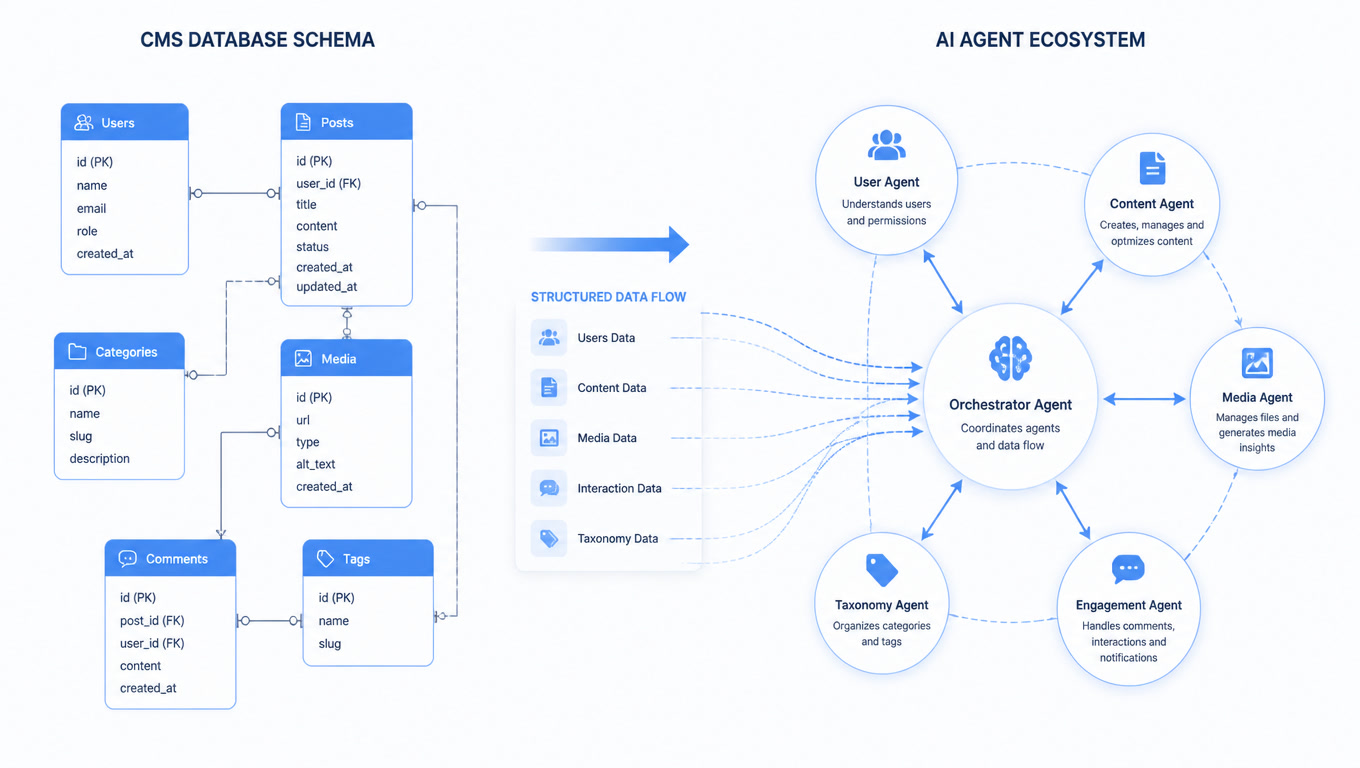
Every web application currently has two interfaces: the human surface — buttons, forms, menus, links — and the developer surface — REST, GraphQL, webhooks, and OAuth integrations.
WebMCP introduces a third surface: agent-facing tools that operate inside the browser context.
| Surface | Audience | How they interact | Reliability |
|---|---|---|---|
| Human UI | End users | Clicks, taps, keyboard, screen readers | High for humans, low for automated agents |
| Backend API | Developers and integrations | REST calls, GraphQL queries, SDK methods | High, but detached from browser context |
| WebMCP tools | Browser-based AI agents | Declared MCP tools with descriptions and params | High — explicit, not inferred |
This matters because browser agents today do something awkward: they watch the human surface, take screenshots, parse the accessibility tree, guess what buttons mean, and click. The fragility of this approach is well documented — async loading, A/B tests, localization, permission menus, and responsive layouts all break selector-based automation.
WebMCP solves a specific problem: "What if the website could describe the actions an agent is allowed to take, instead of forcing the agent to guess?"
How WebMCP Actually Works
WebMCP exposes two APIs to browser agents:
WebMCPDiscovery — tells the browser agent which MCP servers a page offers, what they are called, and how to discover them. Think of it as a manifest for agent capabilities.
MCPServer (browser variant) — lets the site expose callable tools. The agent discovers them, reads their descriptions and parameter schemas, requests user approval when needed, and invokes them instead of walking the human UI.
A web app that ships WebMCP tool descriptions effectively says: "Instead of clicking through my interface, here are the exact functions you can call, with descriptions of what each one does, right here in the user's current session."
The parallel with accessibility is useful. A good accessibility tree tells a screen reader what an element is and what state it is in. WebMCP provides a similar semantic layer for agents, but with higher stakes — the agent can perform actions, not just describe them.
What Changes for Web Developers
1. Form Strategy Gets More Complex
Forms are where WebMCP delivers the most immediate value. Currently, an agent trying to "book a flight" on a travel site must:
- Parse the departure field (is it one field or separate date/time?)
- Work out the destination format (city name, airport code, or autocomplete?)
- Handle date pickers that are custom React components
- Submit and handle errors
With WebMCP, the site exposes a searchFlights tool with typed parameters (origin, destination, departureDate, returnDate). The agent calls it directly. No guessing, no field-by-field traversal.
But this means every form now needs a parallel WebMCP tool description. That is an additional development and maintenance surface — a third contract to keep in sync with the other two.
2. Security Posture: Accessible Tools Are Attackable Tools
WebMCP tool descriptions need to be precise enough for an agent to understand them. That same precision makes them useful targets for prompt injection — a malicious instruction embedded in page content, email text, or a document the user opens.
A tool named deleteWorkspace is easy for a helpful agent to reason about. It is also easy for an injected instruction to weaponize. As we discussed in our agentic CMS article, the shift from reading to acting changes the security calculus entirely.
Google's WebMCP documentation emphasizes user-approval flows and permission boundaries. In practice, the right approach is defense in depth: scoped tool permissions, read-only defaults, audit trails, and explicit confirmation for destructive operations.
3. The Rendering Architecture Question
WebMCP agent tools execute in the user's browser context — JavaScript functions that can read and write page state. That means your site needs to be structured so that its agent-facing tools are discoverable and maintainable independently of the human-facing UI.
This is where composable web architecture becomes directly relevant. If your site is built as a collection of independent components with clear boundaries, each component can declare its own WebMCP tool surface. If your site is a monolithic SPA with tangled state, adding agent tools will be harder.
The Performance Angle No One Is Talking About
WebMCP tools add page weight. Every tool description, parameter schema, and MCP server registration is bytes the browser must download and parse. On content-heavy sites already struggling with Core Web Vitals, every additional kilobyte matters.
The tradeoff is that WebMCP can reduce the need for complex client-side JavaScript for agent interaction. Instead of building elaborate UI flows that an agent will try to click through (and fail), you build a simple form surface for humans + a WebMCP tool surface for agents. The agent path is leaner because it skips rendering and state management.
What to Do Right Now
WebMCP is an Origin Trial, which means it is experimental and subject to change. Do not bet your production architecture on it yet — but do start experimenting.
High priority: If your site has complex forms (travel booking, insurance applications, account setup), the trial is worth joining because forms are where the agent-guessing problem is most painful today.
Medium priority: If you are building a dashboard or SaaS product where agents might need to query data or trigger actions, declare read-only tools first and measure agent interaction success rates before adding write tools.
Low priority: Content sites and marketing pages can wait. The Speculation Rules API for instant prerendering is a higher-ROI performance investment today than WebMCP.
The Bottom Line
WebMCP is not a better click bot. It is the beginning of a new interface layer for the web. Every website currently has two surfaces — human and API — and WebMCP adds a third. The teams that start designing for that third surface now, even experimentally, will have a structural advantage when browser agents become the default way users interact with complex web applications.
The Origin Trial is open. The question is not whether agents will interact with your site — they already do. The question is whether you want them guessing or calling.
Frequently Asked Questions
What is WebMCP and how is it different from MCP?
WebMCP (Web Model Context Protocol) is a proposed open web standard that lets websites expose structured tools — JavaScript functions, HTML forms, and MCP servers — directly to browser-based AI agents. Standard MCP connects external AI agents to backend services (GitHub, Slack, databases). WebMCP brings that same structured interface into the browser: the agent operates inside the user's current session, inheriting their cookies, permissions, and page context.
What does WebMCP mean for web developers in practice?
It introduces a third interface surface to every web app: human UI (buttons and forms), backend API (REST/GraphQL endpoints), and agent-facing tools (declared via WebMCP). Developers need to decide which actions to expose as agent tools, write clear descriptions for each tool, set permission boundaries, and verify that the agent-facing surface doesn't create prompt-injection paths to dangerous operations.
When should I start implementing WebMCP?
The Origin Trial is available in Chrome 149 (June/July 2026). Start experimenting now if your site has complex forms, multi-step workflows, or dashboard-heavy interfaces that browser agents currently handle poorly. For simpler content sites, the Speculation Rules API for instant prerendering is a higher-ROI investment today. We expect WebMCP to stabilize toward late 2026 or early 2027.