Web Accessibility: Why Your Website Is Costing You Customers (And How to Fix It)
95.9% of home pages have detectable WCAG failures. ADA lawsuits hit 5,000+ in 2025. And it's not just about compliance — accessible sites convert better, rank higher, and reach more people. Practical guide with 2026 data.
Web Accessibility: Why Your Website Is Costing You Customers (And How to Fix It)
The most alarming number I have seen this year comes from the State of Web Accessibility 2026 by Accessibility.build. They scanned one million websites and found that 95.9% of home pages have detectable WCAG failures. Not 50%. Not 70%. 95.9%.
That means nearly every website today is excluding people with disabilities. And it means nearly every business is sitting on a legal liability that compounds every quarter.
But there is another way to read that number. If 95% of your competitors have inaccessible sites, fixing yours is a genuine competitive edge. You avoid lawsuits, sure. But you also reach more people, improve your SEO, and build a brand that actually includes everyone.
What the data says
AudioEye's 2026 Accessibility Advantage Report found that 62% of business leaders believe customers have abandoned transactions due to accessibility issues. That is revenue evaporating because a form field lacked a label, or text contrast made content unreadable.
BeAccessible documented over 5,000 digital ADA lawsuits in 2025, and the trajectory is upward. California alone accounted for 3,117 federal filings. With the DOJ's new Title II rule requiring state and local government websites to meet WCAG 2.1 AA, the legal bar keeps rising.
Here is the counterintuitive part: 60% of the most common accessibility errors are fixable in minutes by any competent web developer — missing alt text, insufficient contrast, buttons without descriptive labels, forms without clear instructions.
It is not just about avoiding lawsuits
If your only reason to make your site accessible is fear of litigation, you are missing the bigger picture.
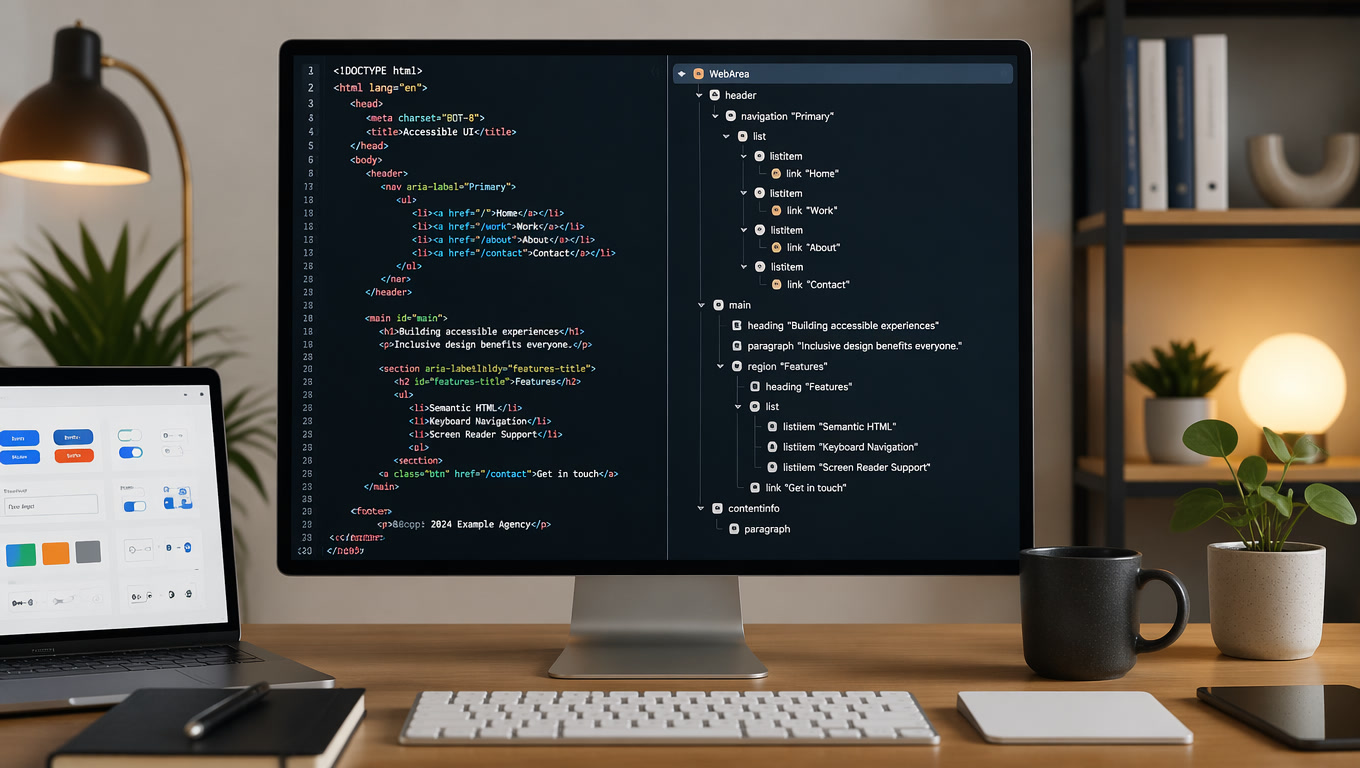
Accessible sites rank better in search. Google rewards the same things screen readers need: clean semantic structure, descriptive alt text, well-organized headings. The overlap between good SEO and good accessibility is almost complete.
Accessible sites convert better because they reduce friction for everyone. A form with clear labels and descriptive error messages is easier for any user to complete. A large, well-contrasted button is more clickable on every device.
Accessible sites reach more people. The global population is aging. Visual, auditory, and motor disabilities increase with age. Designing for accessibility today means designing for your future customer base.
The regulatory landscape in 2026
The legal picture in 2026 deserves attention. The DOJ published an interim final rule in April extending Title II ADA compliance deadlines for government websites. Entities serving 50,000+ people now have until April 2027; smaller entities have until 2028.
But this is not a reason to wait. Courts are already applying WCAG 2.1 AA as the de facto standard in Title III lawsuits against private businesses. And the lawsuit count keeps climbing.
In Europe, the Web Accessibility Directive (2016/2102) continues to apply to public sector sites. The European Accessibility Act, effective since 2025, extends requirements to digital products and services — ecommerce, banking apps, service platforms.
Latin America is moving too. Argentina, Colombia, Mexico, and Chile all have legislation mandating digital accessibility, even if enforcement varies. The global trend is clear: regulations are converging around WCAG 2.1 and 2.2 as the common benchmark.
The most common errors and how to fix them
I have reviewed dozens of accessibility audits this year, and the same issues keep surfacing. They are not hard to fix.
Missing or bad alt text. Images without alt attributes are invisible to screen readers. The fix is straightforward: decorative images get alt="" (empty) so screen readers skip them; functional images get descriptive alt text. Do not start with "image of" — screen readers already announce it as an image.
Insufficient color contrast. Light gray text on white backgrounds looks clean but is unreadable for millions of people. WCAG 2.1 AA requires a contrast ratio of at least 4.5:1 for normal text and 3:1 for large text. Tools like WebAIM Contrast Checker give you the number in seconds.
Broken keyboard navigation. Many sites work fine with a mouse but are impossible to navigate by keyboard alone. Blind users, people with tremors, and anyone using alternative input devices depend on keyboard navigation. If your dropdown menu does not open with Enter, or if the focus indicator disappears, you have a problem.
Missing form labels. An input field without an associated <label> is a mystery to screen reader users. Always use explicit labels linked with the for attribute. Placeholder text alone does not work — it disappears the moment the user starts typing.
Broken heading hierarchy. Jumping from an <h1> to an <h3> without an <h2> in between confuses screen readers and disorganizes your content. Heading structure should be a logical staircase.
Accessibility testing tools that work
You do not need an expensive enterprise tool to audit your site. Here is the stack I recommend to most teams:
axe DevTools is free as a browser extension and catches 80% of common issues. Run it on any page and get a prioritized list with clear remediation steps. It integrates with most testing frameworks too.
WAVE by WebAIM gives a visual overlay of accessibility issues directly on your page. It is less technical than axe and useful for designers and content editors.
Lighthouse (built into Chrome DevTools) includes accessibility audits in its standard report. Run it on every page during development and set a minimum accessibility score in your CI pipeline.
Screen reader testing. Automated tools catch maybe 60-70% of issues. The rest require human testing. Spend 30 minutes navigating your site with NVDA (Windows, free) or VoiceOver (built into every Mac). You will find things no automated tool catches: confusing announcement order, missing context, unusable interactions.
Color contrast analyzers. The Stark plugin for Figma and Sketch checks contrast during design, before code is written. Catching issues at the design stage is exponentially cheaper than fixing them in production.
Beyond the basics
If you have the fundamentals covered — contrast, alt text, keyboard nav — there is a next tier of accessibility that separates functional from excellent.
Plain language. WCAG 2.2 includes readability guidelines. Write short sentences. Avoid unnecessary jargon. Use active voice. Your content becomes more accessible for people with cognitive disabilities and easier for everyone else to read.
Assistive technology testing. Test your site with real screen readers. NVDA is free on Windows. VoiceOver comes with every Mac. Do not assume that valid code equals a usable experience.
Motion and animation. Animations can cause dizziness or nausea for people with vestibular disorders. The prefers-reduced-motion CSS media query lets you disable animations when the user requests it. One line of code can make a real difference.
Extreme responsive design. Accessibility also means your site works well at 200% zoom without breaking. Or on small screens. Or in portrait and landscape orientation.
How to start today
Fixing accessibility on an existing site sounds overwhelming. It does not have to be. The right approach is incremental.
First, run an audit. Tools like axe DevTools (browser extension) or WAVE give you a prioritized list of issues. Accessibility.build offers automated scans of entire sites. Run one audit and you have your roadmap.
Second, fix critical errors first. Issues that completely block users — forms without labels, broken keyboard navigation, insufficient contrast on key text — have the highest impact. Start there.
Third, set standards for new content. There is no point fixing 500 pages if the next 50 you create repeat the same mistakes. Write accessibility guidelines for your team. Add automated checks to your build process. If you use Astro, Next.js, or any modern framework, accessibility plugins exist that integrate into your CI pipeline.
Fourth, train your team. Accessibility is not one person's job. Designers, developers, content writers, and QA all need to understand the basics. One hour of training per month for three months changes a team's entire approach.
The cost of ignoring it
ADA web accessibility lawsuits typically settle for $10,000 to $100,000 plus legal fees. Court judgments can be much higher. But the bigger cost is invisible: users who land on your site, cannot use it, and leave.
AudioEye estimates that businesses lose 1 in every 5 transactions to accessibility issues. If your ecommerce site does $500,000 a month, that is $100,000 in lost revenue monthly. Over a year, more than a million dollars.
Web accessibility is not a charitable feature or a nice-to-have. It is a business decision. And the 2026 data is unambiguous: ignoring it costs more than fixing it.
At Mintec, we build websites that meet accessibility standards from the ground up. If you need an audit or want to know where to start, our web design and development service covers this in detail. We also write about Core Web Vitals optimization and modern web architecture — two topics that overlap with accessibility more than most people realize.
Related articles
- Web Design & UX Trends: What Users Actually Expect from Modern Websites
- Headless CMS: Why Modern Web Development Is Going Architecture-First
- How to Promote a Website?
References
- State of Web Accessibility 2026 - Accessibility.build
- 2026 Web Accessibility Statistics - BeAccessible
- Web Accessibility Statistics (2026) - AudioEye
- Web Accessibility Compliance Failures Keep Rising in 2026 - Blue Atlas Marketing
- ADA Lawsuit Statistics 2025-2026 - WCAGsafe
- ADA Title II Web Rule - ADA.gov