Should you turn on Cache Components now that Next.js 16.4 recommends it for every app?
Next.js 16.4 makes Cache Components the recommended model for every Next.js app. What actually changed, the three caches that decide whether your data is fresh, and when we enable it — with numbers from our own projects.
Should you turn on Cache Components now that Next.js 16.4 recommends it for every app?
Turn it on if you are building a dynamic app or starting a new project. Do not turn it on by reflex if your site is content, and do not let a coding agent switch it on for you. On October 6, 2026 Next.js 16.4 made Cache Components the model recommended for every Next.js app, but "recommended for everyone" describes what the model is good at, not what your project needs. The recommendation comes from Vercel, which bills for request-time rendering; your bill and your technical debt are yours.
On paper the change is small: you still flip two flags in next.config (cacheComponents and partialPrefetching) and the model becomes the one the team documents as correct. The real difference shows up when you notice that Cache Components does not fix your bundle, changes who pays for every render, and that the upgrade they now suggest running is going to be run by a language model.
What 16.4 ships, and why each piece matters
The new items are not cosmetic. Three of them change how you protect render cost, and a fourth says a lot about where the ecosystem is right now.
| What's new in 16.4 | What it solves | When it actually matters |
|---|---|---|
ensureStatic ("shell", "prefetch", "navigation") | Fails the build if a dynamic component sneaks into a route that must stay static | Ecommerce, marketing and blogs where request-time rendering is pure cost |
navigation() and prefetch() | Excludes content from a prefetch and defers it until the real navigation | Long lists where preloading everything hits the DB for clicks nobody makes |
next upgrade --agent | Prepares migration guides, codemods and verification steps for your agent to apply | Teams that already upgrade with coding agents |
| Turbopack: 20% smaller disk cache, runtime in one shared chunk | Less disk footprint and better cache hit rates across routes | Any Turbopack project, no configuration needed |
On top of that, Next.js 16.4 ships React 19.3 — stable View Transitions, Fragment Refs and the new browser() — plus the Rust React Compiler with 30% less memory and 15% faster compiles. We already wrote about how Turbopack splits JavaScript across routes; the shared runtime chunk is the natural continuation of that work in our Turbopack chunking breakdown.
Why "recommended for every app" does not mean "needed for mine"
Cache Components decides where and when a route renders. It does not decide how much JavaScript reaches the browser. That distinction is where decisions get confused.
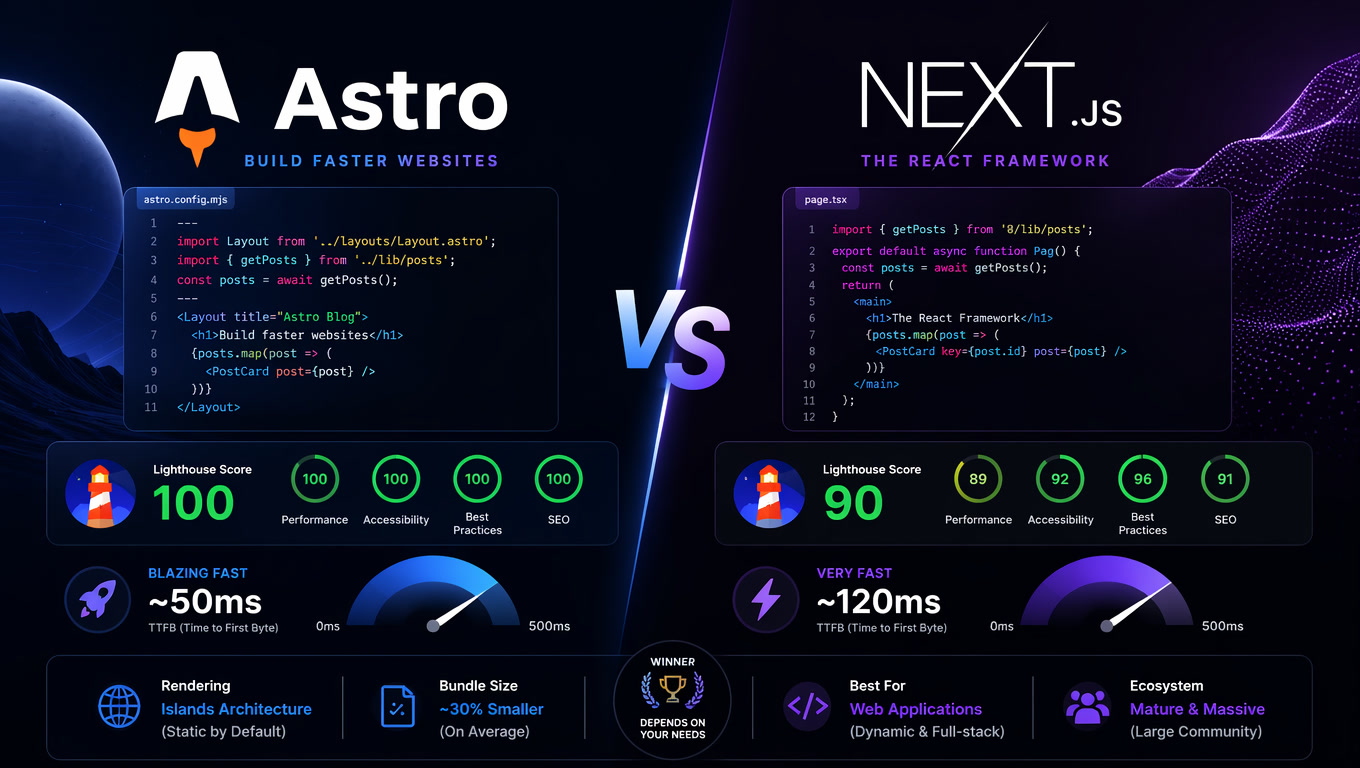
In our own real benchmarks, an identical content page in Astro and Next.js shipped 9 KB of JavaScript versus 463 KB, with Lighthouse at 99/100 on desktop and 97 on mobile versus 88, and LCP of 0.8–1.2s versus 1.8–2.8s (real project numbers). None of that gap is closed by cacheComponents: true. If your site ships hundreds of KB of JS because it hydrates fifteen components, the cache model will only render the same HTML more cheaply before it blocks on the client.
The other way around: if your app is dynamic — logins, per-user data, prices that change — the model does address the real pain, because a static shell and request-time content can travel in the same response without revalidating the whole route. And the cost argument is legitimate: we have audited sites spending $200+ a month to serve pages that could be generated statically. A route that runs compute on every request is exactly that kind of bill.
When the problem is weight, the answer is still architecture: what you hydrate, from where, and how much JavaScript per route. That is why, when a client needs real interactivity and already lives in Next.js, we keep them there and cut the client side; when what sells is content, the conversation looks more like our Next.js to Astro migration on Cloudflare Pages than a config flag. And if what you want is navigation that feels instant without rewriting the app, start with what we already covered on Next.js 16.3 Instant Navigations.
The three caches you actually have
The part that breaks projects is not enabling the model, it is the semantics. Next.js 16.4 coexists with three cache layers, and APIs that sound alike but are not:
| Layer | Where it lives | APIs that touch it | Typical failure symptom |
|---|---|---|---|
Data cache 'use cache' | Server / CDN | cacheTag, cacheLife, updateTag, revalidateTag(tag, "max") | The entry never invalidates because the tag was never set |
| Full Route Cache | Server | revalidatePath, updateTag, ensureStatic | The page keeps serving the previous render after a change |
| Router Cache | Browser | staleTimes, router.refresh() | After a mutation, <Link> shows old data but a hard refresh fixes it |
Three rules we have had to apply more than once. First, revalidateTag without a second argument is deprecated and should move to updateTag (inside Server Actions) or revalidateTag(tag, "max") for stale-while-revalidate. Second, revalidation is triggered by a request, not by the call, so "the next visit" can be a long time coming if you choose the max profile. Third, the expensive failure is real and reported: revalidateTag and revalidatePath can fail silently inside a streaming Route Handler, leaving the cache stale indefinitely.
The community is living this daily: there are open Next.js 16 discussions where creating a record and navigating with <Link> produces non-deterministic data — sometimes it shows, sometimes it does not — and the culprit turns out to be a different cache layer than the author thought they were touching. It is not one bug; it is the model demanding that you know which of the three caches is in play.
The risk almost nobody is watching: who signs the cache diff
Here is our position, and it is a specific opinion: the agent can run the upgrade, but cache semantics get reviewed by human eyes.
Next.js 16.4 introduces next upgrade --agent: it checks your installed version, picks a target release, and prepares migration guides, codemods and verification steps for your agent to apply, after which the agent confirms the app still works. That is an honest, useful step, because manual App Router upgrades were always the tedious part. Look at what it does not verify: that your app serves fresh data.
Cache failures pass the build. No codemod detects that a tag was never applied, that a route stopped being static because of a component someone added along the way, or that revalidateTag now runs in a context where it is silently ignored. It ships, and it shows up as a stale price, inventory that does not exist, or a post that "published but never appeared".
The same posture we took when the Next.js dev server gained an attack surface of its own with the MCP endpoint applies here: some things get reviewed before merge, not after the first support ticket. Our operating rule:
- The agent runs the upgrade, the codemods, the build and the tests.
- A person reviews every diff touching
'use cache',cacheTag,cacheLife,revalidateTag,updateTagorensureStatic. - After your app's main mutation — create, edit, publish — you check by hand that the record you just wrote appears when navigating with
<Link>, not only on a hard refresh.
The decision: enable, wait, or leave it alone
| Your situation | What we would do | Why |
|---|---|---|
| New or dynamic app (auth, per-user data, pricing) | Enable from day one and learn the model | It is built for this, and learning it early costs less |
| Existing stable app with no cost or perf incidents | Move to 16.4 with the flags off; enable on a branch and measure | You get Turbopack and React 19.3 without adopting new semantics |
| Content or marketing site | Ask first whether you need a server runtime; if you stay on Next, use the minimum plus ensureStatic as a guard | Our numbers say static wins there, not request-time caching |
| Catalog or list where prefetch hits the database | Defer with navigation() / prefetch() | Preloading everything for every visible link is cost without conversion |
| Upgrade applied by a coding agent | Accept the upgrade; require human review of the cache diff | Cache failures do not break the build, they break trust |
Our stance
We would not turn it on because it is now the recommendation. We would turn it on where request-time rendering is the product — dynamic apps — use it as a build guard with ensureStatic on projects that should be static, and make the cache diff a mandatory review step on any agent-assisted upgrade.
Next.js is doing its job: the App Router model was always confusing and 16.4 makes it explicit. But "the team recommends X for every app" and "your app needs X" are different sentences. The second one is answered with your numbers and your debt, not with the changelog.
Sources
[1] https://nextjs.org/blog/next-16-4 — Next.js 16.4 (October 6, 2026) [2] https://nextjs.org/docs/app/api-reference/functions/revalidateTag — revalidateTag and revalidation profiles [3] https://github.com/vercel/next.js/issues/86585 — revalidateTag and revalidatePath silently fail in streaming Route Handlers [4] https://github.com/vercel/next.js/discussions/91785 — Next.js 16, use cache and non-deterministic revalidateTag data [5] https://react.dev/blog/2026/09/09/react-19-3 — React 19.3
Frequently Asked Questions
What is Cache Components in Next.js?
It is the render and caching model Next.js introduced across the 16.x line: two flags in next.config unlock a model where one route can stream a prerendered shell, cached shared content, and request-time content in a single response, using 'use cache', cacheTag and cacheLife. Starting with Next.js 16.4 it is the model the team recommends for every Next.js app.
Does Cache Components reduce the JavaScript shipped to the browser?
No. It decides where and when a route renders, not how much JS reaches the client. If your problem is bundle weight, this model does not fix it — that depends on how much you hydrate and on your architecture, not on the cache layer.
What is the difference between updateTag and revalidateTag?
updateTag invalidates immediately and serves fresh data on the next response; it is built for 'read your own writes' after a mutation. revalidateTag(tag, 'max') marks the entry stale and lets revalidation happen in the background when the page is next visited, using stale-while-revalidate semantics. The single-argument form is deprecated.
Should I enable it if a coding agent is doing my upgrade?
Let the agent do the upgrade, yes. Do not let it change cache semantics without human review. Cache failures do not break the build — they ship stale prices and stale inventory. Have the agent run codemods, build and tests, and require a person to review every line touching 'use cache', cacheTag, revalidateTag or updateTag.