Adobe Premiere AI In-Timeline: When Native Generation Beats Dedicated AI Video Tools
Adobe Premiere Pro shipped Generate Video, voice-to-SFX, and AI music directly in the timeline on Sep 14, 2026. We break down when this native integration outperforms Runway, Kling, or Veo for content producers and agencies, with a five-question decision framework built from real production experience.
On September 14, 2026, Adobe stopped being just a video editor. With Generate Video, voice-to-SFX, and AI music generated directly in the timeline, Premiere Pro became an AI-assisted production platform that competes — but doesn't replace — Runway, Kling, Veo, and the other dedicated generative video tools. The difference isn't generated clip quality. It's context.
At Mintec, we've been running multi-model AI video production workflows — Firefly for short bursts, Kling for cinematic motion, Runway for rapid ideation — for months. Each tool has its sweet spot. What Adobe just did was move one of those sweet spots directly inside the NLE, and that changes the cost, time, and flow equations for production teams.
What Adobe Shipped (and What It Didn't)
The new Premiere Pro capabilities fall into three categories:
In-Timeline Video Generation
Generate Video creates complete clips without leaving Premiere. An editor who needs a specific shot — a product close-up, an ambiance insert, a missing plate — no longer has to search stock libraries, abandon the concept, or schedule a reshoot.
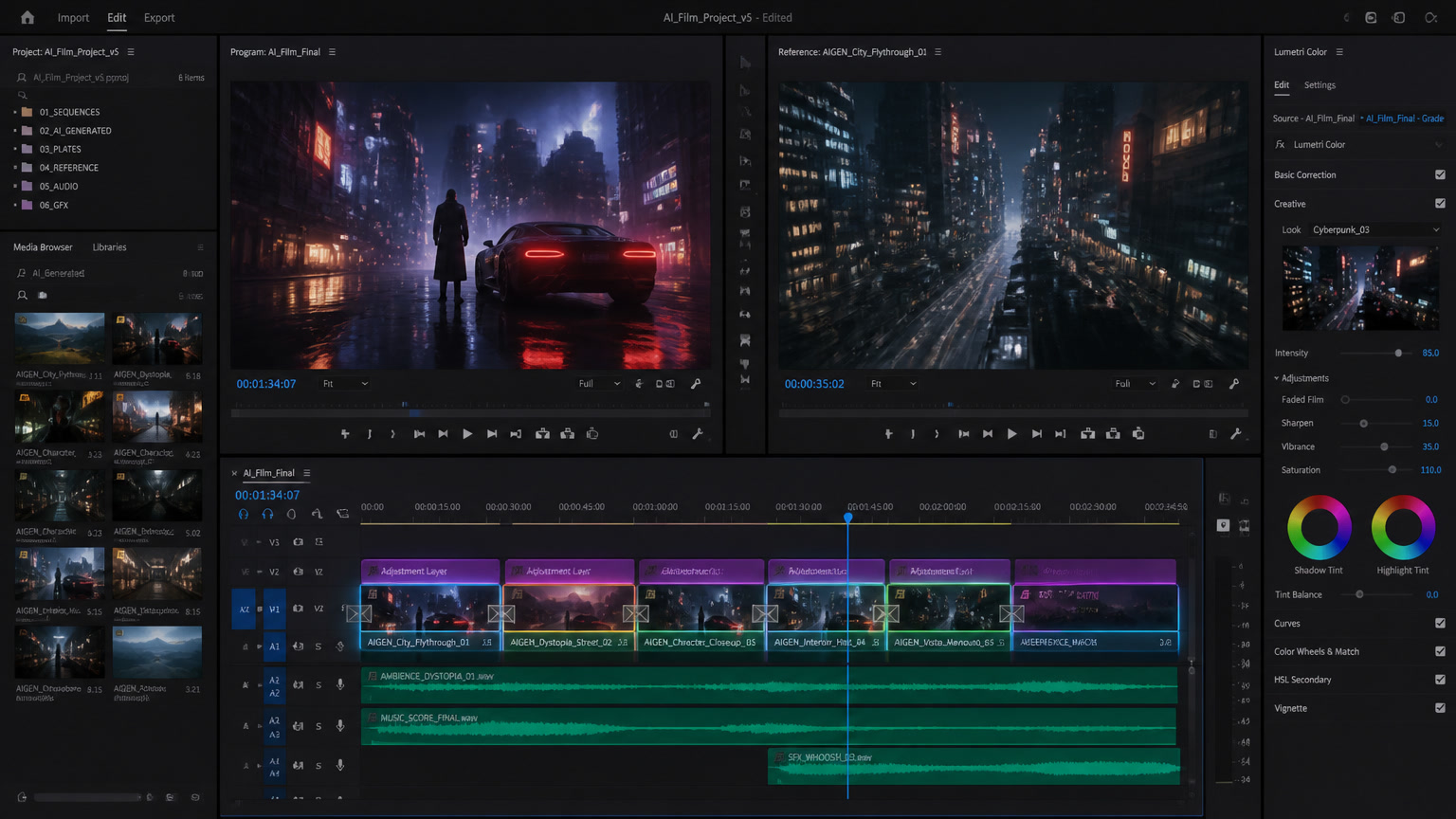
What matters is how it works: Premiere samples reference frames from the existing timeline so the generated clip matches the project's color grade, lens characteristics, lighting, and aspect ratio. It's not "generate a clip and hope it fits." It's "generate a clip that's already pre-calibrated for your sequence."
Editors choose between:
- Adobe Firefly (proprietary model, Content Credentials included)
- Google Veo, Runway, Luma, and Kling (partner models, accessible from the same panel)
Every generated clip carries a visible icon, and Firefly-created assets include Content Credentials for long-term traceability.
In-Timeline AI Audio
Three new tools attack the most common audio problems:
- Voice-to-SFX generation: You make a "zip" sound into a microphone and Premiere generates a synced jacket-zip effect. Snap your fingers, it generates footsteps. Your human performance becomes the timing reference.
- Generated music: Background music that's commercially safe — it won't trigger copyright flags on YouTube or streaming platforms. For documentary filmmakers who routinely capture unwanted music in real-world environments, this removes a persistent headache.
- Generate Soundscape: Automatically analyzes video and creates ambience and effects (footsteps, wind, room tone) timed to on-screen action.
Organization and Cleanup Tools
- Separate Crosstalk: Splits overlapping dialogue into isolated tracks — useful when interview subjects talk over each other.
- Enhanced Speech: Removes background noise, hum, and copyrighted music captured on location.
- AI Assistant (beta): Sorts clips, tags footage, and organizes bins. Creative decisions stay outside the assistant's scope.
The Five-Question Framework: Premiere AI vs. Dedicated Tools
There's no universal answer. It depends on project type, volume, and timeline context. Here's the framework we use internally:
1. Does the clip need to fit an existing timeline?
Yes → Premiere. The ability to sample reference frames from the project is the differentiator. A clip generated with Kling or Runway needs post-processing to match color grade, lens, and lighting. In Premiere, that's automatic.
No → Dedicated tool. If you're generating clips for ideation, mood boards, or standalone content (not part of an existing edit), Runway or Kling are faster and cheaper.
2. How many clips do you need to generate per project?
Under 50 → Premiere. The in-timeline integration saves the context-switching cost of changing tools, exporting, importing, and adjusting. Time savings per clip outweigh the per-clip cost premium.
Over 50 → Dedicated tool with API. For mass production (ecommerce catalogs, content series), Runway and Kling offer volume-priced APIs that Premiere doesn't match.
3. Do you need Content Credentials traceability?
Yes → Firefly in Premiere. For brands that need to document every asset's origin — regulatory agencies, editorial content, campaigns with compliance requirements — Firefly is the only option with Content Credentials baked in at generation time.
No → Any model. For internal use or social content without compliance requirements, model choice is flexible.
4. Is audio part of the same workflow?
Yes → Premiere. The AI audio tools (voice-to-SFX, generated music, Soundscape) eliminate the trip to a separate tool. For editors already in Premiere, it's a significant reduction in context-switching.
No → Dedicated audio tool. If audio is a separate workflow (post-production house, dedicated sound team), Premiere's AI audio tools are a reasonable alternative but don't replace a full DAW.
5. What's your model lock-in tolerance?
Low → Premiere. The ability to choose between Firefly, Veo, Runway, Luma, and Kling from the same panel reduces lock-in to a single model provider. You can swap models per project or per clip.
High → Dedicated tool. If you need full control over the model, generation parameters, and post-processing pipeline, a dedicated tool gives you more levers.
What This Means for Agencies and Production Teams
Adobe's generative AI integration isn't just a feature update — it's a signal of where the industry is heading. Adobe is betting that AI doesn't replace the editor but strips away the operational work so they can focus on creative decisions.
For agencies like Mintec, this has three practical implications:
First, the cost per synthetic video clip keeps falling. When you can generate an insert shot directly in your timeline without switching tools, the real cost isn't just the clip price — it's the editor's time. The integration drops per-clip time from 15-20 minutes (tool switch, generate, export, import, adjust) to 2-3 minutes (right-click, generate, adjust).
Second, the line between "editing tool" and "generation tool" dissolves. Video editors no longer need to be Runway or Kling users to access generative video. This democratizes access but also raises the bar — if everyone can generate clips, differentiation comes from cuts, pacing, and storytelling, not technical footage production ability.
Third, synthetic content verification becomes infrastructure. With Firefly's Content Credentials baked into every generated clip, and the EU AI Act applying since August 2, 2026, synthetic content traceability is no longer optional. Agencies that don't implement verification workflows will hit problems with corporate clients and regulators.
The Bigger Picture
Adobe isn't alone. The same weekend, an AI-produced sitcom ("No Big Deal" by ModeLabs.ai) premiered on YouTube, and "Be Brave" — a documentary where every shot of the subject was AI-generated — screened at the Venice Film Festival. AI video production isn't an experiment anymore: it's a production methodology with rules, workflows, and emerging standards.
What distinguishes Premiere isn't clip quality (Runway and Kling remain competitive there). It's integration into existing workflows. An editor doesn't have to learn a new tool, configure an export pipeline, or adjust color grading post-generation. The clip appears in their timeline, matches their project, and is ready to cut.
That's what Adobe understands that many dedicated AI tools haven't solved: the gap between "generate an impressive clip" and "use that clip in a real project with deadlines, clients, and quality standards."
Sources:
- Adobe Premiere Pro AI features announcement, Sep 14, 2026 (RedShark / CompleteAITraining)
- Techbooky, "What Changed in AI Video Generation in 2026: Six Shifts Explained," Sep 14, 2026
- Irish News, "Sitcom produced entirely by AI is released on YouTube," Sep 14, 2026
- Tech Help Canada, "Be Brave: The AI Documentary That Never Filmed Renzo Rosso," Sep 12, 2026
- Mintec multi-model AI video production workflows, Jul 2026
Related articles:
Frequently Asked Questions
When should you use Premiere's Generate Video instead of Runway or Kling?
When you need a clip that must match the exact grade and lighting of an existing timeline, and your volume is low to medium (under 50 generated clips per project). Premiere's advantage is timeline context — it samples reference frames from your project so the generated clip matches color, lens, and aspect ratio without post-processing. For bulk generation or clips independent of a timeline, Runway and Kling remain faster and cheaper per clip.
Does Adobe Premiere AI replace video editors?
No. Adobe emphasized that all creative decisions remain with the editor. The AI tools solve operational problems — missing shots, dirty audio, asset hunting — but don't automate cuts, pacing, or color grading. Adobe product specialist Anton Knoblach confirmed there's no AI color grading tool because 'color grading requires real creativity — that's human.'
Are Firefly-generated clips in Premiere commercially safe?
Yes. Firefly-generated clips include Content Credentials for long-term traceability. Premiere also offers partner models (Google Veo, Runway, Luma, Kling) in the same panel. For commercial use, Firefly is the safest option in terms of licensing and content credentials.