Mux vs Cloudflare Stream vs Self-Hosted: Choosing Your Video Stack in 2026
A practical comparison of video hosting platforms for web developers in 2026 — Mux, Cloudflare Stream, Bunny Stream, and self-hosted options, with real pricing, integration patterns, and a decision framework for each scale.
Mux vs Cloudflare Stream vs Self-Hosted: Choosing Your Video Stack in 2026
If you're adding video to a website in 2026, the question isn't whether to use a video platform — it's which one. The days of self-hosting raw MP4s on S3 and hoping for the best are behind us. Modern video delivery requires adaptive bitrate streaming (HLS/DASH), thumbnail generation, caption pipelines, analytics, CDN distribution, and player optimization across devices and network conditions.
We've been through the ringer with video infrastructure across multiple client projects — e-learning platforms hosting thousands of course videos, media sites with live event streaming, and product demos for SaaS clients. Here's what we've learned about choosing the right video stack.
The Four Options in 2026
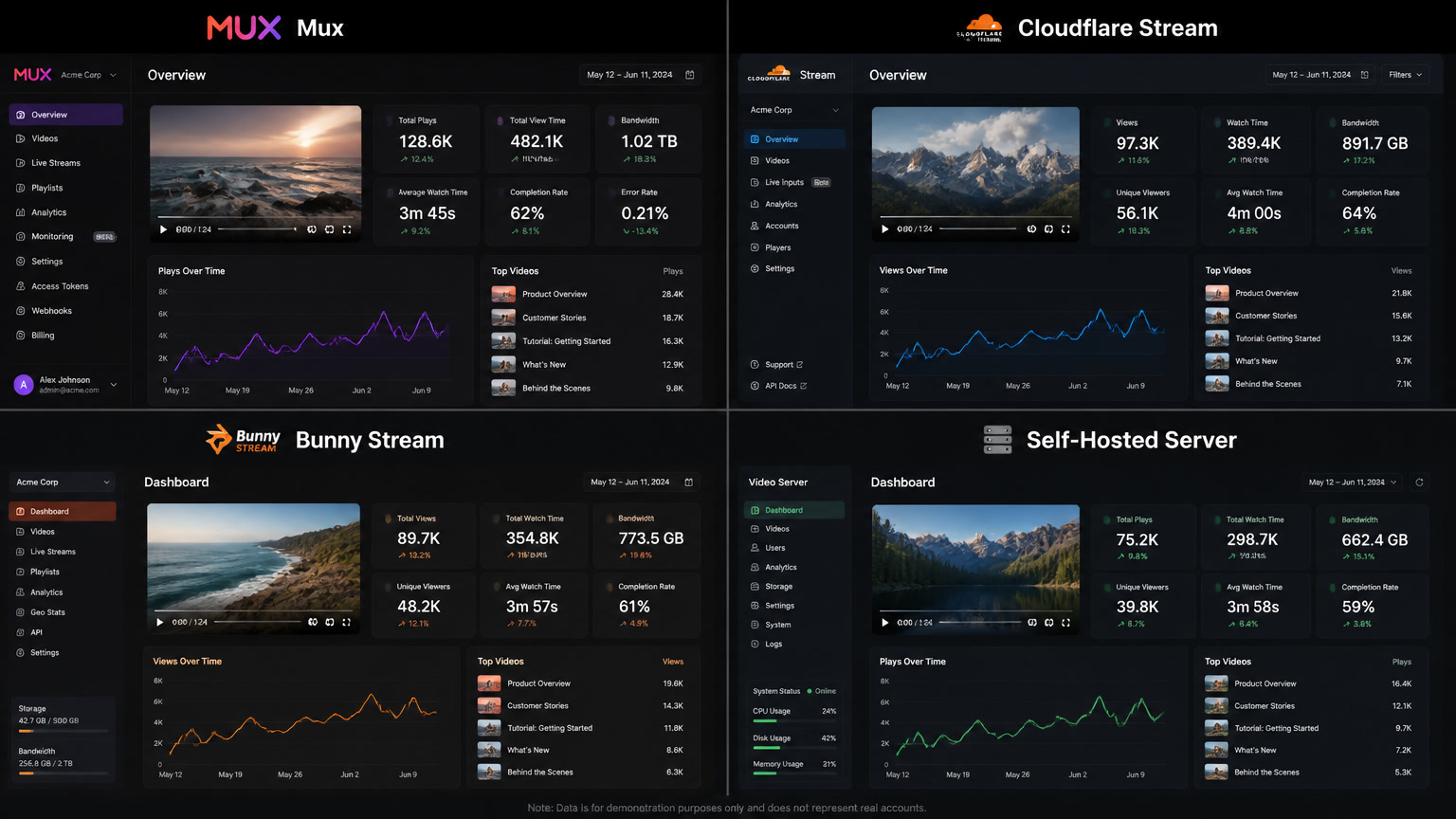
There are really four credible paths for putting video on the web in 2026:
- Mux — Developer-first video infrastructure with best-in-class analytics and player SDKs
- Cloudflare Stream — Two-dimensional pricing (storage + delivery) integrated into the Cloudflare ecosystem
- Bunny Stream — Cost-effective CDN-oriented platform with configurable encoding
- Self-hosted (FFmpeg + CDN) — Maximum control, maximum operational burden
Each has a clear sweet spot. Let's break down the real costs and tradeoffs.
The Pricing Reality (July 2026)
Video pricing is notoriously hard to compare because each platform charges different dimensions. Here's the same scenario — 100 hours of video stored, 10,000 hours delivered per month at 1080p — across the three managed platforms:
| Provider | Storage (100h/mo) | Delivery (10K h/mo) | Encoding | Total ≈ |
|---|---|---|---|---|
| Mux | $18.00 (1080p) | $10.00 (after 100K free min) | Free (Baseline) | ~$28/mo |
| Cloudflare Stream | $30.00 ($5/1K min) | $10.00 ($1/1K min) | Free | ~$40/mo |
| Bunny Stream | ~$15-25 (varies) | ~$20-35 (per-GB CDN) | ~$12 ($0.02/min) | ~$50-70/mo |
The catch with these numbers: they shift dramatically based on your actual watch time, resolution mix, and geographic distribution. Mux's cold storage can cut storage costs by up to 60% for videos that aren't watched regularly. Cloudflare Stream includes egress in its delivery pricing (no surprise bandwidth bills). Bunny Stream's per-GB model can be cheaper or more expensive depending on your bitrate.
The first rule of video pricing: model your own metrics, don't trust a single blog post's numbers.
The Decision Framework We Use
After a few rounds of this, we settled on a three-variable framework that's held up across very different projects:
Variable 1: Analytics Depth Required
You need Mux Data if: video quality is a product metric. If your team tracks "rebuffering rate by geography" or "video start time by device" and acts on those numbers, Mux's per-session quality analytics are the differentiator. The player SDK (@mux/mux-player-react) instruments itself — zero extra work.
Cloudflare or Bunny is fine if: you just need total views and bandwidth. Cloudflare Stream's built-in analytics shows aggregate play counts and delivery volume. Enough for a marketing site with embedded explainers. Not enough for an education platform where playback quality affects course completion rates.
Worth noting: you can use Mux Data's player SDK with any HLS stream, including Cloudflare Stream or Bunny Stream videos. This "Mux Data on top of cheaper storage" pattern is common for teams that want the best of both worlds. It costs extra but avoids locking your storage layer to Mux.
Variable 2: Existing Infrastructure
Already on Cloudflare? Cloudflare Stream is the path of least resistance. Same dashboard, same CDN, same API key. The Stream iframe embed takes five minutes. If you're already paying for Cloudflare's CDN and Workers, the integration friction is near zero.
Building a video-centric product? Mux's SDKs (@mux/mux-node, @mux/mux-player-react, @mux/upchunk) are the most developer-friendly in the space. The upload pipeline (browser → one-time upload URL → webhook notification) is production-tested and well-documented. The Mux Player web component handles HLS.js, quality selection, captions, thumbnails, and analytics instrumentation out of the box.
High volume on a budget? Bunny Stream is worth modeling for your specific usage pattern. Its per-GB CDN pricing can be significantly cheaper at scale, and the configurable encoding pipeline (choose which resolutions to generate) avoids waste for libraries that only need mobile-friendly streams.
Variable 3: LatAm Considerations
For Mintec's core market, this matters. Cloudflare has strong edge presence across Latin America (São Paulo, Bogotá, Buenos Aires, Santiago, Mexico City, Lima). Mux blends multiple CDNs including its own POPs. Bunny Stream is European-based with strong EU coverage but fewer LatAm PoPs.
For LatAm audiences with less predictable connectivity, Mux Data's analytics are particularly valuable — you can identify specific regions with high rebuffering rates and adjust your delivery strategy accordingly.
Self-Hosted: The Trap Most Teams Fall Into
The "I'll just use FFmpeg and S3" argument surfaces in every video project. Here's when it works: you're operating at very high volume (>1M min/mo), you need custom codecs, or you have strict data residency requirements that no hosted platform meets.
Here's when it doesn't work: everything else. The hidden costs are real:
- Encoding pipeline: FFmpeg workers, job queues, failure handling, output validation. You're not running ffmpeg on a single server — you need distributed encoding that scales.
- Storage: Multi-resolution, multi-format storage that's 3-5× your original file size.
- CDN configuration: Cache invalidation, origin shielding, signed URLs, DRM.
- Player engineering: HLS.js integration, quality switching logic, captions rendering, analytics instrumentation.
- Monitoring: Video-specific alerting (segment availability, manifest freshness, CDN health).
We've seen teams spend 3-6 months building a "simple" video pipeline that does less than Mux's free tier. For most projects, the monthly savings of $100-200 don't justify the engineering time.
Our Default Recommendation
For most web projects in 2026:
- Start with Cloudflare Stream if you're already on Cloudflare. The simplicity wins.
- Move to Mux when you need real analytics, better player customization, or a more sophisticated upload workflow.
- Consider Bunny Stream at high volume or when European data residency is required.
- Self-host only as a last resort when constraints rule out the first three.
The good news: none of these platforms are hard to migrate away from. Start simple, upgrade when your metrics tell you to.
How the Stack Integrates with Astro
Since we build on Astro + Cloudflare Pages, Cloudflare Stream is our default starting point. The integration is a single iframe embed or a React island with the Stream player. When a project outgrows the basic analytics, we layer Mux Data on top via the Mux Player web component pointed at the same HLS manifest — keeping Cloudflare's storage pricing with Mux's analytics.
This hybrid pattern — Cloudflare Stream for storage/delivery + Mux Data for analytics — is worth evaluating before committing to a single platform. You get the cost structure that fits your volume and the analytics depth that fits your product.
At Mintec, we've built video infrastructure for e-learning platforms, media sites, and SaaS products across Latin America. If you're evaluating your video stack, we can help model the costs and integration effort for your specific use case.
Frequently Asked Questions
Which video hosting platform is cheapest in 2026?
At low volume (<10K min/mo delivered), Cloudflare Stream is the cheapest at ~$0.001/min delivered with no encoding fees. At medium volume (50-200K min/mo), Mux's 100K free delivery minutes and $0.0008/min beyond make it competitive, especially with better analytics. At high volume (>500K min/mo), Bunny Stream's per-GB pricing tends to win for the cost-conscious, while Mux's volume discounts and analytics justify the premium for video-centric products.
Can I use Mux Data analytics with Cloudflare Stream?
Yes — Mux Data's player SDK works with any HLS stream. You can instrument a Cloudflare Stream or Bunny Stream HLS manifest URL and get the same per-session quality analytics: rebuffering rate, startup time, quality switches, and error rates. This is a common pattern for teams that want Cloudflare's simple storage/pricing with Mux's analytics depth.
When does self-hosting video make sense?
Self-hosting video (FFmpeg + CDN) makes sense when you have unique codec requirements, need pixel-level control over the encoding pipeline, operate at very high predictable volume (>1M min/mo), or have strict data residency that hosted platforms can't meet. For most teams, the operational burden of maintaining encoding pipelines, storage, and CDN configuration outweighs the cost savings.