AI Creative Variations in Meta Ads: When to Enable Them, When to Block Them
Meta's Advantage+ Creative automatically generates AI ad variations — image adjustments, text rewrites, music, format adaptations. Some lift ROAS. Others destroy brand consistency. A decision framework for which settings to enable, which to disable, and how to review AI-generated variations without losing creative control.
AI Creative Variations in Meta Ads: When to Enable Them, When to Block Them
A couple of weeks ago, a Reddit post with 223 upvotes showed the variation Meta had automatically generated for a moving company's ad. The original — a professional moving truck — had been replaced by a generic AI-generated illustration that looked like a stock photo from 2015. The headline had been rewritten to something nonsensical. The advertiser hadn't authorized any changes. They just had Advantage+ Creative enabled.
That post isn't an isolated anecdote. It's the symptom of a structural problem we're seeing across client accounts since Meta enabled default AI creative variations in 2026.
The problem isn't the technology. The problem is that Meta enables nearly all creative enhancements by default, and most advertisers don't know exactly what they're enabling or how it affects their campaigns. When the AI generates a variant that doesn't reflect your brand, the damage isn't just aesthetic — it's wasted performance.
Where We Are: Meta Helps, But Doesn't Ask
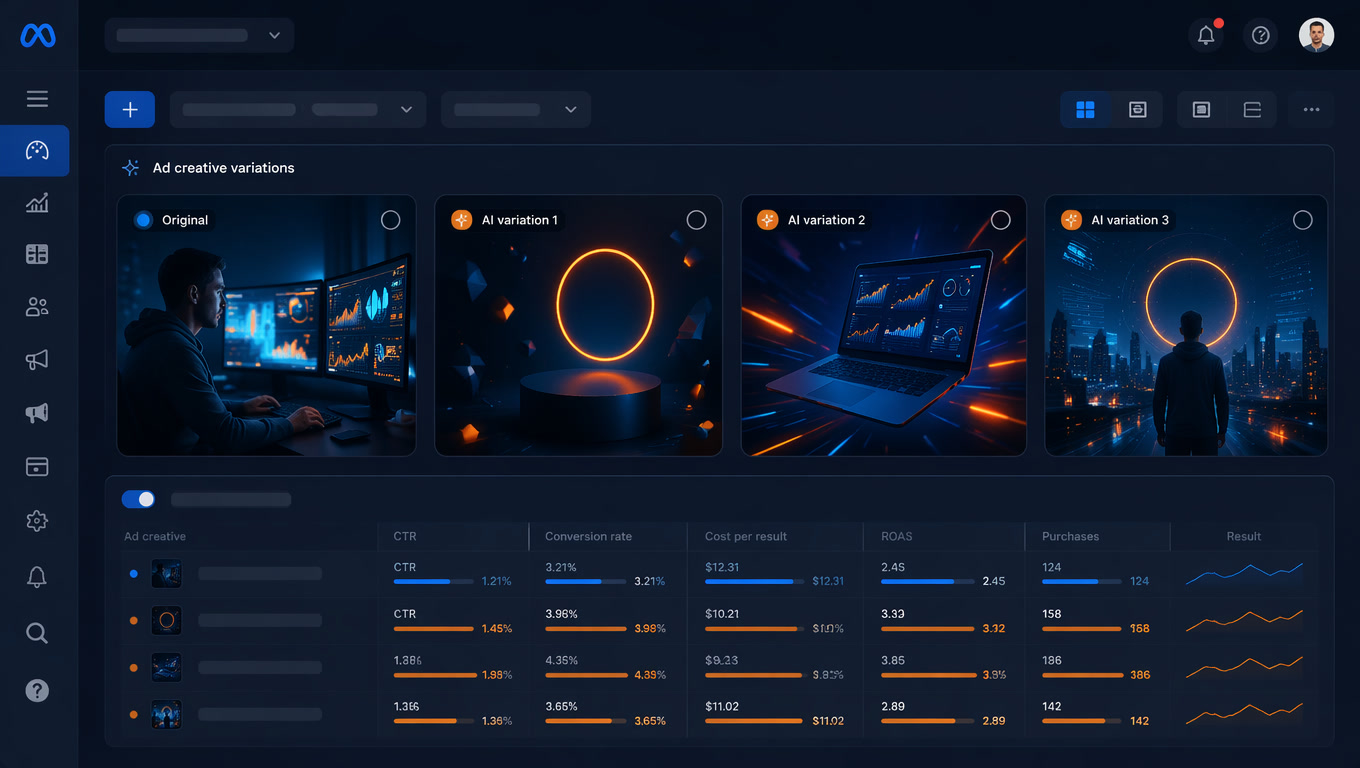
Since early 2026, Meta has built AI-driven creative variation generation into the core of Advantage+ Creative. When you run a campaign, Meta can:
- Adjust images: swap backgrounds, recolor, expand frames, generate alternative illustrations
- Modify text: rewrite headlines, descriptions, and CTAs
- Add music: generate audio tracks or select from its library
- Change formats: convert horizontal images to vertical or square, adapt to different placements
- Generate full variants: create entirely new versions based on your original creative
The issue isn't the functionality. It's that Meta enables all of these by default. And 90% of the advertisers we work with at Mintec didn't know they could disable them individually.
AdEspresso's June 2026 data confirms this: 47% of campaigns with well-configured Advantage+ Creative see ROAS improvements. But 21% get worse. That's not a tool problem. It's a configuration problem.
The Decision Framework: What to Enable Based on Your Objective
At Mintec we've developed a simple framework for deciding which settings to toggle based on campaign type. This isn't theoretical — it's what we apply with ecommerce, lead gen, and branding clients.
Performance Campaigns (ROAS as KPI)
Enable: Image enhancements (backgrounds, frame expansion), automatic format adaptation, text variant generation.
Disable: AI-generated music (unless A/B tests prove it works for your audience), full variants from scratch.
Why: In ecommerce, subtle visual adjustments — neutral backgrounds, expanded frames — tend to lift CTR without changing product perception. Text generation can surface angles you hadn't tested. But full variants from scratch, especially with generated illustrations, usually underperform original creatives because the AI doesn't understand your value proposition as well as you do.
We saw this with a fashion client: enabling only image enhancements (plus frame expansion) lifted ROAS 18% over 3 weeks. When the client also enabled full variant generation without supervision, ROAS dropped 12% in the first 10 days. Why? The full variants showed garments in colors that didn't exist in the actual catalog.
Branding Campaigns (Strict Visual Identity)
Enable: Format adaptation only (horizontal to vertical, etc.).
Disable: Everything else. Image enhancements, text generation, music, full variants.
Why: When your ad's value lives in visual identity — corporate colors, specific typography, defined tone of voice — any unauthorized alteration erodes brand consistency. A variant with different colors isn't "another version of the ad." It's a different ad that confuses your audience.
Lead Generation Campaigns
Enable: Image enhancements and format adaptation. Text variant generation with weekly review.
Disable: Full variants and music.
Why: In lead gen, copy matters more because the conversion decision depends on the message. AI can find copy angles that perform better, but you need to review them — it can also generate headlines that misrepresent your offer. We recommend a 15-minute weekly review: open the variations panel, look at what Meta generated, and disable anything that misrepresents your brand.
This framework connects directly to what we covered in our previous article on creative fatigue detection and rotation cadence. AI variations can be a source of fresh pieces for your rotation pipeline — but only if you control what gets generated.
How to Review and Curate Meta's AI Variations
The biggest mistake we see is "enable and forget." Meta's AI isn't set-and-forget. It needs supervision.
The process we use at Mintec:
1. Weekly variation audit. Every Monday, we open the Advantage+ Creative panel on active campaigns and review the variants generated during the week. We look for three things: visual consistency with the brand, message accuracy, and execution quality (no generic illustrations with six-fingered hands).
2. Selective disabling. Bad variants don't require disabling the entire feature. If the AI generates 10 variants and 8 are good but 2 are bad, disable only those 2. Meta learns from what you disable and adjusts future generation.
3. Quality threshold. We have an internal rule: if more than 30% of generated variants in a week need manual disabling, we reduce AI intensity (from "maximum creativity" to "conservative") or limit which enhancement types are allowed.
4. Document what works. We track which variation types — background changes, frame adjustments, text versions — have performed best for each client. This feeds into the prompts we use for generating creatives from scratch later.
What About TikTok Symphony?
TikTok isn't standing still. Symphony Creative Studio, its AI creative suite, generates full videos with avatars, scripts, and music as of June 2026. The key difference: TikTok doesn't enable variations automatically — you choose what to generate and when.
That doesn't mean it doesn't need supervision. Symphony can generate versions that sound good in theory but flop in your account. Our approach: generate 5-10 variants per campaign, review them, publish the best 2-3, discard the rest.
On TikTok, the cycle is faster than Meta (trends shift in days, not weeks), so reviews need to be more frequent. We recommend reviewing variations every 3-4 days and refreshing Symphony's inputs with new source material.
What Most Advertisers Get Wrong
Two mistakes we see constantly when new accounts come to us:
Mistake #1: Assuming generative AI solves creative volume problems. It doesn't. AI scales variation output, but output quality depends directly on input quality. Upload a mediocre product photo, and the AI will generate 20 variants of a mediocre product photo. The bottleneck is still your base creative production.
Mistake #2: Disabling everything out of fear. Understandable, but you're leaving performance on the table. Campaigns with well-configured Advantage+ Creative — selecting which settings to enable, not all-or-nothing — consistently outperform fully manual campaigns. The trick isn't disabling everything. It's disabling what hurts your brand and enabling what drives results.
Conclusion
AI creative variations in Meta Ads aren't good or bad. They're a tool that, depending on how you configure it, can lift your ROAS or dilute your brand identity.
Three things to do today if you manage Meta Ads:
Audit your Advantage+ Creative settings. Open each campaign, expand the Advantage+ Creative section, and see exactly what enhancements are active. Write down the ones you don't understand.
Apply the framework based on your objective. Performance → image and text enhancements with review. Branding → format adaptation only. Lead gen → image and text with weekly review, no full variants.
Schedule a 15-minute weekly variation audit. The variants Meta generates this week can look very different from last week's. The AI learns — but it also finds new ways to get things wrong.
Want us to audit your Meta Ads accounts and identify which settings are hurting your performance? Talk to our paid media team. We won't tell you to disable everything — we'll tell you exactly what to enable and disable based on your campaign type.
Sources: AdEspresso, "Advantage+ Creative Benchmark Report 2026"; AdLibrary, "Meta Advantage+ Creative Guide 2026"; AdRiseLab, "Advantage+ Creative Best Practices 2026"; first-hand campaign management for ecommerce, lead gen, and branding clients across Spain, LATAM, and Europe.
Frequently Asked Questions
What are AI creative variations in Meta Ads?
AI creative variations are automatically generated ad variants that Meta produces using AI — adjusting images, rewriting text, adding music, changing formats, or generating entirely new compositions. They're enabled through Advantage+ Creative and can apply to existing campaigns without creating new ads manually.
Do Meta's automatic variations always improve performance?
No. 47% of campaigns see ROAS improvements with properly configured Advantage+ Creative, but 21% see worse results (AdEspresso, 2026). The difference comes down to which specific settings you enable. Meta enables nearly all creative enhancements by default, which can generate counterproductive variants for your brand.
Which settings should I disable to maintain creative control?
It depends on your campaign type. For branding or strict visual identity campaigns, we recommend disabling image enhancements, text enhancements, and AI-generated music. For performance campaigns where ROAS is the primary KPI, these same settings tend to improve results — but they require regular review. Format adaptation (auto-cropping to different placements) is generally safe for both types.