When NOT to Use a Headless CMS: Real Project Lessons from Teams That Over-Engineered Their Stack
Headless CMS isn't always the right answer. Based on real migration projects, we share a decision framework for when to stick with traditional WordPress and when the leap to headless actually pays off.
When NOT to Use a Headless CMS: Real Project Lessons
Headless CMS isn't always the right answer. And saying it out loud, in 2026, has become almost an act of rebellion.
Every few weeks we get a client who arrives convinced they need to "separate the frontend from the backend," "migrate to composable content," or "put in a headless CMS because Sanity/Contentful/Strapi is the modern way." Most have read the same articles you have: "Headless CMS Doubles Your Site Speed," "The Future Is Composable," "WordPress Is Dead."
And in many cases, they're right. For certain projects, the jump to headless completely transforms the operation.
But in more cases than the industry admits, that jump is a mistake that costs tens of thousands of dollars and months of lost development time. We've seen it. We've lived it. And in this article we're going to tell you exactly when to say no.
The Problem: Architecture Marketing Overload
As of June 2026, headless platforms like Contentful and Sanity have doubled their market share to 5.6%. Salesforce is acquiring Contentful to wire it into Agentforce. A new "composable" CMS seems to launch every week with promises of total flexibility.
The message has landed so hard that buyers — business owners, CMOs, marketing directors — are over-buying architecture. A recent analysis put it plainly: "The CMS decision used to be 'which platform?' In 2026 it's 'which architecture?' — and the marketing around headless and composable has gotten loud enough that buyers routinely over-buy."
We've built incredible headless projects ourselves. But we've also had to have the uncomfortable conversation: "Migrating to headless isn't what you need."
The Framework: 3 Questions Before You Decide
After 15+ years building websites — from monolithic WordPress to full headless architectures with Astro + Sanity — we've distilled the decision into three questions.
1. Does your content live on more than one channel?
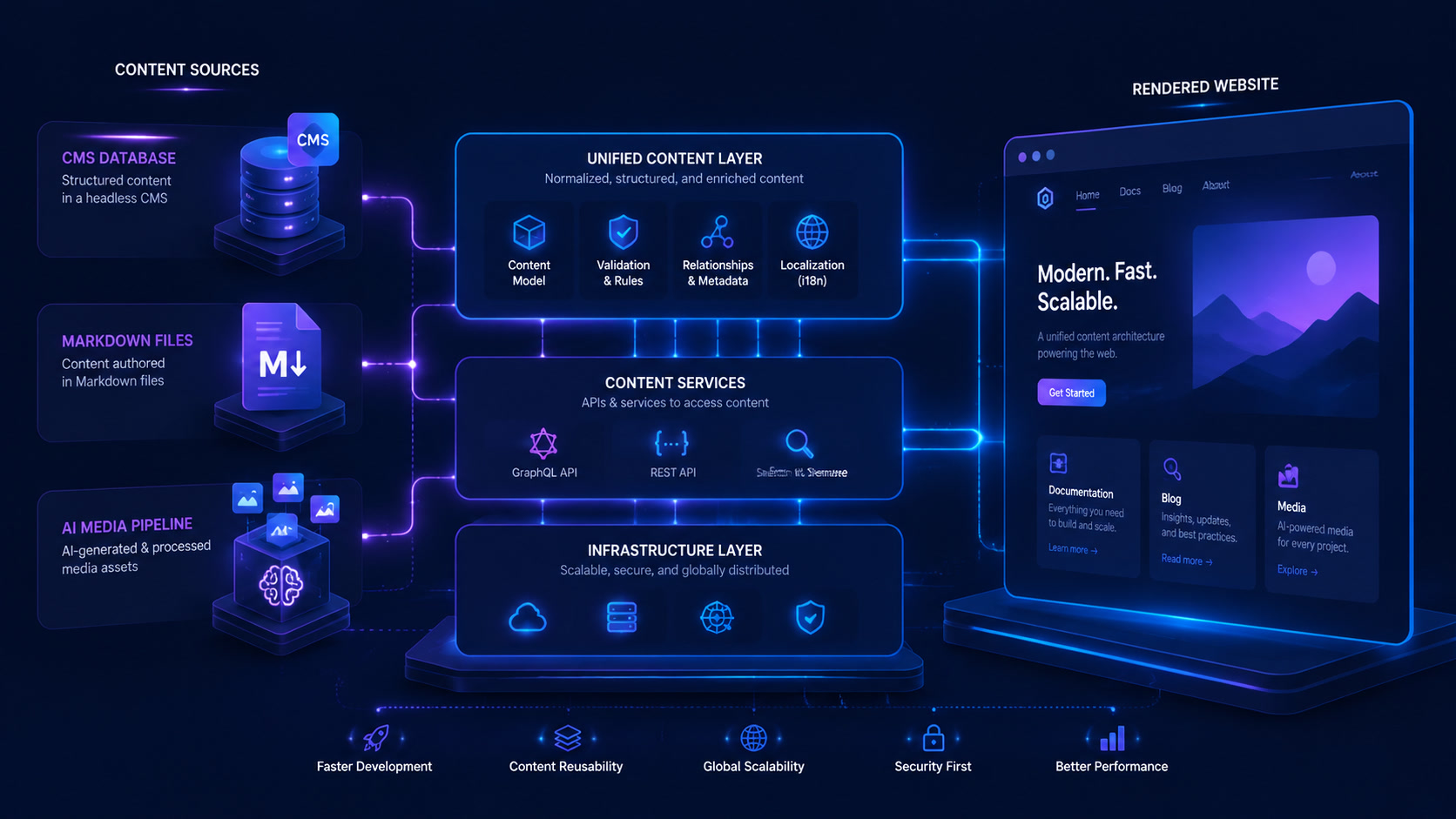
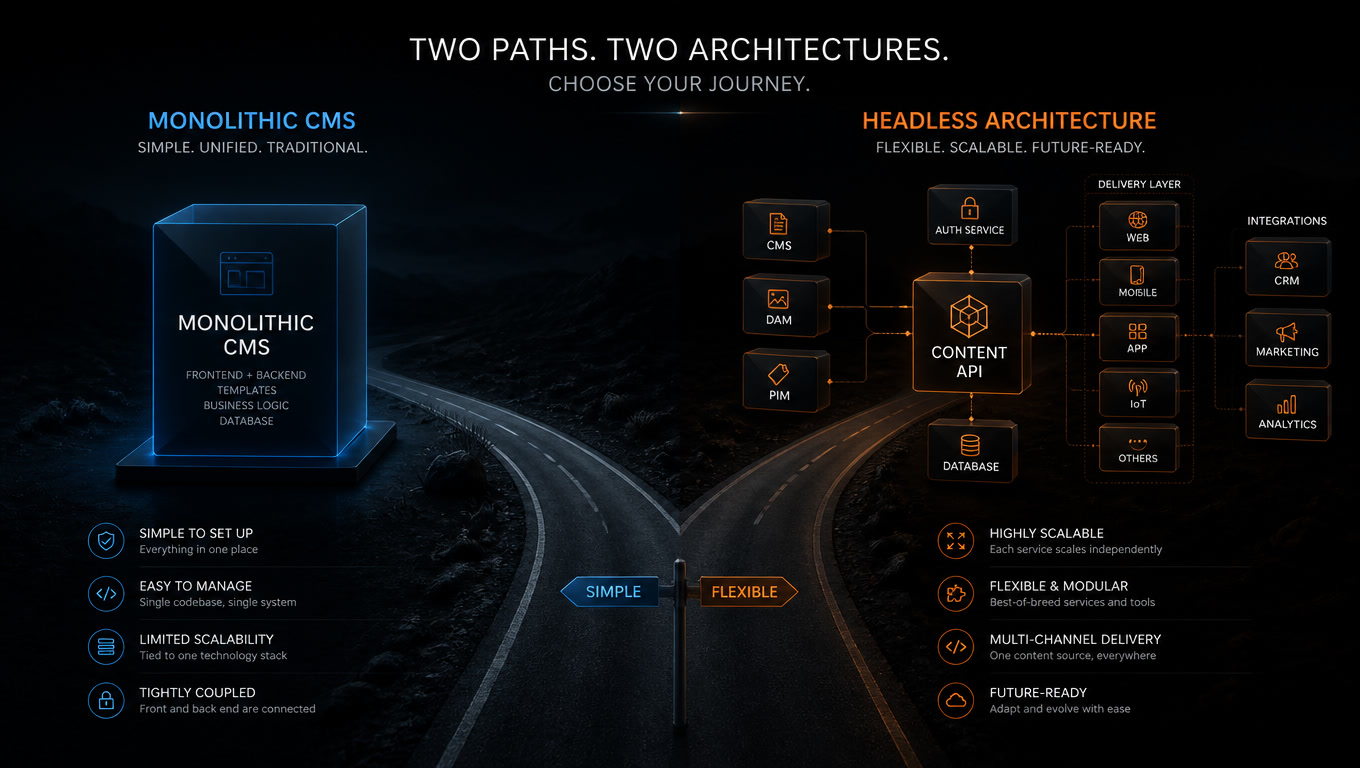
Headless shines when your content needs to reach web, mobile app, smart display, voice assistant, and maybe a physical kiosk simultaneously. One content repository, multiple frontends.
But if your content publishes primarily to the web — maybe with a blog and a resources section — you're not using headless's central advantage. You're paying for multi-channel flexibility you're not tapping into.
2. Does your editorial team have developer access?
This is the question nobody wants to answer. A headless CMS separates content editing from presentation. That means any design change, any new component, any navigation tweak requires a frontend deploy.
In traditional WordPress, the editorial team can install a plugin, switch a theme, or modify a layout without touching code. In headless, every visual change depends on the development team. If your editors don't have dedicated developers — or if those developers are already overloaded — headless becomes a bottleneck.
A recent migration analysis puts it bluntly: "Generally no. Small businesses benefit more from all-in-one platforms like Shopify or WordPress. Headless adds cost and complexity that small teams struggle to manage."
3. Does your volume justify decoupled infrastructure?
Headless isn't "one platform." It's three: a backend CMS (hosted or self-managed), a frontend (hosted separately, usually on Vercel, Netlify, or Cloudflare Pages), and a CDN connecting them. Each piece has its own cost, its own deployment pipeline, its own monitoring.
For projects with 100,000+ pages or teams of 10+ developers, that separation makes sense. For a 20-page corporate site with a 2-person marketing team, it's infrastructure nobody will maintain.
Two Real Cases (Names Changed)
Case A: The corporate site that paid for what it didn't use
An industrial-sector client arrived with the decision already made: "we want to migrate from WordPress to Contentful + Next.js." They'd read that headless was faster and more secure.
The site had 15 pages. It was updated twice a year. It had a blog publishing one article per month. The editorial team was one person with basic WordPress knowledge.
We showed them the numbers: the migration would cost ~$18,000 + $400/month in hosting (headless CMS + frontend + CDN) vs. $200/month for their current WordPress. Performance — their primary metric — could be improved 40% simply by optimizing the existing WordPress without changing architecture.
They opted for a deep WordPress optimization: better hosting, advanced caching, optimized images, and a lightweight theme. Result: Lighthouse 94, 1.2s load time, $200/month, and their editor kept using the same familiar dashboard.
Case B: The migration that killed editorial autonomy
A sister agency migrated a retail client to a headless CMS. The business owner was thrilled with the site speed. But the editorial team — 5 people who previously built landing pages in hours — now depended on the development team for every structural change.
A promotional landing page that used to take 2 hours now took 3 days: write the ticket, wait for the developer, review the preview, approve the deploy. The frustration was such that within 6 months they started looking for alternatives.
The lesson: load speed isn't everything. Editorial velocity matters just as much.
When Traditional Wins (And That's OK)
WordPress remains the best choice when:
- Your content lives primarily on the web
- Your editorial team doesn't have dedicated developers
- You need to launch fast without a long setup phase
- Your monthly operations budget is limited
- You want plugins, themes, and a mature ecosystem
"Traditional" isn't "obsolete." WordPress in 2026 — with native blocks, full-page caching, and an optimized theme — delivers competitive performance against many headless architectures at a fraction of the operational cost.
The Middle Ground: Hybrid Architecture
For many projects, the answer isn't at either extreme. We've seen good results with:
- Headless WordPress: use WordPress as the backend (leveraging the familiar dashboard) with an Astro frontend for pages that need maximum performance.
- Static Site Generation + micro-CMS: a static site generator (Astro, 11ty) with markdown files for editorial content and a headless CMS only for dynamic sections (testimonials, products, leads).
- Next.js + WordPress (WPGraphQL): keep WordPress as the CMS but use Next.js on the frontend for performance-critical sections, with ISR (Incremental Static Regeneration) combining the best of both worlds.
Decision Matrix
| Situation | Recommendation |
|---|---|
| Small corporate site (<30 pages, 1-2 editors) | Optimized traditional WordPress |
| Blog/content site with autonomous content team | Traditional WordPress or Astro + MDX |
| E-commerce with dedicated technical team | Headless (Next.js + headless CMS) |
| Multi-channel app (web + mobile + smart display) | Headless CMS |
| Existing site with poor performance | Optimize first, then evaluate migration |
| Startup with small technical team | Next.js + headless CMS (if devs available) or WordPress |
Conclusion
Headless CMS is an extraordinary tool for the right problems. But not every content problem is solved by decoupling.
The architecture decision shouldn't start with technology. It should start with the people who'll use it. The best CMS is the one your team can operate sustainably — not the one that looks best in a technical presentation.
At Mintec we've built all three types of architecture — traditional WordPress, pure headless, and hybrid — and we know each has its place. If you're evaluating a migration, start with those three questions. For a deeper look at how modern web stacks work, check out our guide to composable web architecture in 2026 and our Core Web Vitals analysis. You might also find our article on the Agentic CMS useful for understanding where AI fits into the CMS landscape.
But if the answer points to headless, great: we have the experience to build something solid. And if it points to traditional, that's fine too. The right architecture is the one you can maintain.
Frequently Asked Questions
When should you NOT use a headless CMS?
A headless CMS is not the right choice when your editorial team lacks dedicated developer support, when you publish primarily to a single channel (web), when your content volume doesn't require multi-channel distribution, or when the operational cost of a decoupled infrastructure outweighs the performance benefits you'd gain.
Is a headless CMS more expensive than traditional WordPress?
Yes, generally. A headless CMS involves separate hosting costs (backend + frontend + CDN), specialized frontend development, API maintenance, and more complex deployment pipelines. For small to medium projects, traditional WordPress is typically cheaper to operate long-term.
What questions should you ask before deciding between headless and traditional?
Three key questions: 1) Does your content need to reach more than one channel (web, app, smart display, voice)? 2) Does your editorial team have developer access to manage a separate frontend? 3) Does your content volume and traffic justify a decoupled architecture? If you answer 'no' to two or more, you probably don't need headless.