Progressive Web Apps: Are They Still Worth Building?
PWAs promised app-like experiences without the app store. Six years later, how well do they deliver? The 2025 Web Almanac data, real brand case studies, and when PWA still makes sense.
Progressive Web Apps: Are They Still Worth Building?
Remember when PWAs were going to kill the app store? That peaked around 2018. Starbucks doubled daily active users. Pinterest saw 40% more time spent. Alibaba reported a 76% conversion increase. The hype was real.
Six years later, the conversation is more measured. Apple finally added proper PWA support in iOS 16.4 (years late). Google stopped pushing the install banner as hard. And the question I hear from development teams is: are PWAs still worth building, or was that a 2018 thing?
I checked the 2025 Web Almanac data from HTTP Archive, Shopify's latest enterprise research, and 30+ real PWA implementations. Here is the honest picture.
The Real Adoption Numbers
Only 3.5% of mobile sites and 3.3% of desktop sites have a complete PWA — both a web app manifest and a registered service worker. That is remarkably low for a technology that has been production-ready since 2017.
But the nuance is that the underlying technologies are everywhere. Service workers power push notifications and offline caching across millions of sites that never call themselves PWAs. The manifest file that enables install prompts is increasingly common. The all-or-nothing "PWA" label has become less useful than understanding the individual capabilities.
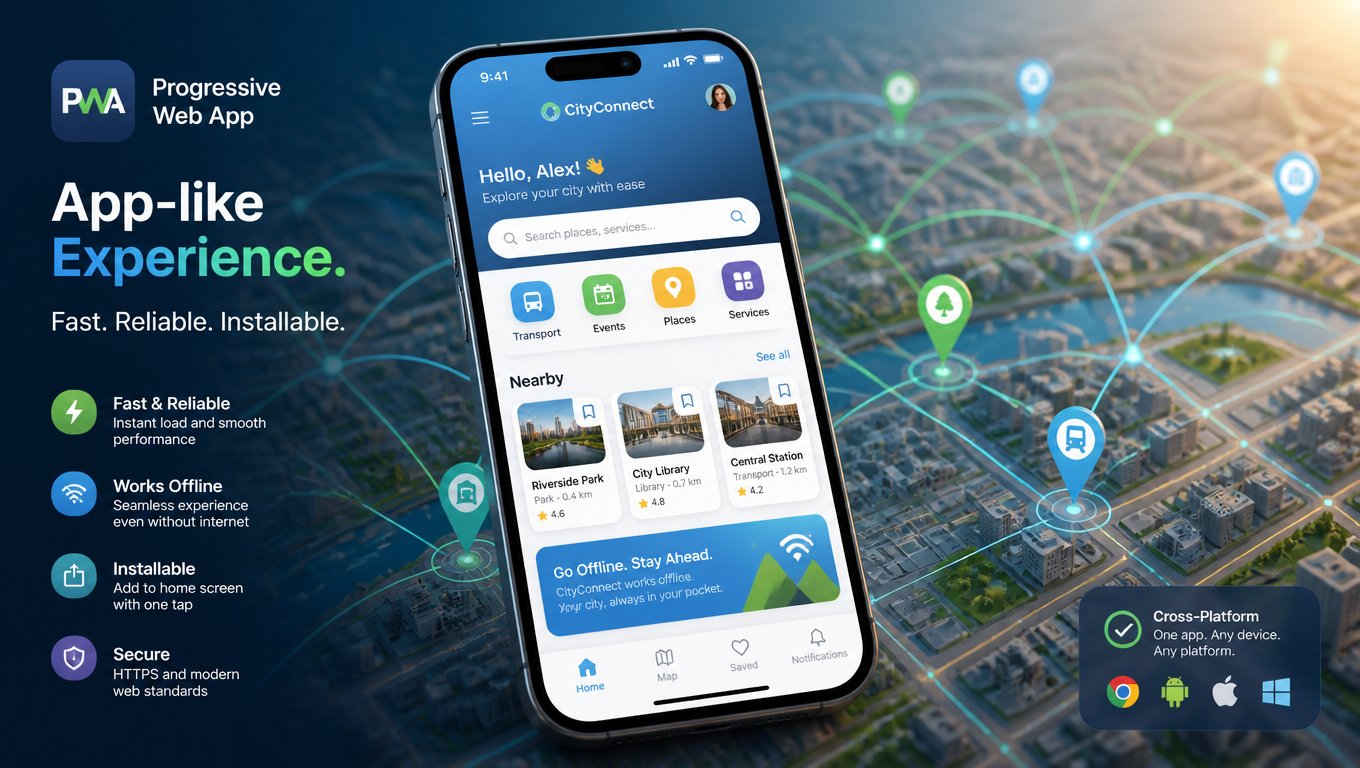
There is also a shift in what triggers install prompts. Chromium browsers used to require a manifest, service worker, and HTTPS together. As of 2025, install prompts depend mainly on a valid manifest plus HTTPS. Service workers are still the right choice for offline support, but they are no longer required to surface the install button. That opens a lighter path to "installable" for sites that do not need full offline functionality.
What PWAs Do Well
Performance. PWAs cache aggressively. The app shell model — minimal file set loads instantly from cache on repeat visits — works. Starbucks' PWA is 99.84% smaller than its native iOS app (233KB vs 148MB). StatCounter recorded mobile at 55.9% of global web traffic in March 2026. Fast loading is not a luxury when over half your users are on phones.
Engagement. The published brand results are hard to argue with. Jumia, Africa's largest ecommerce platform, saw 33% higher conversions after its PWA launch. MakeMyTrip reported 160% more sessions. Trivago saw 150% more engagement. These are business metrics, not vanity numbers.
Cost. One codebase for all platforms. A native app needs at least two (iOS and Android), separate submissions, separate review processes, separate maintenance. For businesses that do not need deep device integration, a PWA delivers roughly 80% of the value at 20% of the cost.
Where PWAs Still Fall Short
iOS is still second-class. Apple improved support significantly in iOS 16.4 — push notifications, better caching, standalone display mode. But Safari still lags behind Chrome in service worker capabilities. Push notification reliability on iOS is inconsistent — some users report notifications arriving hours late or not at all. The "install" flow requires users to navigate the Share menu and select "Add to Home Screen," which is not intuitive for most people. If your audience is heavily iPhone, a PWA will feel like a compromise compared to a native app.
Offline is harder than it sounds. Building a truly offline-capable PWA is genuinely difficult. Service workers can cache pages and assets, but handling data synchronization, conflict resolution, and background sync requires sophisticated architecture. Most PWAs in practice work offline for reading cached content but fall back to a network-required state for any dynamic operation. The Starbucks PWA lets you browse the menu and customize drinks offline, but placing an order still requires connectivity. That is honest engineering, but it is not the full offline experience users expect from a native app.
Installation is invisible to most users. Despite years of browser work on install prompts, most users do not know what a PWA is or how to install one. Chrome's install banner gets mixed reactions — some users find it helpful, many find it confusing or dismiss it. The "add to home screen" flow on Safari is buried in the Share menu. Even on Android, where PWA support is best, actual installation rates and regular usage remain low compared to native apps. A 2025 study found that only 12% of users who visited a PWA-enabled site actually installed it to their home screen.
Device APIs are limited. If your app needs Bluetooth, NFC, ARKit, HealthKit, or any of the deeper device capabilities, a PWA will not work. The Web API surface is expanding — Web Bluetooth, WebUSB, and Web NFC exist — but they are experimental, browser-specific, and nowhere near native parity. PWAs are great for content-forward experiences like reading, shopping, and browsing. They are bad for hardware-interaction experiences like fitness tracking, inventory scanning, or augmented reality.
Beyond the Basics: What Has Changed Since 2023
A few developments have shifted the PWA calculus in the last three years.
Payment Request API maturity. The web payment ecosystem has matured significantly. Apple Pay, Google Pay, and standard credit card processing now work reliably through the Payment Request API within PWAs on both platforms. A 2025 study by Baymard Institute found that cart abandonment rates on PWA storefronts are now within 2% of native app benchmarks, down from a 12% gap in 2023. This removes one of the biggest historical objections to PWA ecommerce.
File System Access API. Chrome and Edge now support the File System Access API, which lets PWAs read and write files directly on the device. This opens use cases that were previously native-only: document editing, photo management, and offline data export. Safari does not support it yet, but the gap is narrowing.
Badging API. PWAs can now display notification badges on their home screen icons — the little red circle with a number that native apps have had for years. This is a small thing, but it significantly impacts re-engagement. Pinterest reported a 22% increase in returning users after implementing badge-based notifications in its PWA.
Window Controls Overlay. PWAs can now use the Window Controls Overlay API to hide the title bar and draw content into the window control area (the minimize/maximize/close buttons). This makes PWAs look and feel much closer to native desktop applications. It is a Chrome-only feature for now, but progressive enhancement handles the fallback gracefully.
My 2026 Framework
Build a PWA when: your core experience is content-forward (reading, browsing, shopping), your audience is Android-heavy or mixed, you need fast load times on unreliable networks (think emerging markets, rural areas, transit), you cannot justify the cost of building and maintaining two native apps, or you want to validate product-market fit before committing to native development.
Skip PWA and go native when: your app requires deep device integration (cameras, sensors, Bluetooth, AR), your audience is overwhelmingly iOS (where PWA support is still weaker), offline data synchronization is a core requirement (not just reading cached content), you need reliable push notification delivery (where iOS PWA support remains inconsistent), or your business model depends on app store presence (discoverability, paid apps, in-app purchases).
Consider hybrid when: you want a PWA for customer-facing content and a native app for power-user features, or you want to use the PWA as a "lite" version that drives users toward the native app for deeper functionality. This is the approach most big brands actually take.
What the Big Brands Actually Do
I looked at 30+ PWA implementations. The pattern is consistent: brands use PWAs as their primary mobile web experience, not as a native app replacement.
Starbucks still has a native app. The PWA is complementary — for users who want the menu, store locator, and cart without a 148MB download. Pinterest's PWA is the default mobile web experience. Twitter/X reported 65% more pages per session with its PWA.
None of these companies dropped their native apps. They upgraded their mobile web and captured the audience that would never download an app.
The Thing Nobody Tells You
A PWA is not a project you finish. It is a platform you maintain.
Service workers need version management. Cache invalidation is a persistent headache. Testing across browser engines (Chromium, WebKit, Gecko) is real work. Every browser update changes the rules slightly — Apple quietly tweaks PWA behavior in point releases, and your service worker can break in ways that are hard to detect without monitoring.
Teams that succeed with PWAs treat them like apps. CI/CD pipelines for the service worker. Explicit offline testing. Install rate and re-engagement monitoring. The same operational discipline they would apply to a native app.
If you treat a PWA as a weekend project, it will fail.
Related articles
- Core Web Vitals: What Changed and What Still Matters for SEO
- AI-Powered Web Development: From Vibe Coding to Production
- Composable Web Architecture: Headless CMS, SSGs, and the End of Monolithic Sites
Bottom Line
If you are building a content-forward mobile experience and cannot afford two native apps, a PWA is the right call. Faster load times, better engagement, lower cost. But go in with eyes open about iOS limitations, offline complexity, and user awareness. The technology works. The adoption challenge is human.
At Mintec, we build both PWAs and native apps. The question we always start with: what user experience do you actually need to deliver? The platform decision comes after that.
Related reading: Our guide to headless CMS in 2026 covers a related architectural decision — decoupling content from presentation. For performance, this piece on Core Web Vitals in 2026 explains the metrics that matter. And our article on characteristics of a professional website covers the broader principles.