Meta's AI Now Creates Your Conversion Events. Here's the Audit That Keeps the Signal Clean.
Since August 3, 2026 every new Meta pixel is provisioned with Automatic Events switched on, letting Meta's AI identify and add missing standard events like Purchase and Lead from your site. Here is what actually changed, the three ways an AI-invented conversion corrupts optimization, and the five-step Events Manager audit we run before that signal touches a live campaign.
Meta's AI Now Creates Your Conversion Events. Here's the Audit That Keeps the Signal Clean.
Since August 3, 2026, any new pixel you add to a Meta business portfolio is set up with Automatic Events turned on, which means you are agreeing to let Meta's AI identify and add missing standard events — Purchase, Lead, AddToCart — from your website activity. If you never opened Events Manager to look, Meta has been deciding for months which of your site's clicks qualify as conversions, and those labels are what your campaigns optimize toward.
That is the short version. The useful version is understanding what actually changed, because the honest answer is less dramatic than the headlines and more consequential than the settings screen suggests: the capability is not new, the default is, and the default is what turns a helpful onboarding aid into a measurement risk.
What changed on August 3, and what did not
Meta's own help page is unambiguous: "As of 3 August 2026, any new pixel that you add to your business portfolio will have automatic events turned on by default during setup. By having this setting on, you agree to allow AI to identify and add missing events from your website." Detected events are added continuously, based on your site's activity, and can be reviewed, deleted or disabled later under Events Manager → Settings → Track events automatically without code.
Two things are worth separating.
First, the underlying behavior is old. The predecessor feature, "Track events automatically without code," has lived directly below the Event Setup Tool for years. Meta's own historical description said the pixel could "find and report on valuable website events, such as purchases or registrations, based on your site traffic, button text and page metadata." Jon Loomer, writing on September 1, 2026, laid the two side by side and concluded he could barely articulate a functional difference — while noting that Meta's current documentation still tells you to toggle the old switch name to enable the new feature. His read: maybe the detection genuinely improved, but the rebrand certainly did.
Second, the default and the tooling did change. The Meta Ads Data Advisor setup flow — the extension that replaced the Pixel Helper — pre-selects automatic detection when you create a pixel, and its suggested conversion events are, per Meta's developer documentation, "applied automatically" unless you deselect them during setup. New advertisers are opted in from the moment of installation. Nobody has to make a decision to be in this.
The net effect is a population of accounts where the conversion schema was written by a model reading button text and page metadata, and where nobody has ever reviewed it.
The three ways an AI-invented conversion breaks a campaign
We do not object to the feature in principle. We object to unreviewed event labels feeding an auction. There are three distinct failure modes, and they show up in different dashboards:
| Failure mode | What actually happens | What you see | Where it hurts most |
|---|---|---|---|
| Misclassification | A button that says "Buy now" before checkout, or "Submit" before validation passes, gets mapped to Purchase or Lead | Conversions up, CPA down, CRM revenue flat — the gap opens silently | Long funnels, lead-gen pages, SaaS trials with pre-purchase CTAs |
| Double counting | The AI-detected event overlaps an event you already send via code, partner integration or CAPI without matching event_id deduplication keys | Website event volume jumps days after enabling; Events Manager may surface a Redundant Purchase Events warning | Any account running the one-click Meta-enabled CAPI alongside the pixel |
| Parameter conflict | AI enrichment, announced April 15, 2026, reads the rendered page and attaches product name, price, currency and availability whether or not you sent them | Catalog and DPA reporting disagree with your backend on price or stock; duplicate or conflicting parameters | Ecommerce catalogs, and any sensitive vertical covered by Meta's prohibited-information list |
The second row is the one that generates support tickets. When AI enrichment auto-activated for existing pixels after the 30-day notice window in May 2026, advertisers reported website events appearing to double within days. Some of those reports were about deduplication between browser and server rather than about the enrichment itself — but the diagnosis is identical: more event volume in the interface is not more purchases.
Why the label matters more than the count
A wrong count wastes reporting. A wrong label changes what the auction learns.
Every conversion-optimized and Advantage+ campaign is a feedback loop: the event you name is the event the system tries to produce more of. If Purchase fires on a pricing-page click, the algorithm finds more pricing-page clickers. If Lead fires on a form that has not validated, it optimizes toward form abandoners. This is not hypothetical conservatism — it is the same reason we treat event match quality as a leading indicator of instability in our EMQ audit, and the same reason platform-to-CRM reconciliation is the last of the four bot-traffic checks we run: when the platform's conversion count and your order table disagree, the campaign is optimizing to a fiction, and no amount of creative volume fixes it.
It also compounds with everything else Meta has changed this year. Attribution windows were rebuilt in January, click-through was redefined in March, landing-page quality entered the auction in September, and Advantage+ became the default campaign shape. Each change alone moves reported numbers. Together they mean your reported conversion is now the output of five platform-side decisions, only one of which you made.
The five-step audit we run before the signal touches a live campaign
This runs on every account we take over, and on every pixel created after August 3 before a conversion-optimized campaign gets more than test budget.
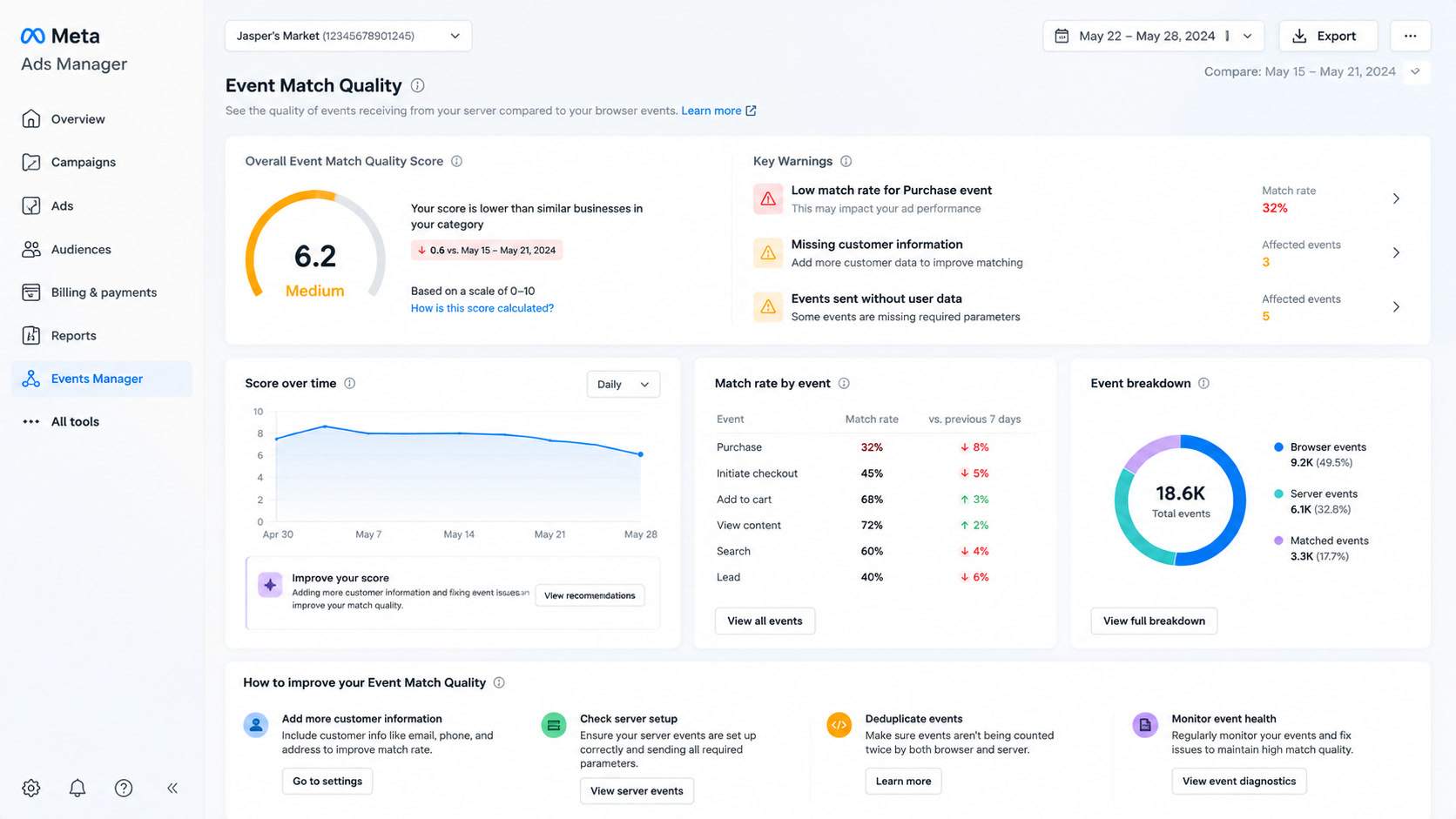
- Inventory the pixels and the setting. Business portfolio → every pixel → Settings → Track events automatically without code. Record which pixels were created after August 3, 2026 and which have the switch on. On a ten-pixel portfolio this takes ten minutes and almost always surfaces two nobody knew about.
- Read what the AI decided. Open the Automatic Events dashboard, list every event Meta created, and read the stated reasoning — Meta shows the button text or page signal it used. Delete any
PurchaseorLeadthat maps to an action a marketer would not call a conversion. This is the step people skip because the list usually looks plausible. - Reconcile three numbers for the last 14 days. Events Manager conversions, your CRM or backend orders, GA4. We are not looking for parity — these systems are built differently and will never agree exactly. We are looking for a gap we cannot explain. An unexplained gap blocks scaling; it does not block learning.
- Verify deduplication, not just volume. Pixel and CAPI events must share
event_idandevent_name. Check for the Redundant Purchase Events diagnostic. If event volume doubled recently and orders did not, this is almost always the cause. - Hold a seven-day baseline. New AI-created events run for a week against CRM outcomes before the campaign leaves test budget. The setting is continuous — Meta keeps identifying and adding events — so this is a recurring check, not a one-time cleanup.
The whole audit is under an hour. The alternative is finding out in week six that your CPA improvement was a button mislabeled in July.
When we leave it on
Blanket "turn everything off" advice is wrong here. The default is defensible for the accounts Meta actually built it for:
| Situation | Call | Why |
|---|---|---|
| Pixel installed today, no developer, no CAPI, standard funnel | Leave on | An imperfect Purchase beats no Purchase — you cannot optimize toward a signal you never configured |
| Clean server-side CAPI with deduplication already sending Purchase | Turn off | Two writers for the same event is the duplication path; you already have the better source |
| Long funnel where "Buy now" or "Request demo" sits before the real conversion | Turn off | The exact misclassification pattern Meta's own documentation describes |
| Health, finance, legal, housing or another sensitive vertical | Turn off and review | Enrichment infers page content; audit what your rendered HTML exposes before Meta reads it |
| Account where GA4 and CRM already disagree with Ads Manager | Turn off, then audit | Adding a second unreviewed signal to an unreconciled account makes the ambiguity unfalsifiable |
The opinion
Meta's AI event creation is a good onboarding aid and a bad source of truth, and shipping it as a default rather than a prompt is the part we would push back on. The millions of accounts that will never open Events Manager genuinely benefit: an unconfigured pixel is worse than a roughly configured one. But the accounts that already invested in server-side tracking are being handed a second, AI-written schema with no fanfare, a renaming that makes a legacy capability look like a new one, and documentation that still references the old toggle.
Our working rule is boring: the AI may propose, the CRM disposes. Treat every Meta-created event as a suggestion from a contractor who read your button copy — worth reviewing, never worth trusting unsupervised, and never worth letting near a scaling decision until it has survived a week against your own order table.
If you are auditing defaults more broadly — placement controls, opt-outs, agent permissions — the Advantage+ default override checklist and the MCP write-permissions audit cover the rest of the switches Meta turned on for you this quarter.
Sources
- Meta Business Help Center, Set up automatic events in Meta Events Manager — August 3, 2026 default-on language and the Track events automatically without code toggle path.
- Meta Developer Documentation, Meta Ads Data Advisor — pre-selected automatic detection on new pixel setup from August 3, 2026; suggested
Purchase,Lead,AddToCartevents applied by default. - Jon Loomer Digital, Meta Introduces a New Automatic Events Feature, September 1, 2026 — side-by-side of the old and new settings, the management dashboard, and the unresolved overlap in Meta's documentation.
- Vaizle Insights, Meta Is Now Letting AI Manage Website Conversion Events, September 2, 2026 — misclassification risk analysis.
- AdBeacon, Meta Pixel Event Tracking: Standard Events vs. Custom Events and Meta Pixel vs. Conversions API in 2026 — AI enrichment behavior since May 2026 and the 30-day notice window announced April 15, 2026.
- Affect Group, Meta's AI Pixel Enhancements and One-Click CAPI — advertiser reports of website events doubling after enabling enrichment, and the deduplication diagnosis.
Frequently Asked Questions
What are Automatic Events in Meta?
Automatic Events is an Events Manager setting that lets Meta's AI detect actions on your website and create standard events such as Purchase, Lead or AddToCart without you installing any code. Meta has enabled it by default during setup for every new pixel added to a business portfolio since August 3, 2026, and it can be switched off under Events Manager, Settings, Track events automatically without code.
Do Automatic Events cause duplicate conversions?
They can. If an AI-detected event overlaps with an event you already send through code, a partner integration or the Conversions API without matching event_id values, the same action can be recorded twice. Advertisers enabling the related AI enrichment in May 2026 reported website events appearing to double within days, which is why deduplication is the second check in our audit.
Should I turn Automatic Events off on my Meta pixel?
Leave it on if your tracking is thin and nobody on the team will ever configure events manually — an imperfect Purchase event beats no Purchase event. Turn it off if you already send clean server-side events, if you run a long funnel where CTAs like Buy now sit before checkout, or if you are in a sensitive vertical such as health, finance, legal or housing.