Multi-Model AI Video Production in 2026: The Workflow That Actually Works
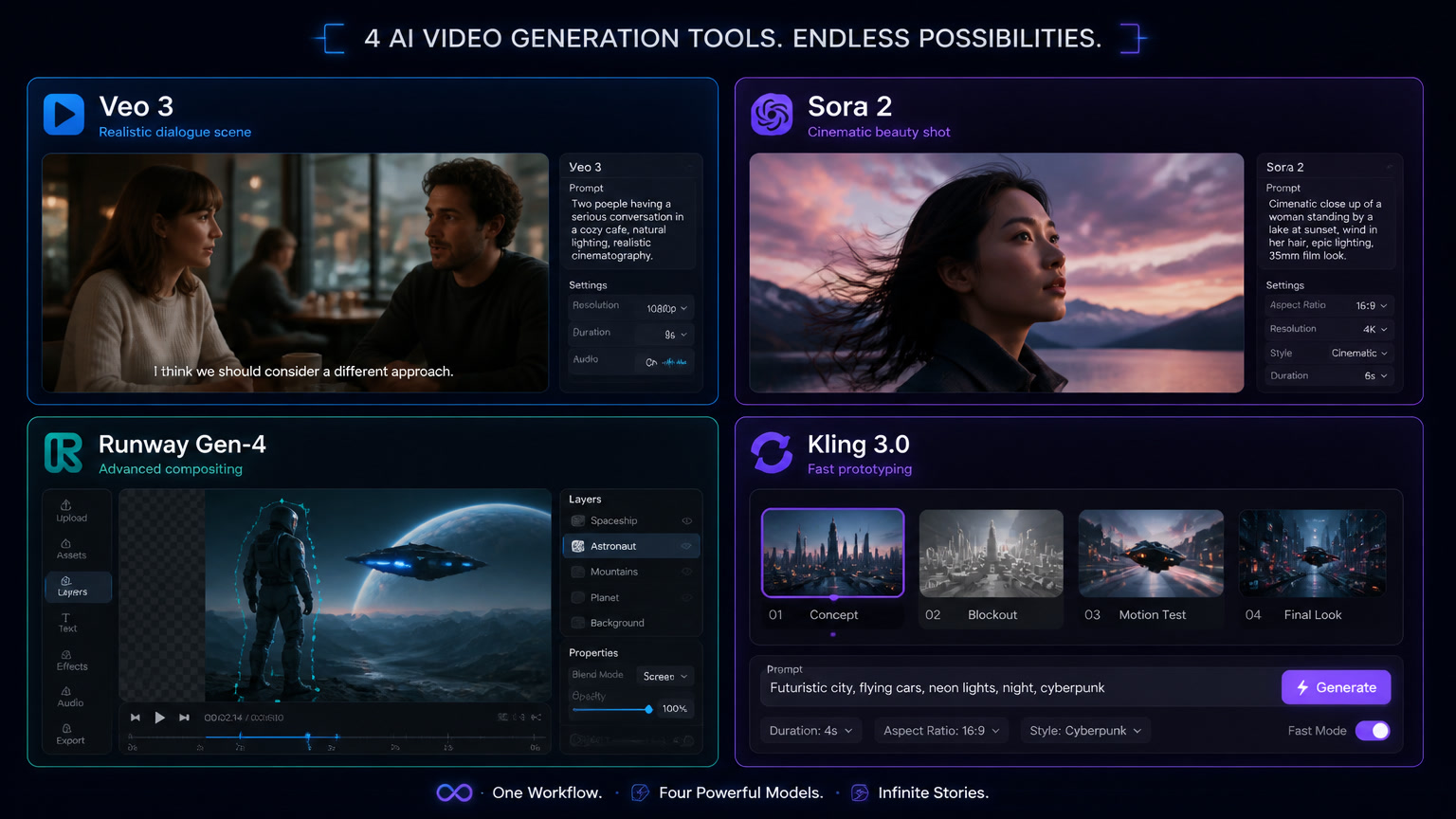
Professional studios in 2026 don't rely on a single AI video model. They route different shots to different engines — Veo 3 for dialogue, Sora 2 for cinematic beauty, Runway Gen-4 for compositing control. Here's a complete decision framework with real cost data, production patterns, and regulatory requirements.
Multi-Model AI Video Production in 2026: The Workflow That Actually Works
The conversation about AI in video production has matured. In 2023 the debate was "can AI generate video?" In 2026 the real question is "which model should I use for this specific shot?" No single model dominates every scenario — and the studios getting the best results don't use one, they route each shot to the right engine.
According to the Wistia State of Video Report 2026, AI usage for video creation jumped from 18% to 41% of professionals in a single year. But that quantitative leap doesn't tell the full story. The real maturity arrived when producers stopped asking "can AI do this?" and started asking "which version of AI should I use for this specific scene?"
At Mintec, we've been testing the major video generation models on real client projects since 2024. This is what works in 2026.
The Model Landscape — July 2026
The field has consolidated around five dominant architectures. Each has distinct strengths and weaknesses:
| Model | Architecture | Core Strength | Key Weakness | Cost per generated minute |
|---|---|---|---|---|
| Veo 3 (Helios) | Flow-matching | Temporal coherence, lip-sync, native audio | Less stylistic control | ~$8-12 |
| Sora 2 | Diffusion-transformer | Cinematic aesthetic, prompt fidelity | High cost, temporal drift in shots >8s | ~$12-18 |
| Runway Gen-4 | Diffusion + control | Editability, post-production integration | Lower raw quality than Sora/Veo | ~$5-8 |
| Kling 3.0 Omni | Unified multimodal | Speed, flexibility, passes audio/video/image | Variable consistency on long sequences | ~$3-6 |
| Open-source (HunyuanVideo) | Hybrid diffusion-transformer | No API cost, customizable | Lower quality across all axes | Infra cost |
What this table captures that benchmarks miss: the cheapest model can cost more if you need 20 attempts to get one usable shot, and the most expensive can be more economical if it delivers usable clips on the first try.
Why Committing to a Single Model Is a Mistake
The most common mistake we see in agencies adopting AI for video is single-model commitment. "We use Sora for everything" or "Runway is enough for us." It's understandable — learning one tool is easier than learning five — but the result is lower-quality video at higher cost.
The reason is simple: each model was trained on different data, optimized for different metrics, and excels in specific scenarios. Asking one model to do everything it wasn't designed for is like using a hammer for screws — it works, but poorly and expensively.
On a recent retail client project, we combined models like this:
- Product shots with actors: Veo 3 for temporal coherence and natural lip-sync. The client needed synchronized dialogue and Veo 3 delivers it with fewer artifacts than any other model.
- Transitions and aspirational shots: Sora 2 for aesthetic quality. The opening and closing shots needed to "look expensive" and Sora 2 consistently produces the best lighting and composition.
- Product inserts and overlays: Runway Gen-4 for compositing control. Generating a specific insert with a product at a precise angle requires rapid iteration and granular control — Runway's strengths.
- Quick concept validation: Kling 3.0 for iterating ideas before producing them on premium models. Its speed lets us explore 10 creative directions in the time it takes to generate 2 with Sora 2.
The result: a 90-second corporate video that combined the best of four models, at 35% lower cost than using Sora 2 for everything, with a first-round client approval rate double that of previous projects.
The Decision Framework — What to Route Where
The operational question isn't "which model is best?" but "given this specific shot, which model solves it best?"
Step 1: Classify the shot
- Requires synchronized dialogue? → Veo 3
- Purely visual, no critical audio? → Sora 2 or Kling 3.0
- Need precise compositing control? → Runway Gen-4
- Concept testing or rapid iteration? → Kling 3.0
Step 2: Evaluate constraints
- Tight budget? Prioritize Kling 3.0 + Runway Gen-4
- Cinematic quality critical? Prioritize Sora 2 + Veo 3
- Crunch deadline? Kling 3.0 for quick generation, Veo 3 for coherence that reduces corrections
Step 3: Check regulatory requirements
- Distributing content in the EU? Article 50 of the EU AI Act requires C2PA metadata and synthetic content labeling as of 2026. Verify your chosen model supports C2PA watermarking.
Building the Multi-Model Pipeline
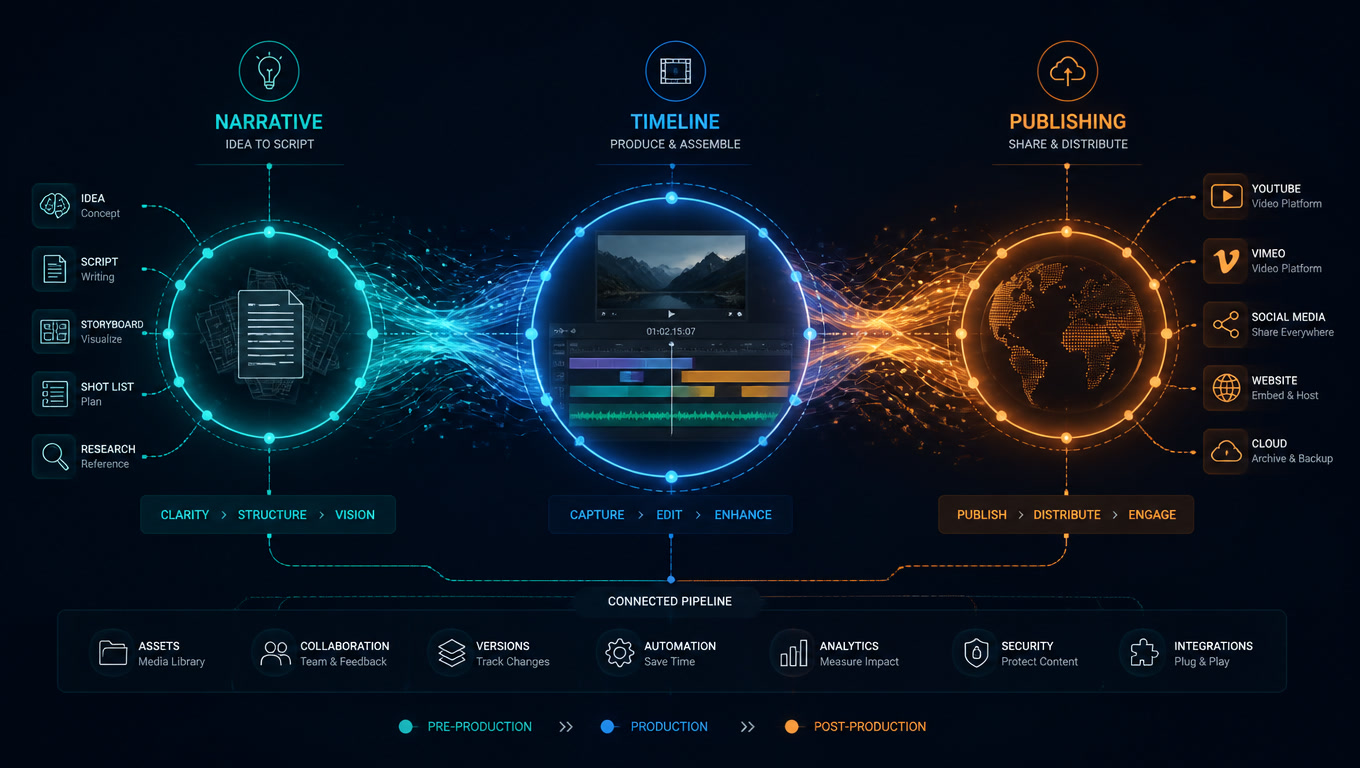
Technically, the biggest challenge isn't generating video with different models — the APIs are reasonably consistent — it's standardizing the post-production pipeline to accept footage from any source.
Our current architecture:
- Unified prompt library: We maintain a prompt repository with model-specific annotations. The same creative concept reads differently for Veo 3 (more emphasis on action and continuity) than for Sora 2 (more emphasis on lighting and composition).
- Generation metadata tracking: Every generation logs model, cost, time, and prompt version. This lets us optimize routing decisions with real production data, not published benchmarks.
- Standardized post-production pipeline: All generated footage goes through the same color grading, editing, and audio workflow regardless of source model. The quality gap between models narrows significantly after a consistent grading pass.
- Quarterly re-evaluation: Major providers update models monthly. We maintain a benchmark prompt set to re-evaluate relative performance each quarter and adjust routing rules accordingly.
The Real Cost of Multi-Model Production
A common misconception is that using multiple models multiplies costs. In practice, total cost drops because every dollar is spent on the model that maximizes the probability of delivering a usable shot in the fewest attempts.
For a standard 60-second corporate video:
| Approach | API cost | Average iterations | Total cost |
|---|---|---|---|
| Sora 2 for everything | $12-18/min | 8-12 attempts | $96-216 |
| Veo 3 for everything | $8-12/min | 5-8 attempts | $40-96 |
| Multi-model (routed) | $5-10/min average | 3-5 attempts | $15-50 |
These numbers are conservative and vary by project complexity, but the trend is clear: intelligent routing reduces total cost by 50-75% compared to using a single premium model for everything.
And that's before accounting for savings in human review time: fewer attempts means fewer editing hours, fewer client corrections, and fewer iterations.
What Benchmarks Don't Tell You
VBench, the most widely used benchmark for AI video models, measures sixteen dimensions: temporal consistency, motion smoothness, aesthetic quality, identity preservation, and more. These are useful metrics, but they systematically underweight what actually matters in production: narrative coherence, emotional tone, the editability of generated footage, and the temporal logic that lets a generated shot cut cleanly into a professionally edited sequence.
As César Cabrera (AI Creative Lead) puts it: "Automated metrics measure what is measurable, not necessarily what matters. Any team relying solely on benchmark scores to choose a model is optimizing for the wrong objective function."
Regulatory Compliance — The Layer You Can't Skip
Since 2026, Article 50 of the EU AI Act mandates transparency in AI-generated content:
- Visible labeling of synthetic content
- C2PA provenance metadata
- Transparency declarations in client materials
Any agency producing AI video for international clients must implement these requirements in their pipeline. At Mintec, we added a C2PA verification stage after generation and before client delivery. It's one extra step, but it prevents regulatory issues as more jurisdictions adopt similar requirements.
Where This Is Heading
AI video production in 2026 is no longer about finding "the best model." It's about building the best workshop — with specialized tools for each job type, data-driven routing rules, and a pipeline that standardizes quality regardless of the footage source.
If your team is still using a single model for every type of video, you're leaving quality and money on the table. The question isn't whether diversifying makes sense — the data is clear — it's how quickly you can make the switch.
At Mintec, we help production teams design and implement multi-model pipelines. If you're considering the jump, contact us and we'll show you how it works on real projects.
Frequently Asked Questions
What is the best AI video generation model for production in 2026?
No single model dominates all scenarios. Google Veo 3 (Helios) leads for dialogue and temporal coherence, Sora 2 for cinematic beauty shots, Runway Gen-4 for compositing control, and Kling 3.0 for speed and multimodal flexibility. The correct strategy is shot-level routing across multiple models.
How much does AI video production cost for a corporate video in 2026?
A complete AI tool stack costs $50-200/month for a marketing team. A polished 60-second video costs $5-50 in AI tool fees versus $5,000-50,000+ with traditional production. Cost-effectiveness is highest for explainer videos, product demos, and social media content.
Does AI video production require regulatory compliance?
Yes. Article 50 of the EU AI Act mandates mandatory labeling of AI-generated content and C2PA provenance metadata for content distributed in the European market as of 2026. Any agency producing AI video for international clients must implement transparency and watermarking in their production pipeline.